How to Compare Time-Synced Clips in DaVinci Resolve iPad
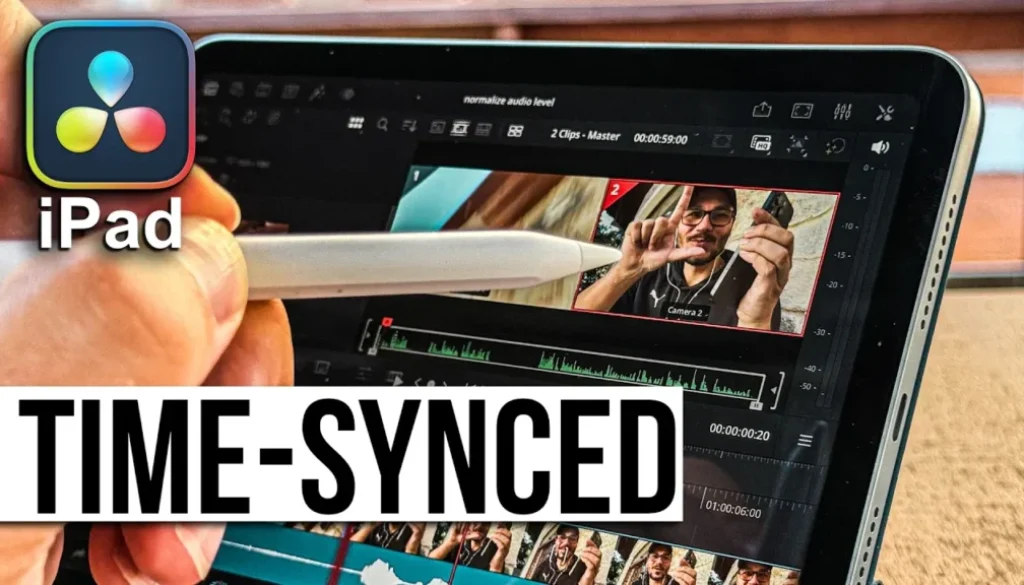
In this article/video i will show you the new Multisource option in DaVinci Resolve for iPad. This new button lets you view time synced footage from multiple cameras right in the viewer. Let me show you how it works and what you can do with it.
Pro Tip: Make your Videos Cinematic (and save a tone of time) with our Seamless Transition Pack for DaVinci Resolve iPad.

Contents
- [Video] New Multisource Option to View Time Synced Footage in DaVinci Resolve iPad
- Where to find the new Multisource button in DaVinci Resolve iPad
- How to view multiple camera angles at the same time
- How many cameras can you see in the Multisource viewer?
- How to sync your multicam clips in DaVinci Resolve iPad
- If you want to host your own Online Course use CC360
- BONUS: All DaVinci Resolve iPad Masterclass Students get the Transition Pack & the 8K Film Grain Pack for FREE!
[Video] New Multisource Option to View Time Synced Footage in DaVinci Resolve iPad
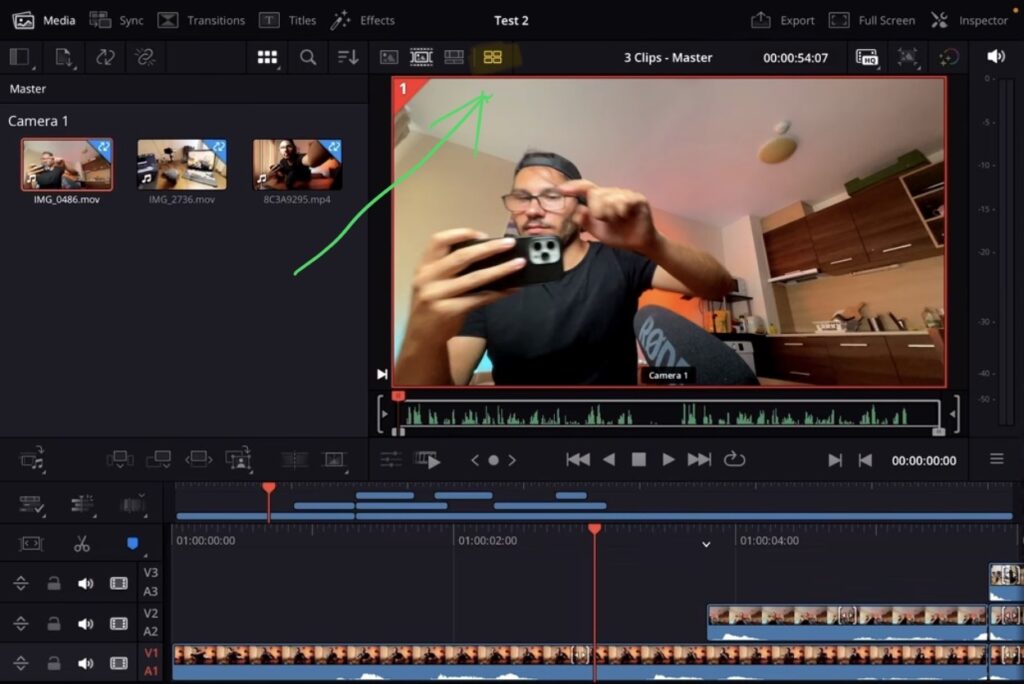
When you work with multicam clips in the Cut Page, there is a new button on the top of the viewer. It is located to the left of the different source options. Next to the film strip icon you will find this new Multisource icon. If you click on it, it will show you the different multicam angles right in the viewer.
Tip: If you don’t know how to get the other pages (FUSION, FAIRLIGHT, EDIT) on the iPad read this article first: How to UNLOCK ALL PAGES in DaVinci Resolve for iPad Pro
How to view multiple camera angles at the same time
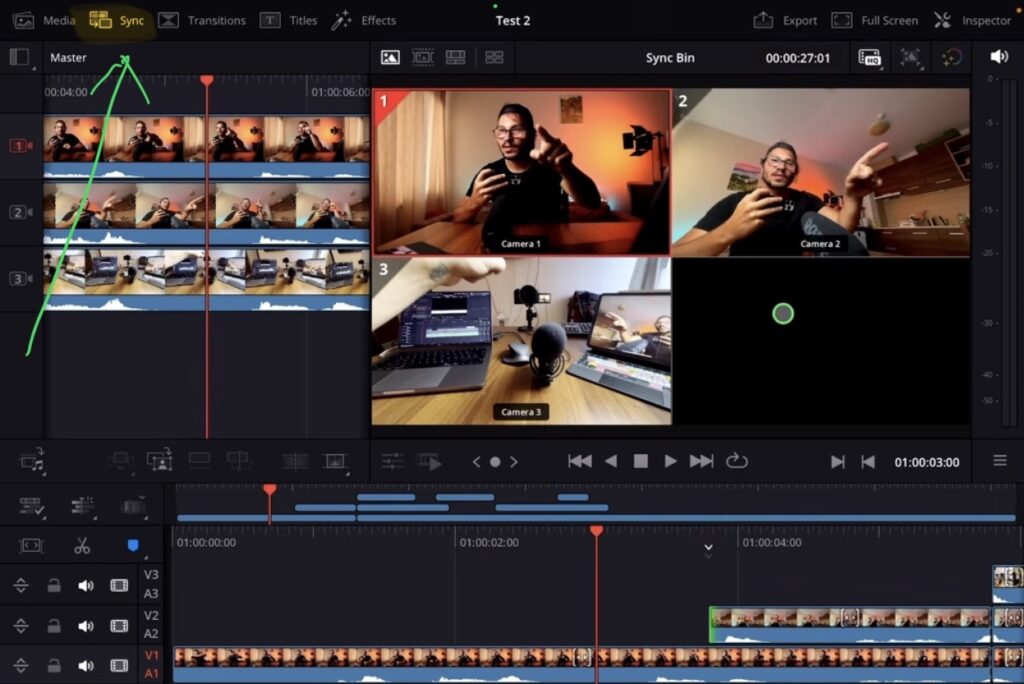
Once you click the new Multisource icon you can see multiple camera angles at the same time in the viewer. This works best when you already synced your multicam clips. For example, if you have three cameras synced together, you will see all three angles in the viewer.
How many cameras can you see in the Multisource viewer?
On the iPad the Multisource viewer can show around two to three cameras depending on your setup. On the desktop version of DaVinci Resolve you can see up to six, seven, eight or sometimes even ten cameras at the same time. This feature is also connected to the new Replay Editor functionality that Blackmagic Design added for live TV shows. While you probably won’t need that on the iPad, the icon and the feature are still available.
How to sync your multicam clips in DaVinci Resolve iPad
Before you can use the Multisource viewer you first need to sync your multicam clips. You can use the Sync Bin in the Cut Page or create Multicam Clips the traditional way. I have a separate video on my YouTube channel where i show you two ways how you can do multicam clips. One way uses the Cut Page and one is the more traditional approach that can sometimes be a bit faster.
Read Next: How To MULTICAM in DaVinci Resolve iPad!
If you want to host your own Online Course use CC360
I really believe, that CC360 is the best Platform to host your own Online Course currently on the market. And each week they introduce new features. Amazing. Check it out here.
BONUS: All DaVinci Resolve iPad Masterclass Students get the Transition Pack & the 8K Film Grain Pack for FREE!
You can either get the Transition Pack separate here: Seamless Transition Pack for DaVinci Resolve iPad. Or the 8K Film Grain Pack here: 8K Film Grain Bundle. but all of our DaVinci Resolve iPad Packs are a FREE Bonus for the DaVinci Resolve iPad Masterclass Students.
Check It Out here DaVinci Resolve iPad MasterClass: From Beginner To Pro.
Read Next
• How COPY Color Grade to MULTIPLE Clips in DaVinci Resolve iPad
• DO THIS to make DaVinci Resolve FASTER! (Instead of rage smashing your iPad)
• How To Delete Cache Files in DaVinci Resolve iPad
• How To Color Correct iPhone Footage in DaVinci Resolve iPad
• Easy Sync Audio & Video in DaVinci Resolve iPad



![Grainy Night Shots? [This Fixes It!]](https://exlima.net/wp-content/uploads/2026/10/Grainy-Night-Shots-This-Fixes-It-1024x576-394x330.webp)