Apple Promised This 3 Years Ago. Then Deleted the Page.
Yesterday I said that Apple broke its promise to iPad editors with Creator Studio. In this article I explain again why I think it is unfair for everyone who only uses Final Cut Pro on the iPad, I answer a comment from Ripple Training and I celebrate a big milestone with you.

Contents
- [Video] Did Apple Lie? My Answer About Creator Studio & Final Cut Pro iPad
- Final Cut Pro iPad Price: $49 vs $129 per Year
- Can You Still Buy Final Cut Pro for iPad Individually?
- Who Is Apple Creator Studio Actually Good For?
- Final Cut Pro iPad Third-Party Content: Still “Coming Soon”
- Final Cut Pro iPad vs DaVinci Resolve iPad: Price and Updates
- My Answer to Ripple Training’s Comment
- Why the Discount Code Is Called FUAPPLE
- What Apple Should Do
- 20,000 Subscribers: Thank You!
- How to Switch from Final Cut Pro to DaVinci Resolve on iPad
- If you want to host your own Online Course use CC360
- BONUS: All DaVinci Resolve iPad Masterclass Students get the Transition Pack & the 8K Film Grain Pack for FREE!
[Video] Did Apple Lie? My Answer About Creator Studio & Final Cut Pro iPad
Final Cut Pro iPad Price: $49 vs $129 per Year
Final Cut Pro for iPad was never the same software as Final Cut Pro on the Mac. It is a dumbed down version, but it still had a subscription. The one thing it had going for it is that it is optimized for the iPad. That is why a lot of people stayed with it, because DaVinci Resolve looked too complex and they just wanted to use software from Apple.
If you go to the App Store page of Final Cut Pro for iPad and scroll down to the In-App Purchases, you now see the new Creator Studio subscription.
Final Cut Pro for iPad Pricing
• Old individual subscription: $49 per year (only if you were already subscribed when Creator Studio launched)
• Apple Creator Studio: $12.99 per month or $129 per year
• Creator Studio includes Final Cut Pro, Logic Pro, Pixelmator Pro and more
• New users can’t subscribe to Final Cut Pro for iPad on its own anymore
So if you are a hobbyist who just has an iPad and wants to use Apple products, you now pay $129 per year instead of $49 per year.
Can You Still Buy Final Cut Pro for iPad Individually?
No. And this is the part I find unfair. If you want to buy Final Cut Pro for the Mac, you can still do it. If you want to buy Logic Pro for the Mac, you can still do it. Every Mac app from the bundle can still be bought on its own, and if you had it before you can keep using it. Final Cut Pro on the iPad is the only one where you get pushed into Creator Studio as a new user.
When Creator Studio was announced, Apple said there would still be an individual subscription. Technically that is true. The old subscription is still available. What they didn’t say 9 months ago is that it is only grandfathered for people who were already subscribed at that moment. That is why I say it is misleading.
Who Is Apple Creator Studio Actually Good For?
I said this many times and I say it again. If you are a content creator, a YouTuber or a business owner who uses Logic Pro, Pixelmator Pro and Final Cut Pro on the Mac, then one bundle for all of it is fair. The price is competitive. I was never attacking the bundle itself.
What I am attacking is that Mac users still have options if they don’t want a subscription, but iPad only hobbyists have none. These are the people who would love to support Apple, and now they get charged even more.
Final Cut Pro iPad Third-Party Content: Still “Coming Soon”
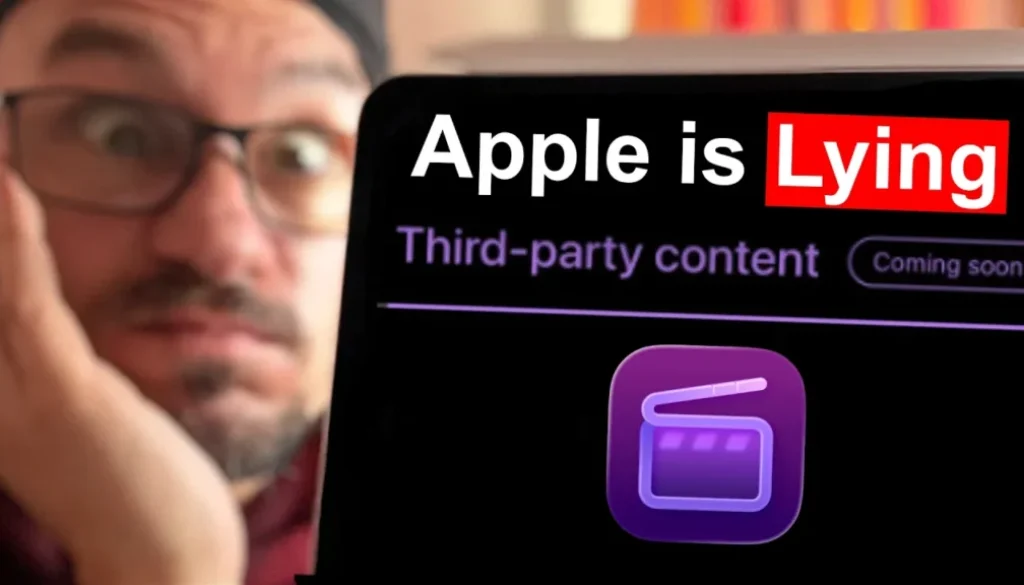
Apple launched Final Cut Pro for iPad in May 2023. On the Wayback Machine you can see that the website back then promised third-party content “coming soon”, so you could enhance your projects with content from leading developers.
In January 2026, almost 3 years later, the same page still said “coming soon”. And in the app you still don’t have third-party support today. Then Creator Studio launched in January 2026 and the Final Cut Pro for iPad page got removed. If you go to it now, you get redirected straight to Final Cut Pro and Creator Studio, so you can’t even look it up anymore.
Of course Apple never said what exactly “third-party content” means, so you can twist that wording. But here is what I think. Some of the motion templates on that 2023 landing page were from MotionVFX. Back then MotionVFX was still its own company. Then Apple bought MotionVFX. So my guess is they use that content as subscription content inside Final Cut Pro, but they never opened the app for the third-party content they promised.
Final Cut Pro iPad vs DaVinci Resolve iPad: Price and Updates
Yes, there is a bit more content in Final Cut Pro for iPad now than 3 years ago. But it was never a major leap. Just look at my channel and compare how often DaVinci Resolve gets an update and how often Final Cut Pro gets one. And then ask yourself which of the two charges a subscription.
• With the new price of $129 per year, you pay more in the first year than the one-time price of DaVinci Resolve Studio.
• As a beginner you don’t even need Studio, because around 90% of the features of DaVinci Resolve are in the free version.
My Answer to Ripple Training’s Comment
Another reason for this video is a comment from Ripple Training under my video from yesterday. In short, they said that there is nothing deceptive about Creator Studio, that people who subscribed before still pay the same price, that new subscribers get Logic Pro and Pixelmator Pro on top for a slightly higher fee, and that my bias is on full display because of my discount code. They called my argument “a tempest in a teacup”.
Ripple Training works very closely with Apple. If you click on training videos inside Final Cut Pro, you get redirected to their course. I actually bought their Final Cut Pro for iPad course 3 years ago and made a video about it. It wasn’t even a bad review. I just said that some things were missing and gave it 3 out of 5 stars. That review stayed pending and was never approved. After my video I got a long email explaining that they were still working on more content. Some of the things I mentioned they added, some they didn’t. And I also got comments from other people who had the same experience with them.
I bought the course in good faith and thought it was finished. If they had said “the course is not done yet, but we will add all of this”, I would not have written a review like that. I just think a training website should not decide to only publish the reviews it likes.
But I also have to apologize for my first reaction. When I saw their comment, it felt like they were completely on Apple’s side and didn’t watch my video to the end. So my first reply was about the deleted reviews. Then I wrote: for the record, I’m not against Creator Studio if you use the whole bundle. I just don’t think iPad only editors should pay $129 instead of $49.
“You get way more for a slightly higher price” works with every product. Imagine I sell you a house that normally costs 100k. Now I tell you I also sell you the moon, normally 5 million, but you get the house and the moon together for just one million. You get way more, right? But you only wanted the house.
Why the Discount Code Is Called FUAPPLE
Yes, could I have chosen a different name? Sure. But I was angry and I think I’m allowed to be angry. I’m not someone who hates Apple. I use a MacBook, I have two iPads, an iPhone and a lot of other Apple products.
It also hits me personally. Even with the old price of $49 per year, I am now in year three. I have now paid more for Final Cut Pro than I paid for DaVinci Resolve, and DaVinci Resolve is the one I use all the time. I only keep the Final Cut Pro subscription because I have a Final Cut Pro iPad MasterClass, and I promised my students lifetime access with every new update covered. For myself, just for Final Cut Pro, I would not opt into this subscription.
My core audience are people who make vacation videos on their iPad, people who are retired and love playing around with their iPad and Apple software. And they now have to pay more just to use Final Cut Pro on the iPad. I can’t justify $129 per year for that anymore.
What Apple Should Do
Buying it one time would be amazing, but I understand Apple wants to make more money. So at least offer the old individual subscription for people who only want Final Cut Pro. If someone wants Pixelmator Pro, Logic Pro and Final Cut Pro, even just on the iPad, then Creator Studio makes sense because it is cheaper than three separate subscriptions. But for someone who only wants one app, or uses it as a hobby, there should be a separate option.
The only reason I can see to keep that locked is to push iPad only users into a higher price so Apple makes more profit. It’s as simple as that.
20,000 Subscribers: Thank You!
Today is also a celebration day, even if I was ranting again. My channel just reached 20,000 subscribers. I have been working on this YouTube channel for six or seven years now. Thank you to every single one of you that I helped over the years and that helped me. Thank you for being part of this community.
How to Switch from Final Cut Pro to DaVinci Resolve on iPad
Since yesterday I got a few comments like “Daniel, you made me think. I always used Final Cut Pro because DaVinci Resolve looked overwhelming.” My advice: just get through the first two weeks and you will not regret it. DaVinci Resolve is the better software, especially on the iPad.
And everything you learn on the iPad also applies to the Mac. You are not just learning the quirks of an iPad app, you are learning the principles of DaVinci Resolve that you can use on a desktop too.
20% OFF: Use the code FUAPPLE to get 20% off the DaVinci Resolve iPad MasterClass: From Beginner To Pro. Don’t learn Final Cut Pro, learn DaVinci Resolve.
If you want to host your own Online Course use CC360
I really believe, that CC360 is the best Platform to host your own Online Course currently on the market. And each week they introduce new features. Amazing. Check it out here.
BONUS: All DaVinci Resolve iPad Masterclass Students get the Transition Pack & the 8K Film Grain Pack for FREE!
You can either get the Transition Pack separate here: Seamless Transition Pack for DaVinci Resolve iPad. Or the 8K Film Grain Pack here: 8K Film Grain Bundle. but all of our DaVinci Resolve iPad Packs are a FREE Bonus for the DaVinci Resolve iPad Masterclass Students.
Check It Out here DaVinci Resolve iPad MasterClass: From Beginner To Pro.
Read Next
• Final Cut PRO for iPad: Is it really Pro? (The Truth)
• Final Cut Pro iPad 3.0: Every New Feature Tested (AI, Beat Detection & More)
• Final Cut Pro on iPad Mini 7: UNDERRATED!!!
• How To Cinematic BLACK BARS (Final Cut Pro iPad)
• How to add KEYFRAMES in Final Cut Pro iPad