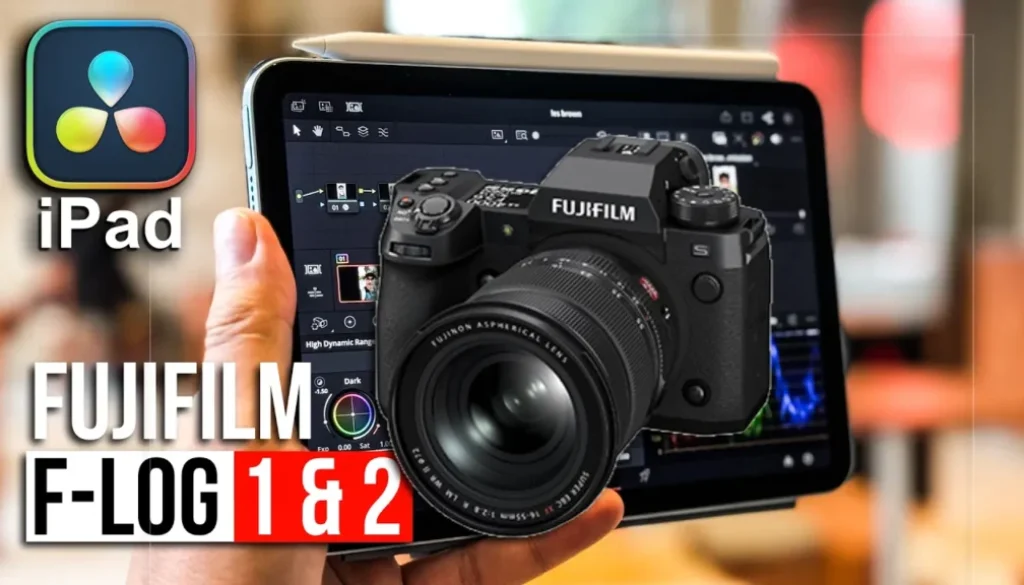
FujiFilm Log & Log2 in DaVinci Resolve iPad
In this article/video i will show you how you can use Fujifilm F-Log and F-Log 2 in DaVinci Resolve for iPad. If you shoot with a Fujifilm camera in log, you can now use the Color Space Transform to properly convert your footage. Let me show you where to find it and how it works.
Pro Tip: Make your Videos Cinematic (and save a tone of time) with our Seamless Transition Pack for DaVinci Resolve iPad.

Contents
- [Video] How to Use Fujifilm F-Log and F-Log 2 in DaVinci Resolve iPad
- How to Use Fujifilm F-Log in the Color Space Transform on DaVinci Resolve iPad
- Where to Find Fujifilm F-Log and F-Log 2 in the Input Gamma Dropdown
- If you want to host your own Online Course use CC360
- BONUS: All DaVinci Resolve iPad Masterclass Students get the Transition Pack & the 8K Film Grain Pack for FREE!
[Video] How to Use Fujifilm F-Log and F-Log 2 in DaVinci Resolve iPad
How to Use Fujifilm F-Log in the Color Space Transform on DaVinci Resolve iPad
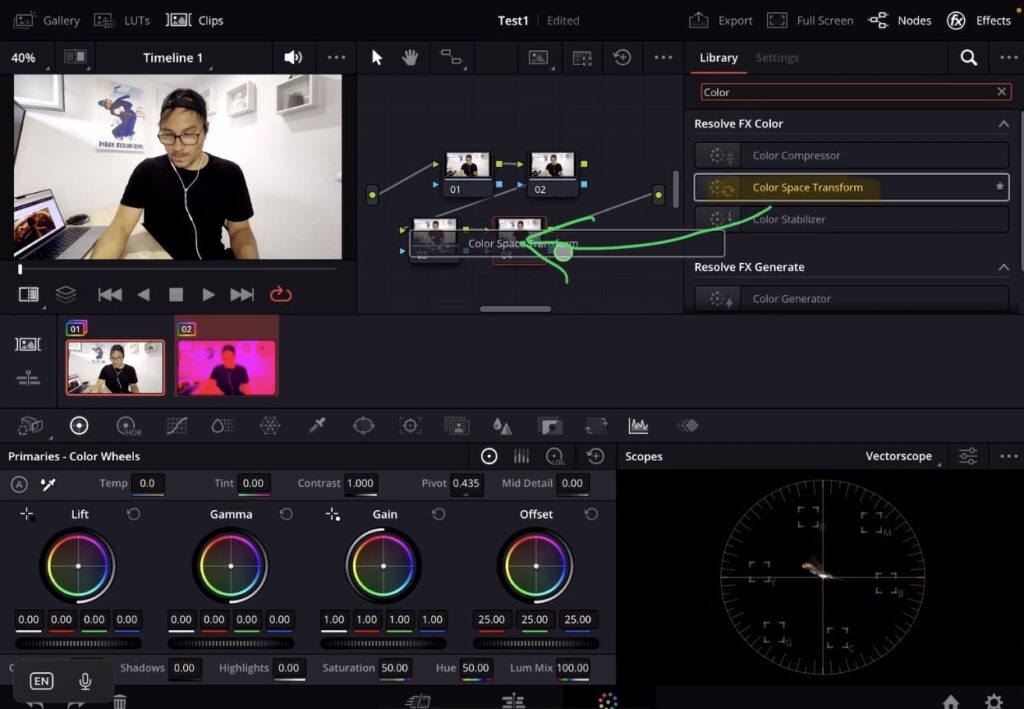
If you shoot with a Fujifilm camera in log, you need to convert that footage to the correct color space before you start color grading. DaVinci Resolve for iPad now supports Fujifilm F-Log and F-Log 2 inside the Color Space Transform effect.
To use it, go to the Color Page and add a Color Space Transform to your node tree. Inside the Color Space Transform settings, look for the “Input Gamma” dropdown. This is where you select the log profile that matches your camera footage.
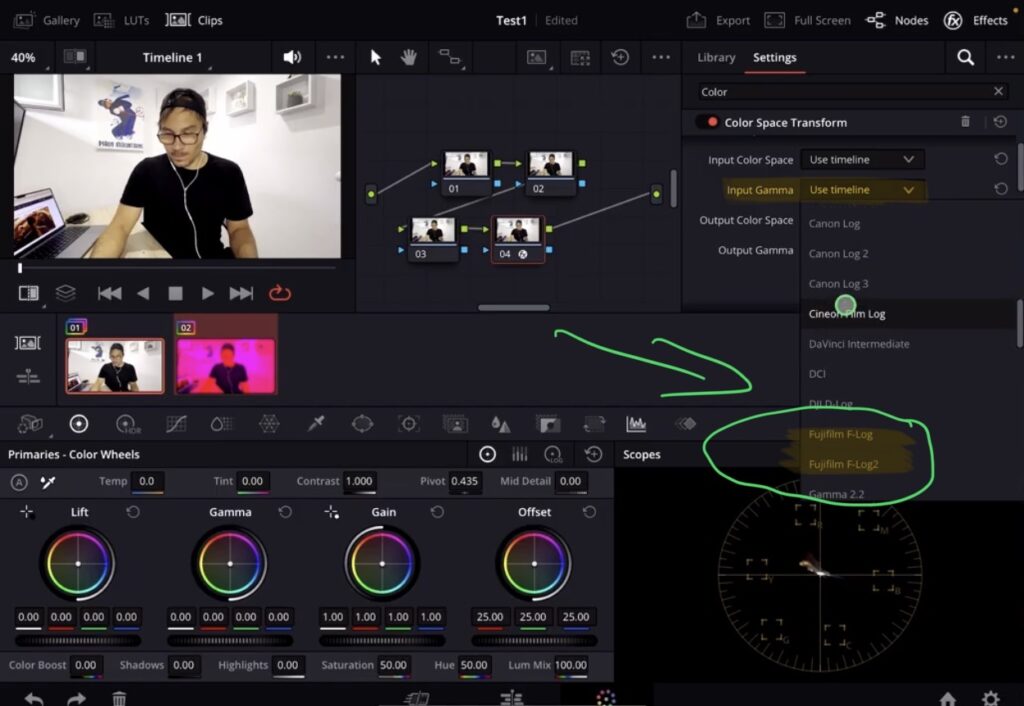
Where to Find Fujifilm F-Log and F-Log 2 in the Input Gamma Dropdown
In the Input Gamma dropdown you will find all the different camera log profiles. Scroll through the list and you will see Fujifilm FLog and Fujifilm FLog 2. Select the one that matches the log profile your Fujifilm camera was shooting in. This is very handy if you have log footage from a Fuji camera and you want to do a proper color space conversion before grading.
Tip: If you don’t know how to get the other pages (FUSION, FAIRLIGHT, EDIT) on the iPad read this article first: How to UNLOCK ALL PAGES in DaVinci Resolve for iPad Pro
If you want to host your own Online Course use CC360
I really believe, that CC360 is the best Platform to host your own Online Course currently on the market. And each week they introduce new features. Amazing. Check it out here.
BONUS: All DaVinci Resolve iPad Masterclass Students get the Transition Pack & the 8K Film Grain Pack for FREE!
You can either get the Transition Pack separate here: Seamless Transition Pack for DaVinci Resolve iPad. Or the 8K Film Grain Pack here: 8K Film Grain Bundle. but all of our DaVinci Resolve iPad Packs are a FREE Bonus for the DaVinci Resolve iPad Masterclass Students.
Check It Out here DaVinci Resolve iPad MasterClass: From Beginner To Pro.
Read Next
• How COPY Color Grade to MULTIPLE Clips in DaVinci Resolve iPad
• DO THIS to make DaVinci Resolve FASTER! (Instead of rage smashing your iPad)
• How To Delete Cache Files in DaVinci Resolve iPad
• How To Color Correct iPhone Footage in DaVinci Resolve iPad
• Easy Sync Audio & Video in DaVinci Resolve iPad



![Grainy Night Shots? [This Fixes It!]](https://exlima.net/wp-content/uploads/2026/10/Grainy-Night-Shots-This-Fixes-It-1024x576-394x330.webp)