
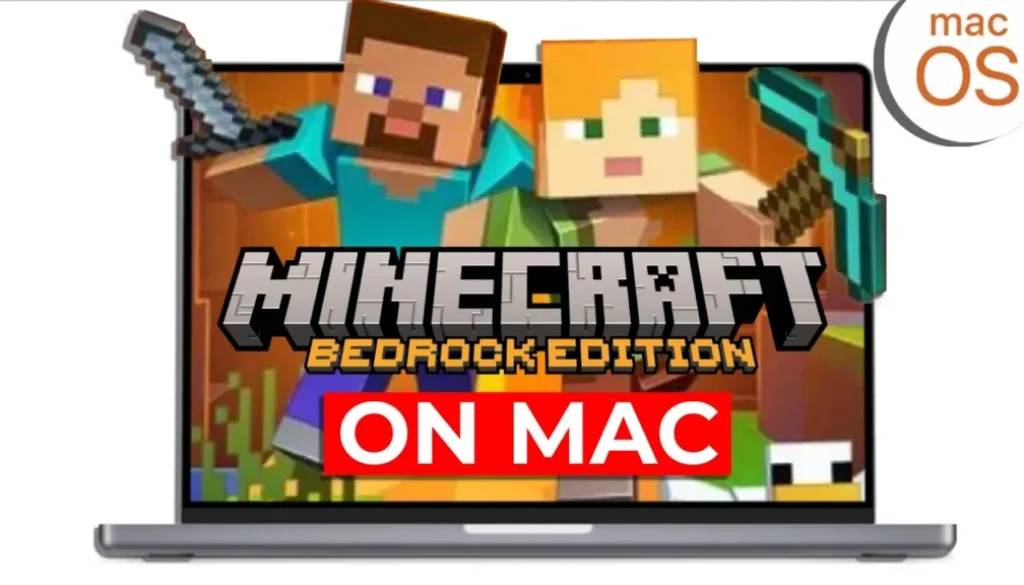
Minecraft Bedrock on Mac FINALLY Solved (Full Cross-Play, Latest Version, No BS)
In this article/video I will show you how you can install Minecraft Bedrock Edition on your MacBook with Apple Silicon (M1, M2, M3, M4) and always stay up to date with the latest version. This method also lets you play crossplay with your friends on iPad, iPhone, Android, Nintendo Switch and consoles.
Pro Tip: Make your Videos Cinematic (and save a tone of time) with our Seamless Transition Pack for DaVinci Resolve iPad.

Contents
- [Video] How to Install Minecraft Bedrock on MacBook with Apple Silicon
- Why Minecraft Bedrock on Apple Silicon?
- Why Other Methods Don’t Work
- Install Minecraft Bedrock with BlueStacks on Mac
- How to Play Crossplay with Friends
- If you want to host your own Online Course use CC360
- BONUS: All DaVinci Resolve iPad Masterclass Students get the Transition Pack & the 8K Film Grain Pack for FREE!
[Video] How to Install Minecraft Bedrock on MacBook with Apple Silicon
Timestamps
00:00 Intro
00:15 Why Bedrock Edition?
00:32 Minecraft Java on Mac
00:38 CrossPlay with Bedrock Edition
00:55 Why All other Methods Suck
01:17 Shoutout to What’s Daren Doing
01:44 Download BlueStacks Lite
02:00 Install BlueStacks Lite
02:47 Login with Google Account
03:30 Install and Download Minecraft Bedrock
04:03 Important BlueStacks Settings
05:01 Important Apple System Settings
05:39 How to Full Screen BlueStacks
05:52 Important Minecraft Settings
06:43 How to use Vibrant Visuals
07:14 Minecraft Gameplay
07:30 How to change Mouse Settings
07:58 How to use CrossPlay?
09:16 Sign In Microsoft Account
10:11 CrossPlay works showcase
11:00 Outro
Why Minecraft Bedrock on Apple Silicon?
The problem is simple: there is no native Minecraft Bedrock Edition for Apple Silicon Macs. You can play the Java Edition without issues, but if you want to play crossplay with friends on iPad, iPhone, Android, Nintendo Switch or consoles, you need the Bedrock Edition. All of those devices run Bedrock, and without it you can not join their games.
Why Other Methods Don’t Work
There are other methods like Prism Loader or Bedrock Loader, but they all share the same problem. They only support older versions, not the latest. So when a new update drops, you suddenly can not play with your friends anymore. The method in this video solves that.
Install Minecraft Bedrock with BlueStacks on Mac
The solution is BlueStacks Air, a free Android emulator. You install BlueStacks, sign in with your Google account, download Minecraft from the Google Play Store, and you are ready to go. If you already purchased Minecraft with that Google account, it will recognize your purchase. If not, you can buy it right there.
There are a few important settings to change in BlueStacks (like switching to high performance mode and disabling ads) and in your Mac system settings (accessibility and file permissions). I also show you how to optimize the Minecraft settings for desktop, like reducing the UI scale and increasing render distance. Watch the video above for the full step-by-step walkthrough.
How to Play Crossplay with Friends
Because BlueStacks creates its own IP address, you will not see LAN games from your local network. The solution is to sign in with a Microsoft account inside Minecraft. Microsoft accounts are free. Once all players are signed in with their own Microsoft accounts and added as friends, you can find and join each other’s games. This works for local servers, Realms and external servers. I show the full process in the video.
Fun fact: this version actually runs smoother and cooler than the Java Edition on MacBook.
If you want to host your own Online Course use CC360
I really believe, that CC360 is the best Platform to host your own Online Course currently on the market. And each week they introduce new features. Amazing. Check it out here.
BONUS: All DaVinci Resolve iPad Masterclass Students get the Transition Pack & the 8K Film Grain Pack for FREE!
You can either get the Transition Pack separate here: Seamless Transition Pack for DaVinci Resolve iPad. Or the 8K Film Grain Pack here: 8K Film Grain Bundle. but all of our DaVinci Resolve iPad Packs are a FREE Bonus for the DaVinci Resolve iPad Masterclass Students.
Check It Out here DaVinci Resolve iPad MasterClass: From Beginner To Pro.
Read Next
• How COPY Color Grade to MULTIPLE Clips in DaVinci Resolve iPad
• DO THIS to make DaVinci Resolve FASTER! (Instead of rage smashing your iPad)
• How To Delete Cache Files in DaVinci Resolve iPad
• How To Color Correct iPhone Footage in DaVinci Resolve iPad
• Easy Sync Audio & Video in DaVinci Resolve iPad


![Epic Games Luncher not working on Mac? [Easy Fix]](https://exlima.net/wp-content/uploads/2026/02/Epic-Games-Luncher-not-working-on-Mac-1024x576-394x330.webp)