Apple Creator Studio Feels Like the Beginning of the End for Creators
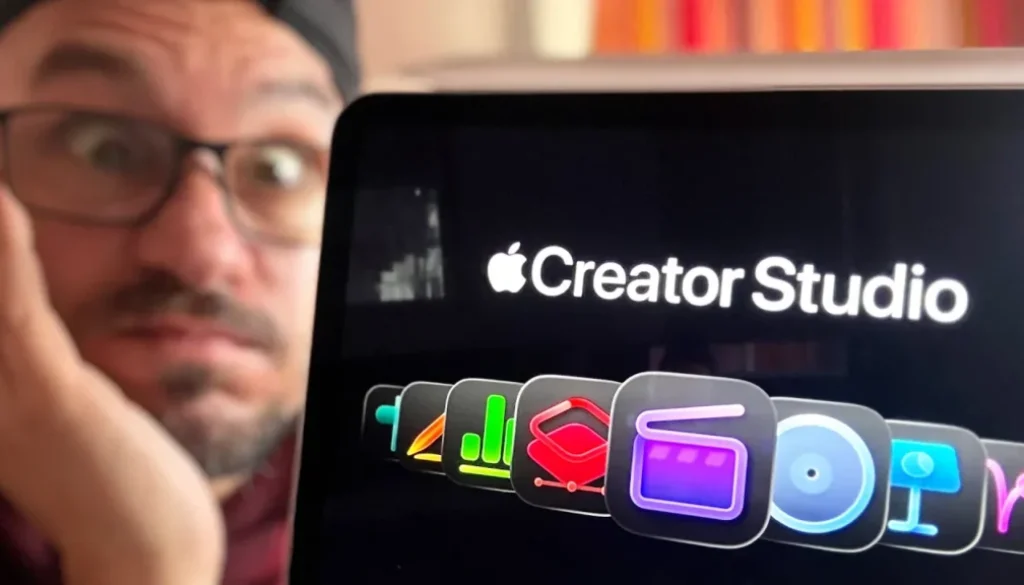
Apple just introduced Apple Creator Studio, a new subscription that bundles all of their creative pro apps into one plan. In this article and video I break down what apps are included, how much it costs, what happens if you already own the apps, and whether this subscription is actually worth it.
Contents
- [Video] Apple Creator Studio – Everything You Need to Know
- What Is Apple Creator Studio?
- What Apps Are Included in Apple Creator Studio?
- Apple Creator Studio Price and Student Discount
- Can I Still Buy Final Cut Pro and Logic Pro Without a Subscription?
- New Final Cut Pro Features in Apple Creator Studio
- Final Cut Pro iPad Now Compatible with A16 and A17 Pro Chips
- What Happens to Your Projects When Your Subscription Ends?
- Can I Share Apple Creator Studio with My Family?
- Is Apple Creator Studio Worth It?
- If you want to host your own Online Course use CC360
- If you want to host your own Online Course use CC360
[Video] Apple Creator Studio – Everything You Need to Know
What Is Apple Creator Studio?
Apple Creator Studio is a new subscription bundle that brings together all of Apple’s professional creative apps into one plan. Instead of buying each app separately, you get access to everything with a single subscription.
What Apps Are Included in Apple Creator Studio?
The bundle includes the following apps, and where available also the iPad versions:
• Final Cut Pro (Mac + iPad)
• Logic Pro (Mac + iPad)
• Pixelmator Pro (Mac + iPad, new on iPad)
• Motion
• Compressor
• MainStage
• Keynote, Pages, Numbers, Freeform (always free, but with premium templates and AI features in the subscription)
Pixelmator Pro is a big one here because it will now also be available on the iPad, fully optimized for touch and Apple Pencil.
Apple Creator Studio Price and Student Discount
The subscription costs $12.99 per month or $129 per year. If you are a student, you pay just $2.99 per month or around $30 per year, which is a very competitive price. And if you buy a new Apple device like an iPad or Mac, you get free months to test everything out.
To put that into perspective: if you already use Final Cut Pro and Logic Pro on the iPad, you pay around $100 per year for both apps separately. For $129 per year you get both of those plus everything else in the bundle.
Can I Still Buy Final Cut Pro and Logic Pro Without a Subscription?
Yes. Apple decided to go both ways. You can still purchase the standalone Mac apps as a one-time purchase. Final Cut Pro is $299 in the US (349 Euros in Europe), Logic Pro is $199, Pixelmator Pro is $49, Motion is $49, and Compressor is $49. The Pro Apps Bundle for Education at $199 is also still available.
For the iPad, Final Cut Pro and Logic Pro will likely stay as separate subscriptions at around 50 Euros per year each. But if you want all the apps, opting into the Creator Studio subscription makes more financial sense.
New Final Cut Pro Features in Apple Creator Studio
With the Creator Studio subscription, Final Cut Pro gets a couple of new advanced features:
• Beat Detection: Edit video to rhythm and music fast and fun. This seems to come to both the Mac and iPad version of Final Cut Pro.
• Visual Search: Visually search through your media in the studio.
• Montage Maker (iPad): A new AI-powered tool that analyzes your footage and creates dynamic edits based on the best visual moments in just seconds.
Even if you do not want to subscribe to the Creator Studio, you can still use Final Cut Pro without these advanced features. The base functionality stays the same.
Final Cut Pro iPad Now Compatible with A16 and A17 Pro Chips
This is interesting. Apple confirmed that Final Cut Pro for iPad will be compatible with iPad models featuring the A16, A17 Pro and M1 chip or newer. That means the regular iPad (latest version with A16), the iPad Mini 7 (A17 Pro) and of course all M-chip iPads (M1, M2, M4 and so on) can now run Final Cut Pro.
Read more here: Final Cut Pro on iPad Mini 7: UNDERRATED!!!
What Happens to Your Projects When Your Subscription Ends?
All projects and content you create while subscribed remain on your devices and you can copy and share them. However, to open or edit a project you need to be an active subscriber. This is important to keep in mind. If you create a project using some of the Creator Studio exclusive features, you cannot open that project in just the standalone version.
Yes. The standard Apple Creator Studio subscription can be shared with up to five other family members using Family Sharing. So only one person in the household has to pay the subscription and everyone can use it.
Is Apple Creator Studio Worth It?
Here is my honest take on this. I think it is nice that Apple offers both options and does not force you into a subscription like Adobe. You can still purchase the apps separately. But I also think this is a strategic move. Apple sees that subscriptions make more money and they are trying to get us into subscriptions by offering value.
Right now many of these AI features still need to prove themselves. Time will tell if they are good enough that we actually want to upgrade. The cool thing is you can test the Creator Studio for one month for free to see if you like it. If not, you can still just purchase the apps and use them standalone.
My caveat is that this could be a transition period. Over the next couple of years Apple could make the Creator Studio so good that people want to upgrade, and then slowly stop updating the standalone versions. I am not saying this will happen, but it is something to keep in mind.
If you want to host your own Online Course use CC360
I really believe, that CC360 is the best Platform to host your own Online Course currently on the market. And each week they introduce new features. Amazing. Check it out here.
If you want to host your own Online Course use CC360
I really believe, that CC360 is the best Platform to host your own Online Course currently on the market. And each week they introduce new features. Amazing. Check it out here.
Check Out: Final Cut Pro iPad MasterClass: From Beginner to Pro
Read Next
• How To Turn ON/OFF Audio Skimming in Final Cut Pro iPad
• How To DUPLICATE Timeline in Final Cut Pro iPad
• How to add KEYFRAMES in Final Cut Pro iPad