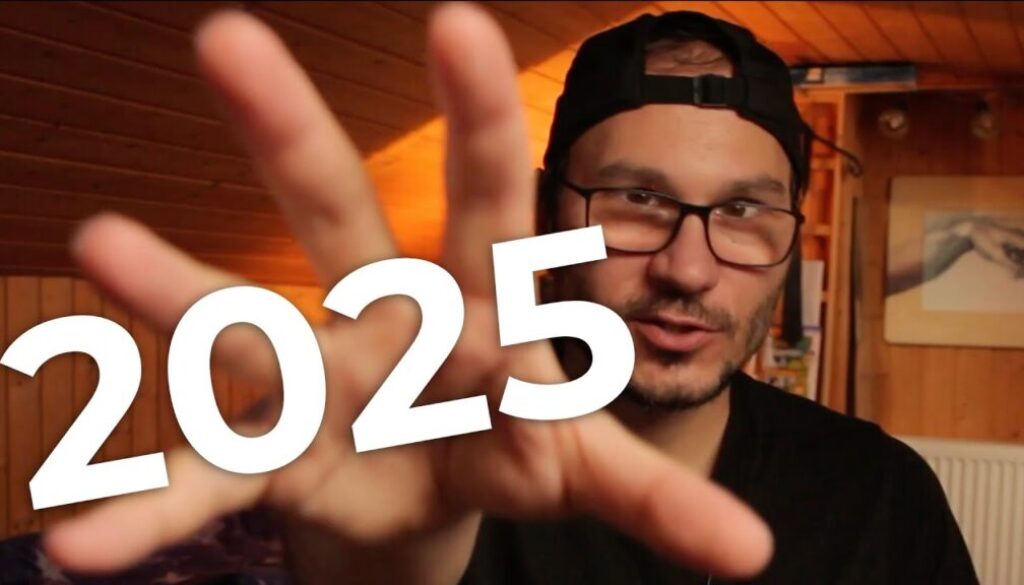
This was the toughest year of my life.
In this video I reflect on my 2025 year. What happened, what worked, what didn’t, and what I learned along the way. From publishing 164 YouTube videos across two channels to a failed partnership and new business strategies, this is my honest year in review.
Pro Tip: Make your Videos Cinematic (and save a tone of time) with our Seamless Transition Pack for DaVinci Resolve iPad.

Contents
- [Video] My 2025 Year in Review
- Why I Do a Yearly Review
- Setting Goals You Can Actually Control
- 164 Videos Published in Two Languages
- New Gear This Year: AirPods, Kindle Scribe and iPad Mini
- I Published Three Books
- A Failed Partnership and What I Learned
- New Business Strategy: The Money Model
- The DaVinci Resolve Desktop Masterclass
- Looking Ahead to 2026
- If you want to host your own Online Course use CC360
- BONUS: All DaVinci Resolve iPad Masterclass Students get the Transition Pack & the 8K Film Grain Pack for FREE!
[Video] My 2025 Year in Review
Why I Do a Yearly Review
Every year I sit down and reflect on what happened. I’m not a hardcore productivity person, but I think it’s important to hold still sometimes and look at what actually happened. These videos are probably more for myself in the future looking back. Like three years ago, all of this DaVinci Resolve content didn’t even exist. My career, my YouTube channel, everything was at a completely different point.
This year my girlfriend gave me a great tip for the reflection process: just grab your phone and go back through your pictures month by month. That alone gave me enough inspiration to write down way more than I expected. And she was right. Sometimes we totally forget the things we actually did.
Setting Goals You Can Actually Control
One of the biggest lessons this year was about how you set goals. I nailed my goal of publishing at least 52 YouTube videos for my English channel and 52 for my German channel. In total I published 164 videos across both channels. That felt great because it was a goal attached to something I could control.
But I also set a goal of reaching 20K subscribers and I didn’t reach it. I’m at around 17,000 right now. Here is the thing: if you set a goal like “reach 10K subscribers” and you do everything you can but the algorithm just doesn’t play along, are you a failure? The problem is you feel like one because you set the goal on the outcome instead of the action. That’s why it’s so important to set goals attached to things you actually do, not things you can’t control.
164 Videos Published in Two Languages
Something funny happened this year. Someone commented on my “AI in YouTube Sucks” video saying they couldn’t find my videos in one language anymore because they kept getting the other channel in their feed. That’s one of the problems when you do the exact same videos in two languages. I actually record both versions. It’s not just a voiceover or translation. I record them, I edit them, all in the same process.
When I did my reflection work, I actually wrote down the 164 videos as my biggest achievement of the year. Not a new product launch, not finishing an online course. Just staying committed and showing up every single week. In the last four months I even stepped up to two videos a week on both channels. That’s four videos a week about DaVinci Resolve and Final Cut Pro.
New Gear This Year: AirPods, Kindle Scribe and iPad Mini
In January I got my first AirPods Pro 4S. Since I have them, I barely use my Sony headphones anymore. Not because the Sony headphones are bad in quality, but because of the seamless connection across MacBook, iPad, and iPhone. The latency for gaming is also better than on the Sony MX5s. The only drawback is the battery dies after about 5 hours, but that’s actually a good reminder to take a gaming break.
In February I got a Kindle Scribe. I’ve been using Kindle for ebook reading since I started traveling in 2015. The e-ink display feels very good. But the Amazon software is buggy and laggy. I have a journal with over 300 entries and just navigating back to a certain page takes effort. I have three different notebooks I swap between (time tracking, to-do list, and journal) and opening and closing them on the e-ink display is painful. But I still managed to make it work and use it daily.
Also in February I purchased an iPad Mini. I even announced in my last video that I’m traveling to Turkey with only the iPad Mini and no iPad Pro. Spoiler: it’s a pain without a keyboard. Copy and pasting, which I use a lot for my blog articles in two languages, is just difficult on the touchscreen. The iPad Mini is amazing for making notes, taking screenshots, and annotating. But for the final writing and editing, I grab my Mac and use a real keyboard.
I Published Three Books
This year I published three books. I already had a German book about my two years traveling in Canada (originally published in 2020) and I had to rework it because lots of stuff was outdated. While I was working on that update, I decided to also create work and travel guides for Australia and New Zealand. All three books are in German and cover the same 10 chapter structure, just with country-specific content.
The first edition of the Canada book took me four years. But this time I already had the structure, so it was faster. A lot of chapters about van life, minimalism, and general travel tips applied across all three countries from my experience living on the road for three years. These books are a small niche and I don’t actively promote them, but it was something I wanted to finish for a long time.
• Work & Travel Kanada Ratgeber
• Work & Travel Australien Ratgeber
• Work & Travel Neuseeland Ratgeber
A Failed Partnership and What I Learned
In November 2024 I started a partnership with two other guys who run New Zealand travel websites. The idea was to combine our skill sets and expand what one of them already built for New Zealand into Canada and Australia as well. I worked on this for nine months. It didn’t work out.
Here are the biggest lessons I took from this experience. First, make sure everyone understands the expectations before going into a partnership. Second, we didn’t have any contracts. Nothing. We just started as friends. That is a big mistake I would never repeat. Without a contract, whoever owns everything can simply say “you’re out” and there’s no protection. Third, even a small partnership of three entrepreneurs needs clear direction and leadership. We started way too big and lost focus. And after five months, I was doing work outside my skill set instead of what I was actually good at.
During those nine months I could have finished my DaVinci Resolve Desktop Masterclass instead. That still hurts a bit when I think about it.
New Business Strategy: The Money Model
A big shift this year came from reading Alex Hormozi’s new book “Money Models.” It changed how I think about structuring my DaVinci Resolve business. Before, I had one product with everything packed into it. Now I’m building a proper product ladder.
The first step is an Attraction Offer. Something low-cost where I can prove I know what I’m talking about and deliver real value. That’s what I built with the DaVinci Resolve iPad Starter Kit. It includes VFX packs, a 7-Day Challenge, and tools to help people start making videos right away. An offer that feels like a no-brainer.
The next step would be a Core Offer: a 30-Day Boot Camp where I teach the basics and most important features of DaVinci Resolve on the iPad in a structured, day-by-day format. The idea is to build a habit and not overwhelm people. My current Masterclass has three years of content in it. That’s a great deal, but the structure can be overwhelming if you’re just starting out. The Boot Camp would solve that. I haven’t started building it yet, only the outline exists on paper.
Then there would be a Downsell for people who don’t need the personal guidance and community. That would be the current Masterclass, but with a price adjustment since I haven’t raised the price in two years. And finally a Continuous Offer, though I’m not sure yet if I’ll build that for the DaVinci Resolve business specifically.
The DaVinci Resolve Desktop Masterclass
I also mentioned my DaVinci Resolve Desktop Masterclass that I’ve been working on for one and a half years now. Five modules are done. At one point I completely stripped away the German version, then picked it up again and started recording. This is one of the reasons why this year felt hard. I couldn’t just come out and say “I nailed everything.” But the Desktop Masterclass will change things when it’s done because it means I can help not just iPad users but everyone learning DaVinci Resolve.
Looking Ahead to 2026
2025 wasn’t an easy year. There were personal struggles, self-doubt, and a lot of moments where the progress I made didn’t feel like enough. But when I actually sat down and went through it month by month, I realized I did more than I gave myself credit for. 164 videos, three books, a new product, and a lot of hard lessons from a failed partnership. Sometimes the most important thing is that you just kept going. Happy New Year 2026.
Tip: If you don’t know how to get the other pages (FUSION, FAIRLIGHT, EDIT) on the iPad read this article first: How to UNLOCK ALL PAGES in DaVinci Resolve for iPad Pro
If you want to host your own Online Course use CC360
I really believe, that CC360 is the best Platform to host your own Online Course currently on the market. And each week they introduce new features. Amazing. Check it out here.
BONUS: All DaVinci Resolve iPad Masterclass Students get the Transition Pack & the 8K Film Grain Pack for FREE!
You can either get the Transition Pack separate here: Seamless Transition Pack for DaVinci Resolve iPad. Or the 8K Film Grain Pack here: 8K Film Grain Bundle. but all of our DaVinci Resolve iPad Packs are a FREE Bonus for the DaVinci Resolve iPad Masterclass Students.
Check It Out here DaVinci Resolve iPad MasterClass: From Beginner To Pro.
Read Next
• How COPY Color Grade to MULTIPLE Clips in DaVinci Resolve iPad
• DO THIS to make DaVinci Resolve FASTER! (Instead of rage smashing your iPad)
• How To Delete Cache Files in DaVinci Resolve iPad
• How To Color Correct iPhone Footage in DaVinci Resolve iPad
• Easy Sync Audio & Video in DaVinci Resolve iPad