DaVinci Resolve iPad Vertical Mode is here!
DaVinci Resolve for iPad finally runs in vertical mode. But not on every iPad. In this article/video I will show you which iPad supports it right now and what I think about the first version of the vertical layout.
Pro Tip: Make your Videos Cinematic (and save a tone of time) with our Seamless Transition Pack for DaVinci Resolve iPad.

Contents
- [Video] DaVinci Resolve iPad Vertical Mode is here!
- Which iPads support DaVinci Resolve in vertical mode?
- DaVinci Resolve vertical mode on the 13-inch iPad Pro
- Is the vertical mode optimized for touch yet?
- If you want to host your own Online Course use CC360
- BONUS: All DaVinci Resolve iPad Masterclass Students get the Transition Pack & the 8K Film Grain Pack for FREE!
[Video] DaVinci Resolve iPad Vertical Mode is here!
Which iPads support DaVinci Resolve in vertical mode?
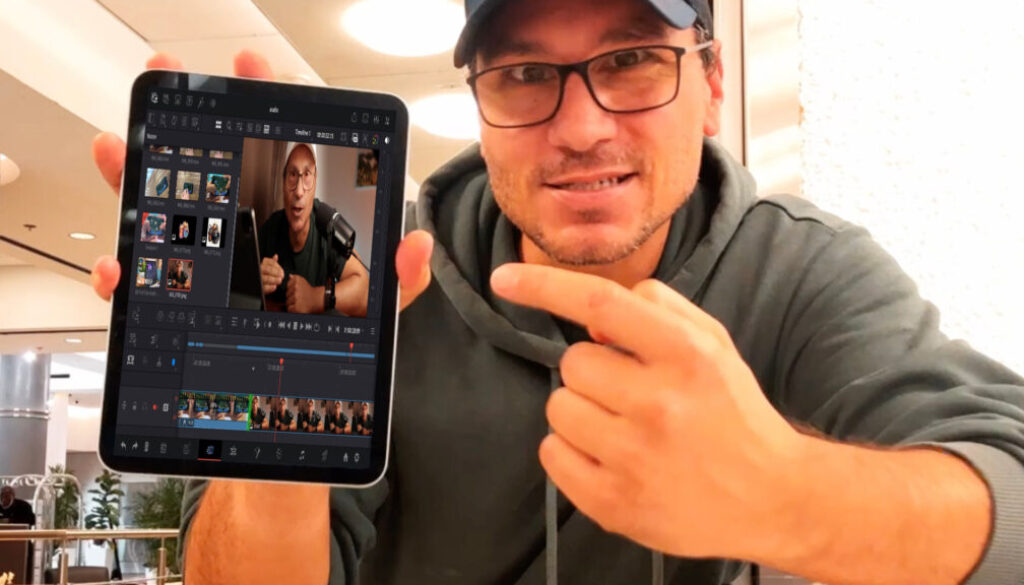
Right now vertical mode only works on the 13-inch iPad Pro. Joshua, one of the members of our community, noticed it first and sent me a video of DaVinci Resolve running vertical on his 13-inch iPad Pro.
Of course I immediately tested it on my own iPads. On the iPad Mini and on the 11-inch iPad Pro it does not work yet. When you turn the iPad vertical, DaVinci Resolve still shows a message that asks you to expand the window to continue using the app.
If you edit on the iPad Mini like me, you can still use DaVinci Resolve in horizontal mode. I tested how well that works here: DaVinci Resolve on iPad Mini 7: UNDERRATED!!!
DaVinci Resolve vertical mode on the 13-inch iPad Pro
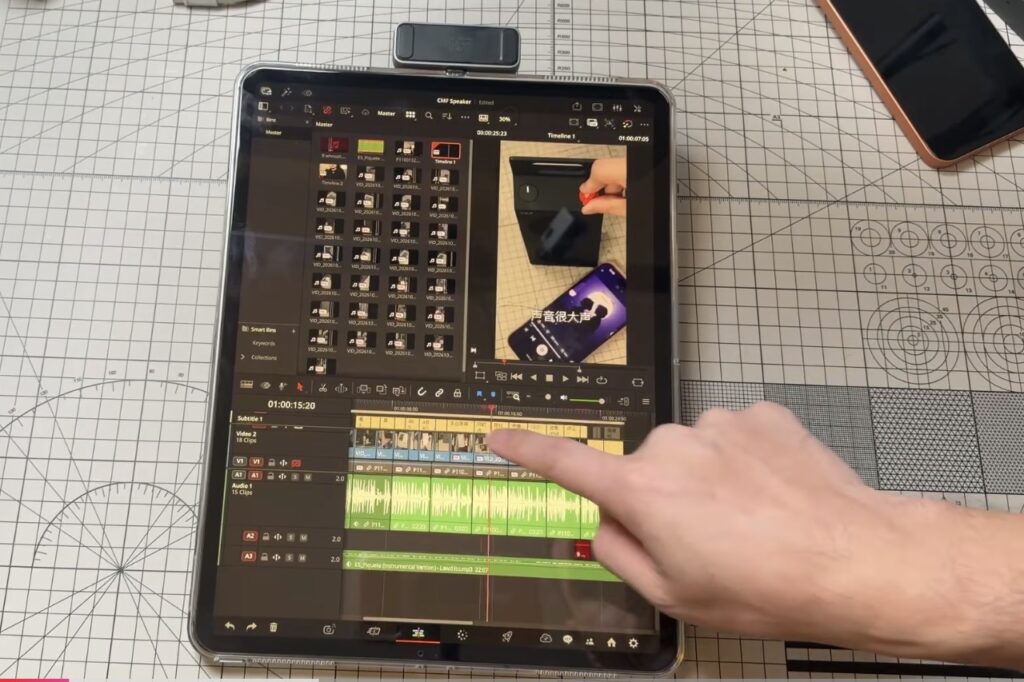
So if you have a 13-inch iPad Pro, just turn your iPad and test it yourself.
Is the vertical mode optimized for touch yet?
Based on Joshua’s video, I think it’s not completely optimized yet. A couple of months ago I made a video about how a vertical mode for DaVinci Resolve on the iPad could look, and there are still some UI ideas missing that would make it much better for touch.
But this is the first step towards a DaVinci Resolve for iPad that is also optimized for touch in vertical mode. And I hope smaller iPads like the 11-inch iPad Pro and the iPad Mini get it too. Let me know in the comments of the video what you think about it.
Tip: If you don’t know how to get the other pages (FUSION, FAIRLIGHT, EDIT) on the iPad read this article first: How to UNLOCK ALL PAGES in DaVinci Resolve for iPad Pro
If you want to host your own Online Course use CC360
I really believe, that CC360 is the best Platform to host your own Online Course currently on the market. And each week they introduce new features. Amazing. Check it out here.
BONUS: All DaVinci Resolve iPad Masterclass Students get the Transition Pack & the 8K Film Grain Pack for FREE!
You can either get the Transition Pack separate here: Seamless Transition Pack for DaVinci Resolve iPad. Or the 8K Film Grain Pack here: 8K Film Grain Bundle. but all of our DaVinci Resolve iPad Packs are a FREE Bonus for the DaVinci Resolve iPad Masterclass Students.
Check It Out here DaVinci Resolve iPad MasterClass: From Beginner To Pro.
Read Next
• How COPY Color Grade to MULTIPLE Clips in DaVinci Resolve iPad
• DO THIS to make DaVinci Resolve FASTER! (Instead of rage smashing your iPad)
• How To Delete Cache Files in DaVinci Resolve iPad
• How To Color Correct iPhone Footage in DaVinci Resolve iPad
• Easy Sync Audio & Video in DaVinci Resolve iPad