
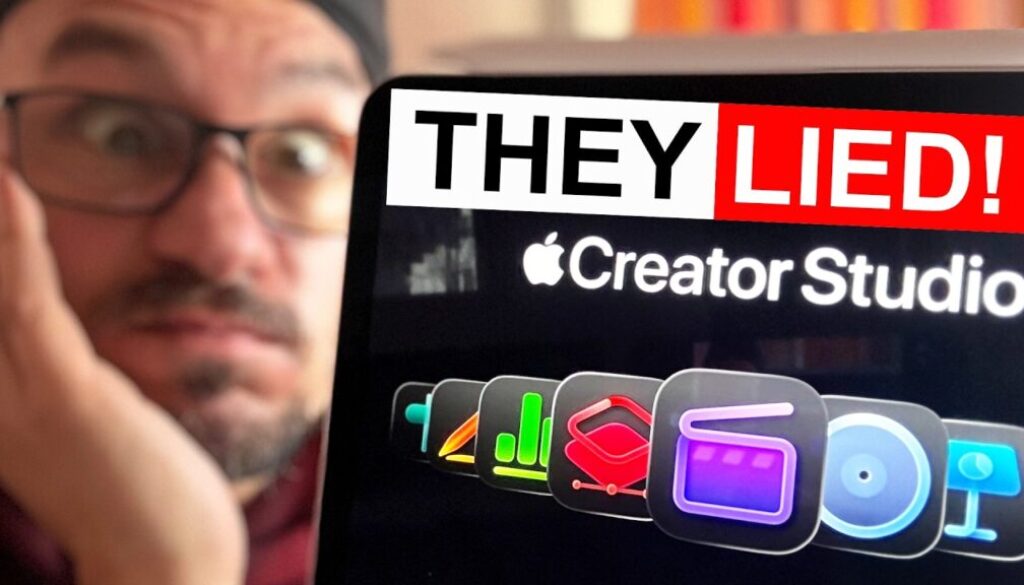
You Can’t Buy Final Cut Pro for iPad Anymore
You can’t buy the Final Cut Pro for iPad subscription on its own anymore. New users now have to pay for the full Apple Creator Studio, and in this article I explain what changed, what it costs you now and why I can’t recommend Final Cut Pro for iPad-only editors anymore.
20% OFF: Use the discount code FUAPPLE at checkout to get 20% off my DaVinci Resolve iPad MasterClass: From Beginner To Pro.

Contents
- [Video] You Can’t Buy Final Cut Pro for iPad Anymore
- Can you still buy Final Cut Pro for iPad on its own?
- What happens to grandfathered Final Cut Pro iPad subscriptions?
- How much does Final Cut Pro for iPad cost now?
- Final Cut Pro iPad vs DaVinci Resolve iPad: The Price Comparison
- Is Final Cut Pro for iPad still worth it?
- Who should still get Apple Creator Studio?
- Switching from Final Cut Pro to DaVinci Resolve on iPad
- If you want to host your own Online Course use CC360
- BONUS: All DaVinci Resolve iPad Masterclass Students get the Transition Pack & the 8K Film Grain Pack for FREE!
[Video] You Can’t Buy Final Cut Pro for iPad Anymore
Can you still buy Final Cut Pro for iPad on its own?
No. The standalone Final Cut Pro for iPad subscription is gone. In the past it was $4.99 per month or $49 per year. When Apple announced Apple Creator Studio, they said Final Cut Pro and Logic Pro for iPad would still be available as separate subscriptions. Somewhere along the way that changed, and now everyone who is new to Final Cut Pro on the iPad has to get the full Apple Creator Studio.
What happens to grandfathered Final Cut Pro iPad subscriptions?
If you still pay for the old Final Cut Pro for iPad subscription, it keeps working as long as you don’t cancel. That’s my situation too. I never cancelled, so I still pay the old price. But if you cancel, you can’t get it back. The only way back in is Apple Creator Studio.
I only keep my grandfathered subscription so I can keep my Final Cut Pro iPad MasterClass up to date for the people who already bought it.
How much does Final Cut Pro for iPad cost now?
To use Final Cut Pro on the iPad as a new user, you now pay for Apple Creator Studio: $12.99 per month or $129 per year. That’s the whole bundle, including apps like Final Cut Pro for Mac and Logic Pro that an iPad-only editor doesn’t even need.
About the student and educator discount: I saw a Reddit post saying this offer is gone, so check if it still exists in your country. If you can get it, for example for your kid that goes to school, it’s still a good deal.
Final Cut Pro iPad vs DaVinci Resolve iPad: The Price Comparison
DaVinci Resolve for iPad
• Free version: $0 (and 90% of the features you don’t even need Studio for)
• Studio upgrade: one-time payment (I paid €120 here in Europe) and you own it for life
Final Cut Pro for iPad
• Old standalone subscription: $4.99 per month or $49 per year (grandfathered only)
• Now: Apple Creator Studio for $12.99 per month or $129 per year
So if you are an iPad-only editor, in the first year you already pay more for Final Cut Pro than for a lifetime DaVinci Resolve Studio license. And even with the old price, after almost three years I paid around €150 for Final Cut Pro on the iPad. That’s already more than my DaVinci Resolve Studio upgrade, and DaVinci Resolve is the software I use all the time.
Is Final Cut Pro for iPad still worth it?
For iPad-only editors, I can’t recommend it anymore. Final Cut Pro for iPad is a more limited version of the Mac app. In my opinion the name is misleading. It’s not “final”, because for proper work you still have to finish on a Mac. And it’s not really “pro” either. I talked about this in detail here: Final Cut PRO for iPad: Is it really Pro? (The Truth)
The one real advantage Final Cut Pro has is that it’s optimized for touch. On my iPad Mini, without keyboard and mouse, it’s easy to use. But to get there, Apple removed a lot of what the professional software can do. And now you pay more for it than for professional software.
Here is the other thing. A subscription should come with ongoing value. Think of a game like World of Warcraft: they charge monthly because a whole team keeps delivering new content. If Final Cut Pro for iPad charges a monthly fee, it should be better than the Mac version, not more limited. Just compare how many update videos I make for DaVinci Resolve versus Final Cut Pro on my channel.
Who should still get Apple Creator Studio?
If you are a content creator who makes money with video and you actually use the Mac apps too, Apple Creator Studio can be an interesting deal. Then this article is not for you. I covered that side here: Why So Many Creators Are Wrong About Apple Creator Studio
But hobbyists who edit vacation and family videos, who like Apple and bought an iPad, and who just want an optimized Apple app, now pay more for things they don’t need. That’s just unfair.
Switching from Final Cut Pro to DaVinci Resolve on iPad
Yes, DaVinci Resolve has more of a learning curve, because it’s the same software as on the desktop. But give it the first two weeks of learning, and you can do most of what you need. After that you never look back. You save money, you save yourself headaches, and you have the better software that keeps getting updates. Not sure if you need the Studio version? Read this first: DaVinci Resolve STUDIO vs FREE on iPad
To make the switch easier, I give you 20% off my DaVinci Resolve iPad MasterClass with the code FUAPPLE at checkout. I normally don’t do discount codes. It’s a one-time payment with lifetime updates, no subscription. I’ve worked on this course for 4 years, I cover every new feature, and I’ve made over 690 videos about DaVinci Resolve on the iPad in English and German.
Discount Code: FUAPPLE
20% off the DaVinci Resolve iPad MasterClass: From Beginner To Pro. One-time payment, lifetime updates.
Tip: If you don’t know how to get the other pages (FUSION, FAIRLIGHT, EDIT) on the iPad read this article first: How to UNLOCK ALL PAGES in DaVinci Resolve for iPad Pro
If you want to host your own Online Course use CC360
I really believe, that CC360 is the best Platform to host your own Online Course currently on the market. And each week they introduce new features. Amazing. Check it out here.
BONUS: All DaVinci Resolve iPad Masterclass Students get the Transition Pack & the 8K Film Grain Pack for FREE!
You can either get the Transition Pack separate here: Seamless Transition Pack for DaVinci Resolve iPad. Or the 8K Film Grain Pack here: 8K Film Grain Bundle. but all of our DaVinci Resolve iPad Packs are a FREE Bonus for the DaVinci Resolve iPad Masterclass Students.
Check It Out here DaVinci Resolve iPad MasterClass: From Beginner To Pro.
Read Next
• Final Cut PRO for iPad: Is it really Pro? (The Truth)
• Apple Creator Studio Feels Like the Beginning of the End for Creators
• Why So Many Creators Are Wrong About Apple Creator Studio
• DaVinci Resolve STUDIO vs FREE on iPad
• DaVinci Resolve on iPad Mini 7: UNDERRATED !!!


![Grainy Night Shots? [This Fixes It!]](https://exlima.net/wp-content/uploads/2026/10/Grainy-Night-Shots-This-Fixes-It-1024x576-394x330.webp)