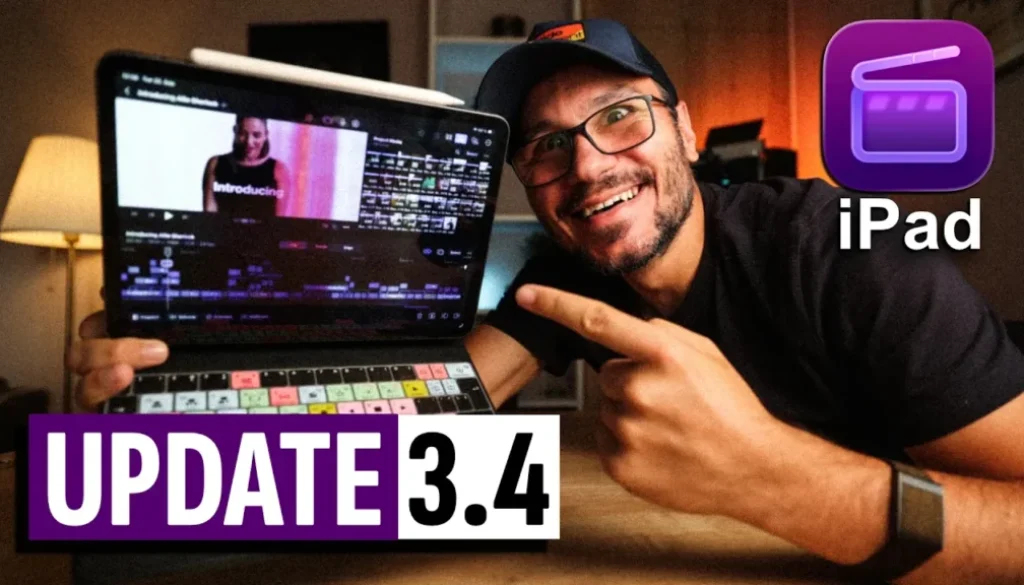
Final Cut Pro iPad UPDATE: Cinematic What?
Final Cut Pro for iPad has a new update, Version 3.4. In this article/video i will show you what Apple added with this update: Cinematic Mode from Final Cut Camera and the new Liquid Glass design. And i will tell you honestly why i think this update makes editing on the iPad worse, not better.

Contents
- [Video] Final Cut Pro iPad UPDATE: Cinematic What?
- Final Cut Pro for iPad 3.4 Update Notes
- The New Liquid Glass Design in Final Cut Pro for iPad
- Bigger Icons, Smaller Viewer
- Cinematic Mode in Final Cut Camera (Which iPhones?)
- How to AirDrop Cinematic Mode Videos to your iPad
- How to Edit Cinematic Mode Videos in Final Cut Pro for iPad
- Can you still buy Final Cut Pro for iPad as a single subscription?
- My Honest Opinion on Final Cut Pro for iPad 3.4
- If you want to host your own Online Course use CC360
[Video] Final Cut Pro iPad UPDATE: Cinematic What?
Final Cut Pro for iPad 3.4 Update Notes
Final Cut Pro for iPad Version 3.4
• Edit videos with Cinematic mode effects recorded in Final Cut Camera to adjust focus points and depth of field.
• Focus on your edits with a redesigned Liquid Glass interface that adapts to your content and expands your timeline.
• Includes stability improvements and bug fixes.
Requires iPadOS 27 or later.
So basically two new things. And as you will see, one of them i can’t even show you, and the other one is not really new.
The New Liquid Glass Design in Final Cut Pro for iPad
For this video i used two iPads side by side. My iPad mini still runs iPadOS 26 (old design) and my iPad Pro runs iPadOS 27 (new Liquid Glass design). At first glance Final Cut Pro looks the same. But as soon as you switch into vertical mode you see the problem.
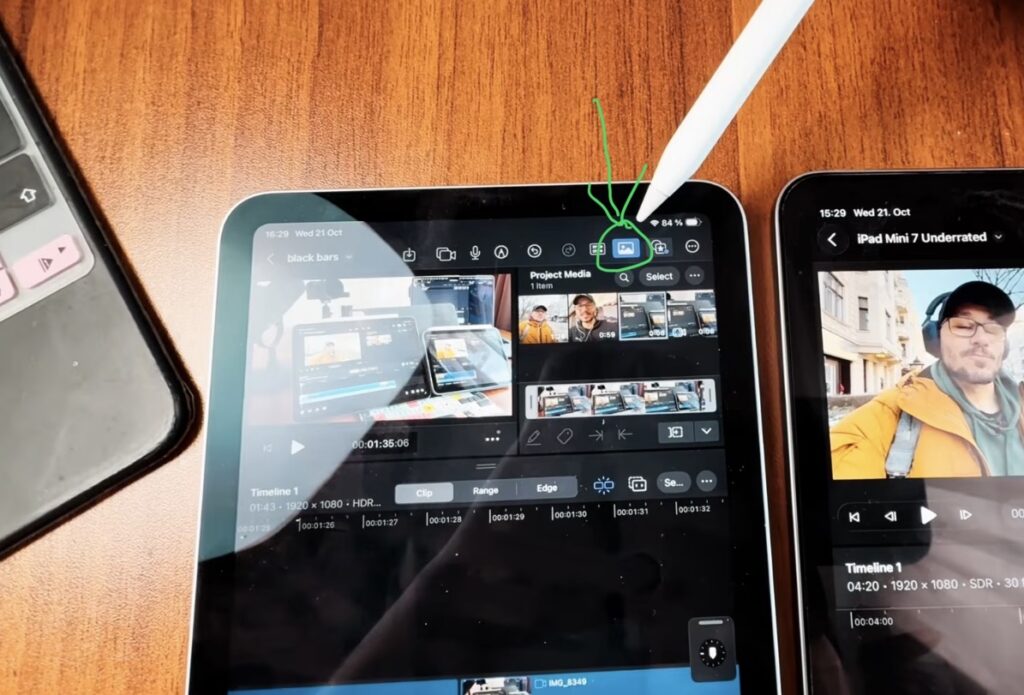
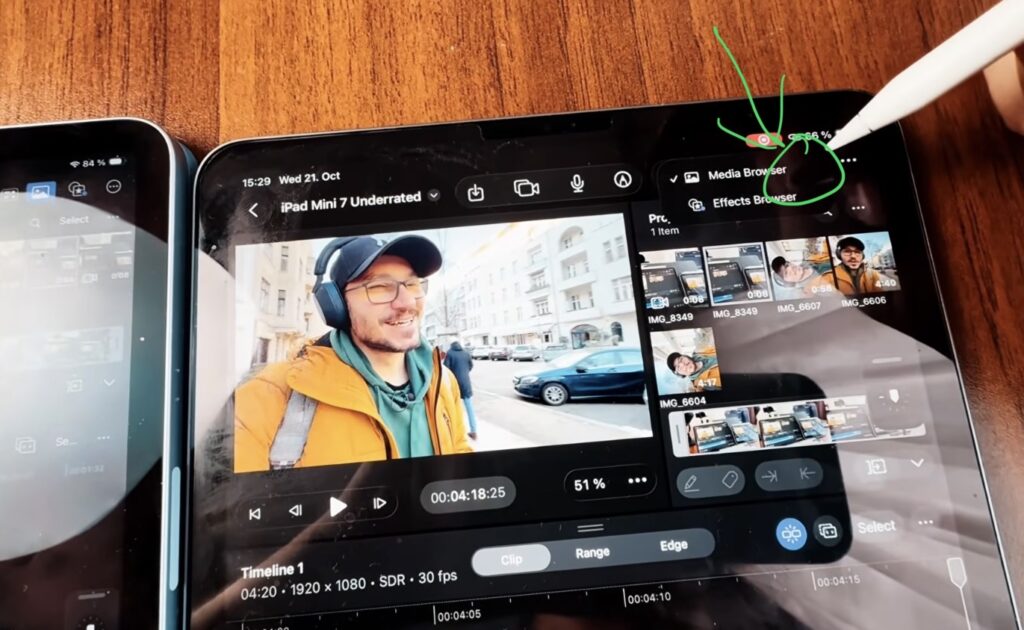
How is it possible that the bigger screen now gives you less room? The media pool is the panel you open the most, and on the iPad mini you can even expand it and see everything at once. On the iPad Pro you first have to open another menu.
Bigger Icons, Smaller Viewer
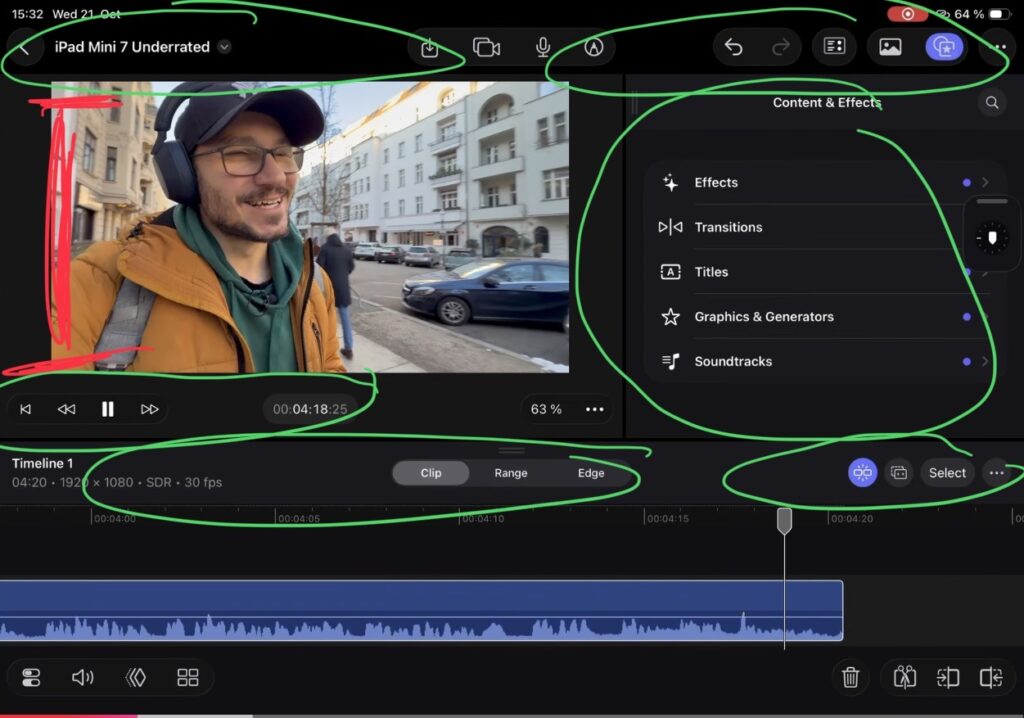
The two most important things in any editing app are the viewer and the timeline. You want to see what you are editing and you want to edit it on the timeline. Every menu that became bigger takes away space from exactly these two things. On top of that you now have menus inside of menus, which does not make editing easier.
I also feel that Final Cut Pro is less responsive since the update and Liquid Glass consumes more power. My suggestion: if you are still on iPadOS 26, enjoy it as long as you can.
Cinematic Mode in Final Cut Camera (Which iPhones?)
The first update note confused me. I opened Final Cut Camera on my iPhone 16 Pro Max and there was no Cinematic Mode. Even my old iPhone 13 Pro has Cinematic Mode in the native Camera app, but Final Cut Camera, which should be the more advanced camera, could not switch to it.
So the main feature of this update only works with the newest iPhones. Most people don’t have an iPhone 18 Pro, and i can’t show it to you because i don’t have one either. Why not bring Cinematic Mode in Final Cut Camera to the older models too? If you know more about this, please let me know in the comments on YouTube.
How to AirDrop Cinematic Mode Videos to your iPad
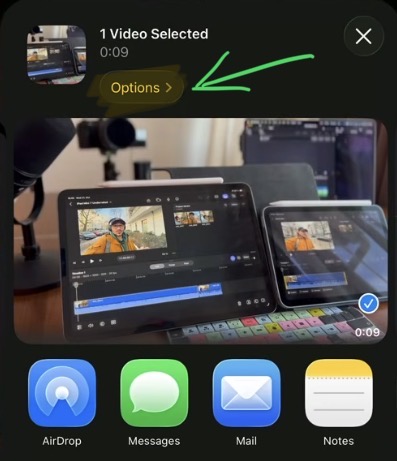
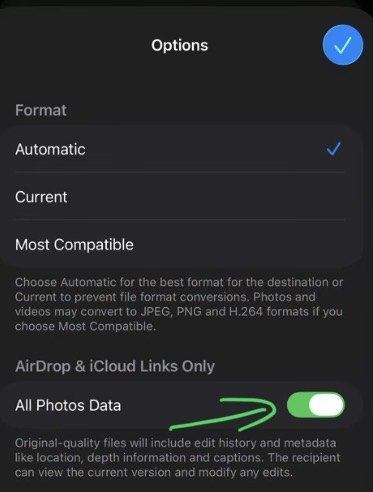
Here is the thing: editing Cinematic Mode videos in Final Cut Pro for iPad was always possible. You just have to record them with the native Camera app. But be careful when you send them to your iPad. If you just AirDrop the video, you get a regular video and the Cinematic information is lost.
How to Edit Cinematic Mode Videos in Final Cut Pro for iPad
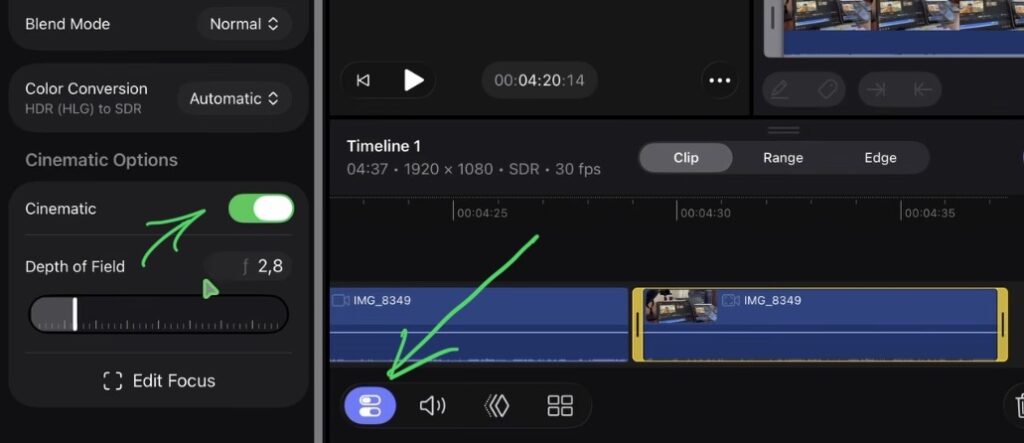
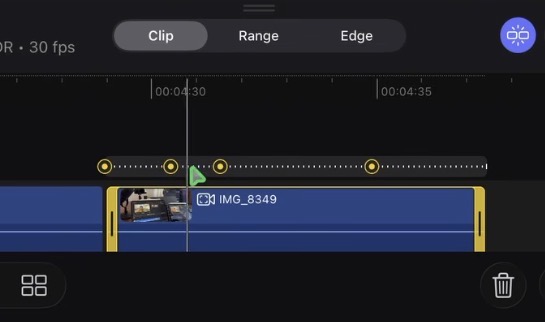
With a regular video you don’t see this option in the Inspector at all. That is how you know if the Cinematic data made it to your iPad. I cover editing Cinematic Mode videos in depth in my Final Cut Pro iPad MasterClass.
Can you still buy Final Cut Pro for iPad as a single subscription?
Someone commented that Final Cut Pro is now only available as part of the new Creator Studio. When i check my subscription, i can still choose to pay per month or per year just for Final Cut Pro, and my plan simply renews.
I don’t want to cancel and risk losing it, because i only keep Final Cut Pro to keep my MasterClass up to date. So if you are a new subscriber: can you still get Final Cut Pro for iPad on its own? Let me know in the YouTube comments.
My Honest Opinion on Final Cut Pro for iPad 3.4
Look at the version history in the App Store. Apple repeats the same “Powerful Intelligence” notes from Version 3.0 in every update since then, so the list looks longer than it actually is. For a software that costs money every month, i don’t think that is okay.
Don’t get me wrong, you can get stuff done in Final Cut Pro for iPad and you have more functions than in a phone editing app. But the app still feels clunky, and for certain things you still have to go to the desktop version. Right now i would rather edit on my iPad mini than on my iPad Pro, and that should never be the case.
That is a big difference to Blackmagic Design. The people building DaVinci Resolve are filmmakers themselves. Yes, DaVinci Resolve is more complex, but i am faster with it. If you use it with a mouse and keyboard on the iPad, it feels like the desktop version, and touch on top makes some things even easier. That is why i personally edit with DaVinci Resolve and recommend learning it.
If you want to host your own Online Course use CC360
I really believe, that CC360 is the best Platform to host your own Online Course currently on the market. And each week they introduce new features. Amazing. Check it out here.
Read Next
• Final Cut Pro iPad 3.0: Every New Feature Tested (AI, Beat Detection & More)
• Final Cut Pro on iPad Mini 7: UNDERRATED!!!
• Final Cut PRO for iPad: Is it really Pro? (The Truth)
• How To Cinematic BLACK BARS (Final Cut Pro iPad)
• How to add KEYFRAMES in Final Cut Pro iPad



![Grainy Night Shots? [This Fixes It!]](https://exlima.net/wp-content/uploads/2026/10/Grainy-Night-Shots-This-Fixes-It-1024x576-394x330.webp)