
Phoenix Flow UPDATE: All NEW Features Explained!
Phoenix Flow, my private dictation app for Mac, just got a big update. In this article/video I will show you all the new features from version 1.0 up to version 1.1.2, including dark mode, the new live preview window, the floating dictation bar, better AI cleanup and full macOS 27 support.
Phoenix Flow: 100% local dictation for Mac. One-time payment, lifetime updates, no subscription. Get it now with the early access price.
Contents
- [Video] Phoenix Flow UPDATE: All NEW Features Explained!
- What is Phoenix Flow?
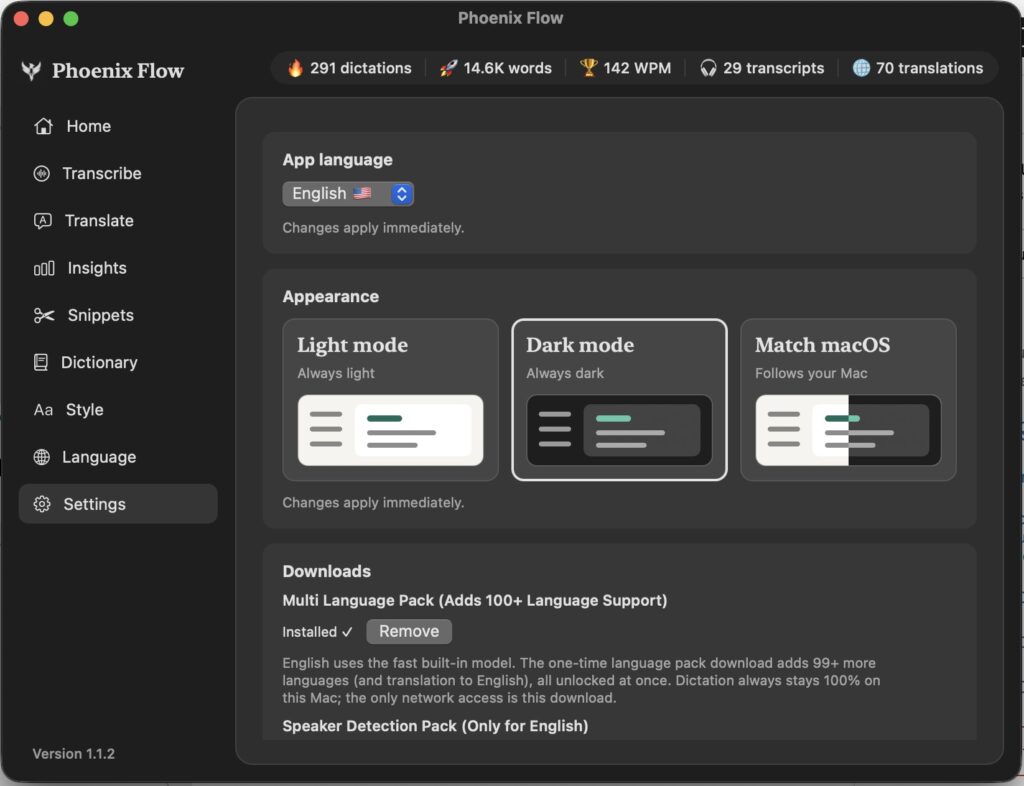
- Light Mode and Dark Mode
- Transcribe Video and Audio Files with Speaker Detection
- Offline Translation on Mac
- Import, Export and Clear for Every History
- New Medium and High Auto Cleanup
- Download Only the AI Models You Need
- Export Diagnostics to Report Problems
- Two Shortcuts for Push-to-Talk and Hands-Free Mode
- NEW: Live Text and Live Preview Window
- NEW: Floating Dictation Bar
- Smaller Improvements
- Features You Already Know from Version 1.0
- Phoenix Flow Price and Early Access
[Video] Phoenix Flow UPDATE: All NEW Features Explained!
Phoenix Flow Version 1.1 to 1.1.2
• Light mode and dark mode (follows your macOS setting or switch manually).
• Import, export and clear for every history in the app.
• Delete individual entries from your history.
• New Medium and High Auto Cleanup with a new local AI model.
• Downloadable model packs: Multi-Language Pack, Speaker Detection and AI Pack.
• Diagnostics export to report issues faster.
• Fixed crashes with docking stations and AirPods.
• Second shortcut for Push-to-Talk and Hands-Free mode.
• New Live Text options: Live Preview Window or Type Directly into the App.
• New floating dictation bar with quick settings.
• Double click the menu bar icon to open the app.
• About Phoenix Flow window and version label.
• Support for macOS 27.
• General performance and stability improvements.
What is Phoenix Flow?
Phoenix Flow is a voice to text app for Mac. You speak, and an AI in the background refines your words into clean text. It works like Wispr Flow, but with one big difference: everything runs 100% locally on your Mac. All AI models live on your machine and nothing is ever sent to the cloud. And you pay once instead of around $12 every month.
You need a Mac with Apple Silicon (M1, M2, M3, M4 or M5). The app does not run on older Intel Macs or on Windows. With version 1.1.1 and 1.1.2 I also made sure the app runs on macOS 27. A big thank you to all the early adopters who helped me test it on their Macs.
Light Mode and Dark Mode
Transcribe Video and Audio Files with Speaker Detection
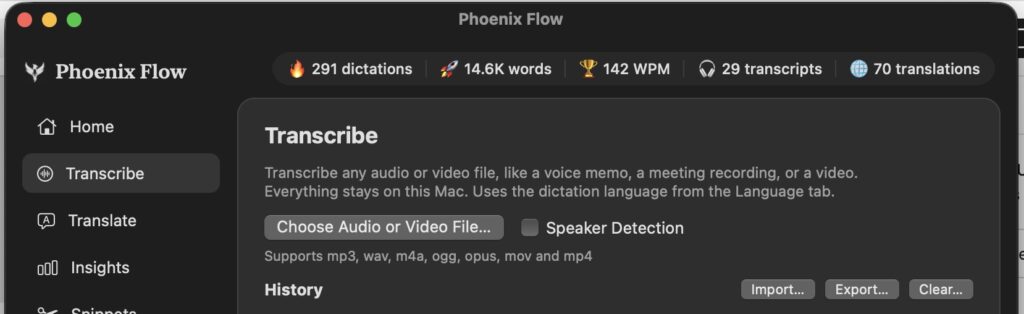
Because I come from video editing, this one is really useful for me. Every transcription is saved in its own history, so you can always go back to it later.
Offline Translation on Mac
You don’t need Google Translate anymore. The translation runs offline on your Mac and it remembers your last settings. I translate a lot from Spanish to English, so I don’t have to select the languages again every time.
Import, Export and Clear for Every History
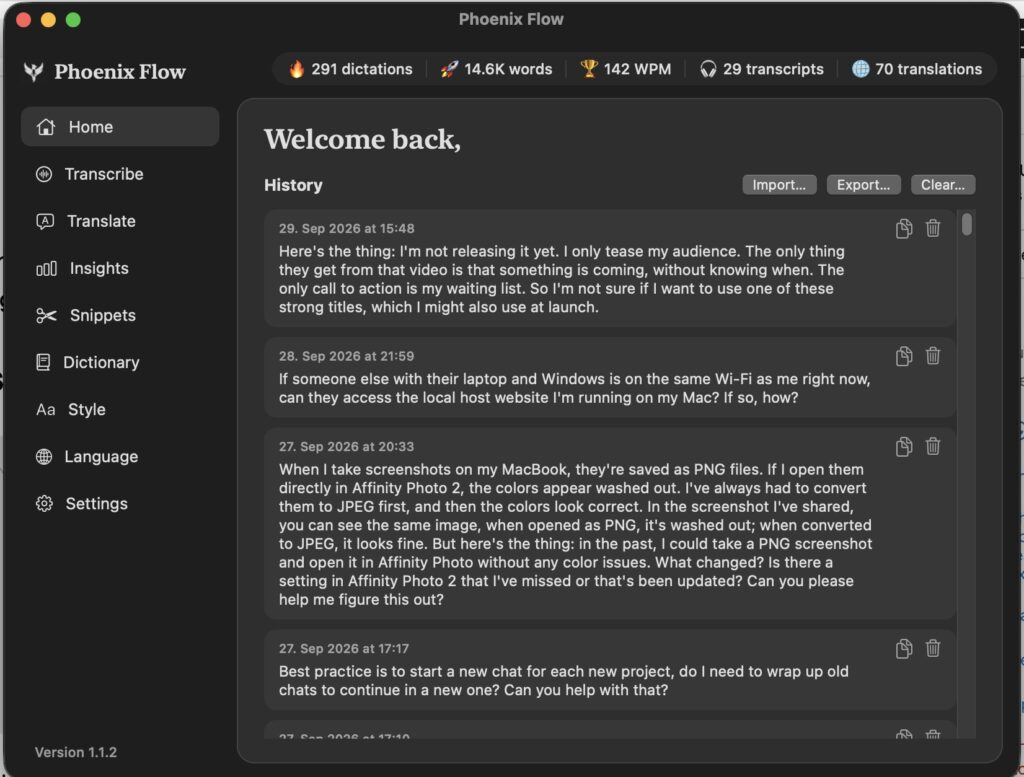
In version 1.0 only the transcriptions had all three options. Now it works the same everywhere in the app, so you have full control over your data.
New Medium and High Auto Cleanup
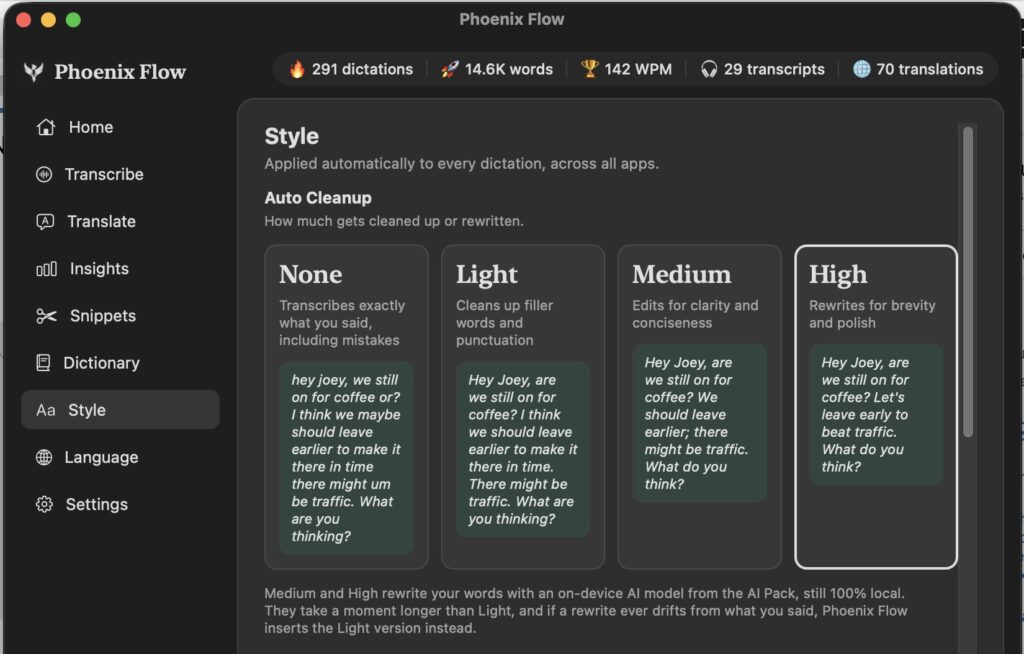
None gives you exactly the words you spoke. Light lets an AI edit your text a little in the background. Medium and High use a new AI that does an even better job. I also made sure this AI doesn’t add em dashes anymore, so the text sounds like you and not like an AI.
Download Only the AI Models You Need
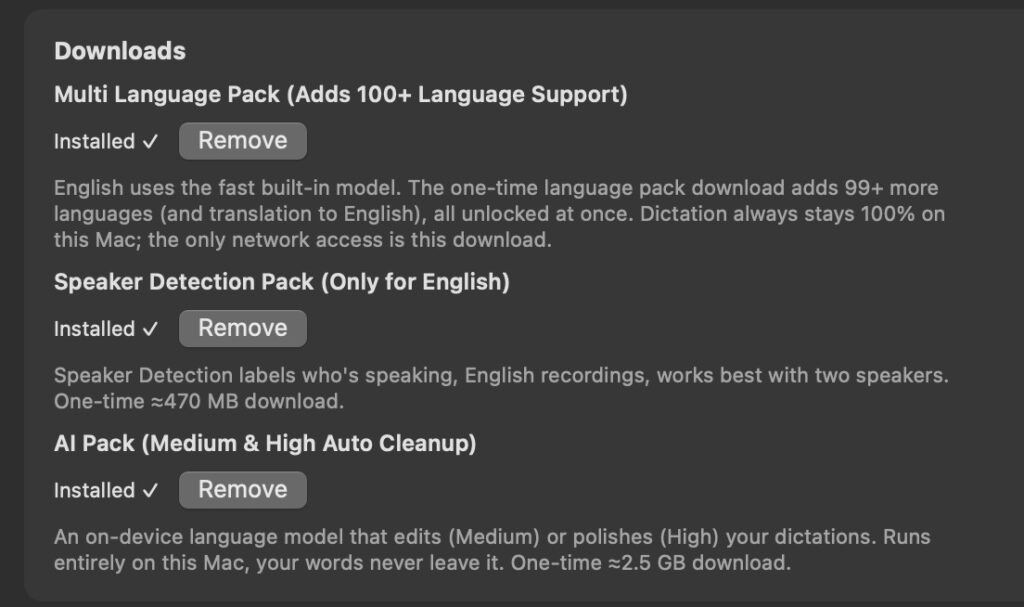
Everything you download stays local on your Mac. If you only use English, you don’t even need the Multi-Language Pack. Speaker Detection currently only works for English, but I want to add the other languages in the future. You can also remove any pack again.
Export Diagnostics to Report Problems
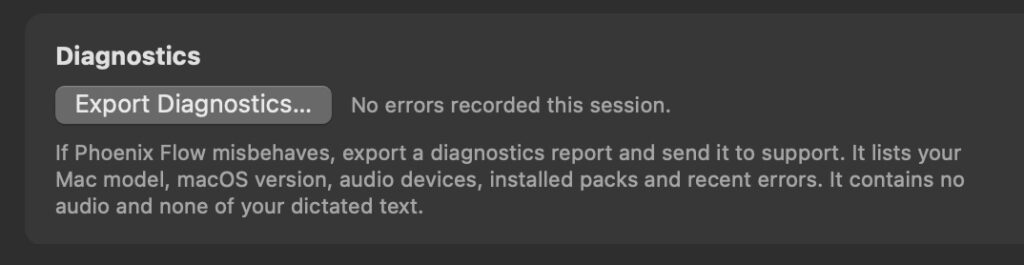
One big lesson from building an app: just because it works on my MacBook with M2 Pro doesn’t mean it works on every Mac. With the diagnostics file I can find and fix problems much faster.
Thanks to your feedback I already fixed two problems. The app crashed for one user with a docking station because the audio interface changed. And AirPods sometimes weren’t recognized after connecting them. Both issues are fixed now.
Two Shortcuts for Push-to-Talk and Hands-Free Mode
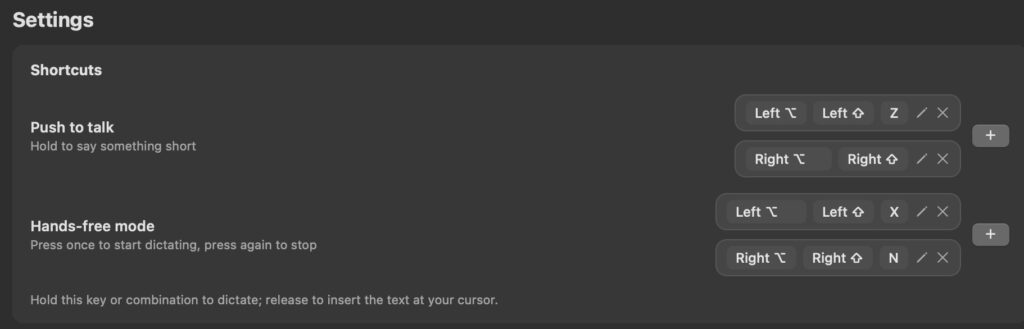
Push-to-Talk means you hold the shortcut while you speak. Hands-Free means you press it once, talk as long as you want, and press it again to stop the recording.
NEW: Live Text and Live Preview Window
By default Phoenix Flow works in the background. You speak, you release the shortcut, the AI refines your text and places it wherever you clicked last. That’s great because you can still switch windows while you talk. But some of you missed a visual cue while speaking.
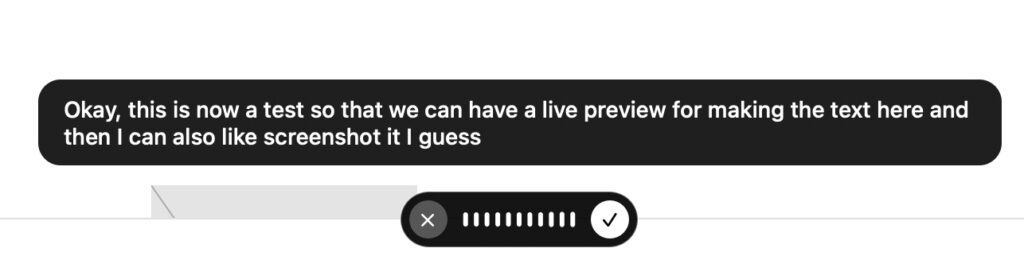
My favorite is the Live Preview Window. You see your text appear while you speak, and you can still move to another window before you release. Type Directly into the App needs the text field to stay open the whole time, so you can’t switch around. Watch the video to see the difference in action.
NEW: Floating Dictation Bar
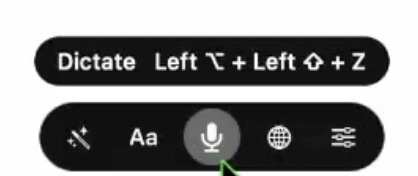
You can turn the floating bar on in Settings and place it at the bottom or the top of your screen. The tone options are Formal, Casual and Very Casual, and you can pick any connected microphone or just use the system default.
Smaller Improvements
You can now double click the menu bar icon to open the app. The version number is always visible at the bottom, and there is a new About Phoenix Flow window. In the version history you can see exactly what I added and fixed in every release.
Features You Already Know from Version 1.0
• Snippets: Say “new blog post” or “my email” and Phoenix Flow inserts your saved text.
• Dictionary: Add words the app should always understand correctly.
• Spoken Punctuation: Say “dot” or “exclamation mark” if you like to dictate punctuation.
• Developer Mode: Recognizes over 200 coding terms. Use it everywhere or only in specific editors and terminals. Off by default.
• Insights: See how many dictations, words, words per minute, transcriptions and translations you did.
• Faster English: For English it uses a dedicated model that is about three times faster than the multi-language model, which makes it faster than Wispr Flow.
Phoenix Flow Price and Early Access
Right now you can still get Phoenix Flow with the early access offer: $100 off the full price of $147. It’s a one-time payment with lifetime updates. I will never charge a subscription. An iPhone version is also in the pipeline if there is enough demand, but only if I can keep it fully local without any cloud account.
Get it here: Phoenix Flow for Mac. And if you find a bug, send me an email with your diagnostics file so we can make this app even better.
Read Next
• How COPY Color Grade to MULTIPLE Clips in DaVinci Resolve iPad
• DO THIS to make DaVinci Resolve FASTER! (Instead of rage smashing your iPad)
• How To Delete Cache Files in DaVinci Resolve iPad
• How To Color Correct iPhone Footage in DaVinci Resolve iPad
• Easy Sync Audio & Video in DaVinci Resolve iPad


![How to Install Phoenix Flow App to Mac? [Solved]](https://exlima.net/wp-content/uploads/2026/09/How-to-Install-Phoenix-Flow-App-to-Mac-Solved-1024x576-394x330.webp)
