
How to Install Phoenix Flow UPDATE Version 1.1
Phoenix Flow Version 1.1 is out and in this article/video I will show you how to install the update on your Mac. It only takes a few minutes and you get a ton of new features like new AI models, a floating bar and more auto cleanup options.
Get Phoenix Flow (Early Access): 100% private dictation for your Mac. One-time payment, no subscription.

Contents
[Video] How to Install Phoenix Flow UPDATE Version 1.1
How to download Phoenix Flow Version 1.1
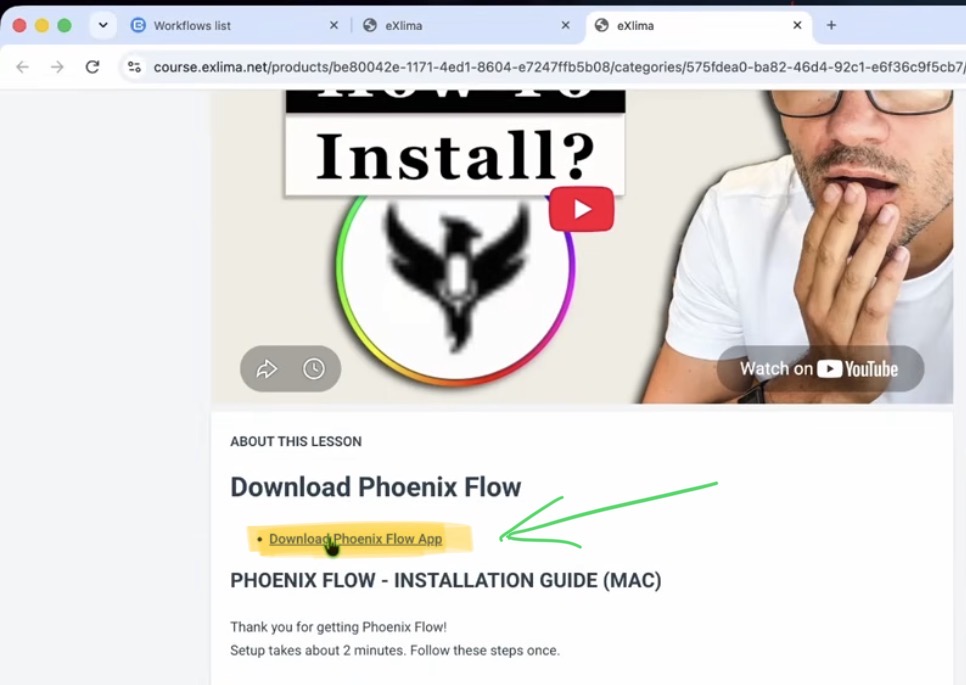
The only difference to the last time is that you now land in a Google Drive folder instead of getting the file directly. In this folder you find the different versions of Phoenix Flow. Switch the view to list, so it’s easier to see which file is which.
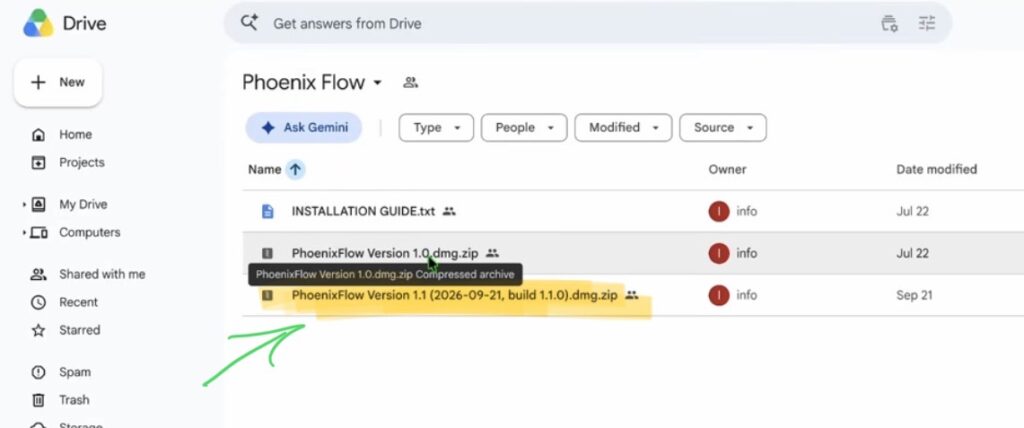
Version 1.0 stays in the folder on purpose. If the new version doesn’t work on your machine for whatever reason, you can still go back to the old one.
How to install the Phoenix Flow Update on your Mac
1. Make sure Phoenix Flow is closed. It should not be running in the menu bar anymore.
2. Double click the downloaded zip file. You get the Phoenix Flow Version 1.1 DMG file.
3. Double click the DMG file.
4. Drag and drop the Phoenix Flow app into your Applications folder.
5. When your Mac asks if you want to replace the older item, click “Replace”.
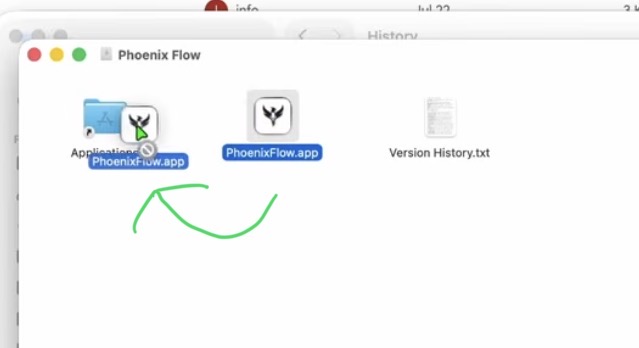
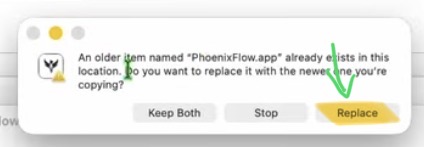
Now close the window, go to your Applications, look for Phoenix Flow and double click it to start the app.
How to check which Phoenix Flow version you have
Small new feature: instead of clicking the icon and then choosing “Open Phoenix Flow”, you can now just double click the icon to open the app.
What’s new in Phoenix Flow 1.1
I will make a separate video where I show you all of the new features in detail. But here is a quick look at the biggest ones.
New Medium and High AI models
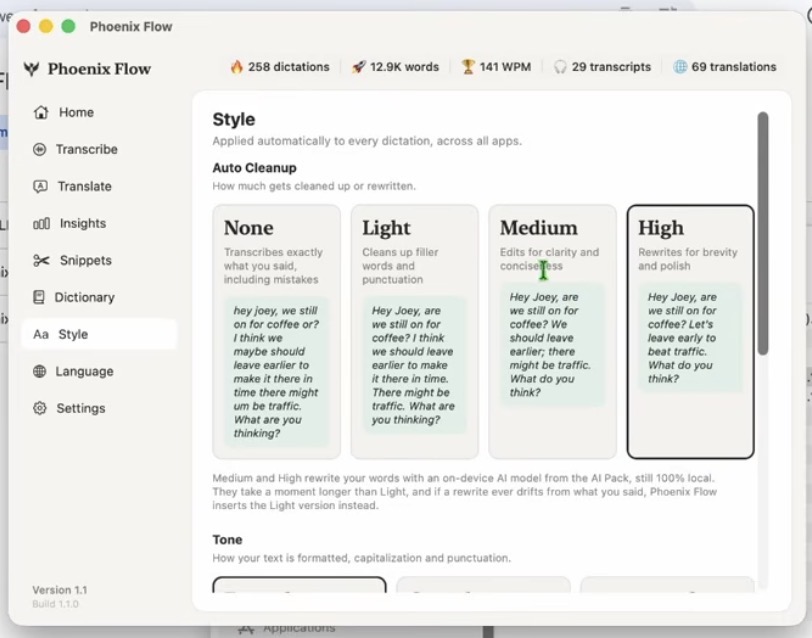
And the important part: it still works completely local on your Mac.
The new Floating Bar
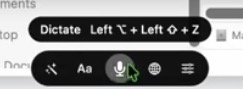
More Auto Cleanup options
You can now set the auto cleanup from None to Light, Medium and even High.
Bug fix: Freezing with a docking station
One of our customers from the community used a docking station. Phoenix Flow couldn’t switch the audio interface to the docking station and the app just froze. I never used a docking station myself, so I didn’t catch this one. This is now fixed in Version 1.1.
Don’t have Phoenix Flow yet?
Right now Phoenix Flow is in Early Access. You pay once, instead of 12 to 15 dollars per month for a subscription like Wispr Flow. It can do everything Wispr Flow can do and supports up to 100 languages. I built this app for myself, but it’s so good that I want to share it with you.
Get Phoenix Flow (Early Access): 100% private dictation for your Mac. One-time payment, no subscription.
Read Next
• How COPY Color Grade to MULTIPLE Clips in DaVinci Resolve iPad
• DO THIS to make DaVinci Resolve FASTER! (Instead of rage smashing your iPad)
• How To Delete Cache Files in DaVinci Resolve iPad
• How To Color Correct iPhone Footage in DaVinci Resolve iPad
• Easy Sync Audio & Video in DaVinci Resolve iPad


![How to Install Phoenix Flow App to Mac? [Solved]](https://exlima.net/wp-content/uploads/2026/09/How-to-Install-Phoenix-Flow-App-to-Mac-Solved-1024x576-394x330.webp)