
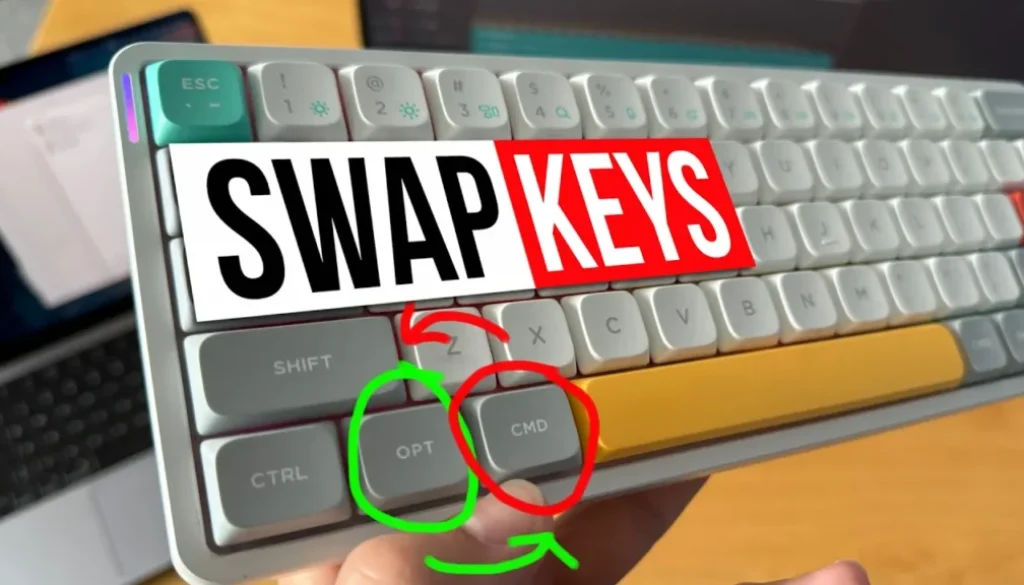
Nuphy Air60: CMD & OPT Fix!
In this article i will give you two solutions how to fix if your keyboard has the CMD (Command) and OPT (Option) Keys swapped. This suddenly happened with my Nuphy Air60 while using my Macbook. But it was working in the past. So what can you do? Solution 2 even works with any keyboard not just a Nuphy Keyboard.
Pro Tip: Make your Videos Cinematic (and save a tone of time) with our Seamless Transition Pack for DaVinci Resolve iPad.

Contents
- [Video] Nuphy Air60: CMD & OPT Fix!
- Option and Command Key are swapped on my Keyboard using Mac
- Solution 1: For any Nuphy Keyboard use the WIN / MAC switch on the back
- Solution 2: Change the Modifier Keys Setting on your Mac
- If you want to host your own Online Course use CC360
- BONUS: All DaVinci Resolve iPad Masterclass Students get the Transition Pack & the 8K Film Grain Pack for FREE!
[Video] Nuphy Air60: CMD & OPT Fix!
Option and Command Key are swapped on my Keyboard using Mac
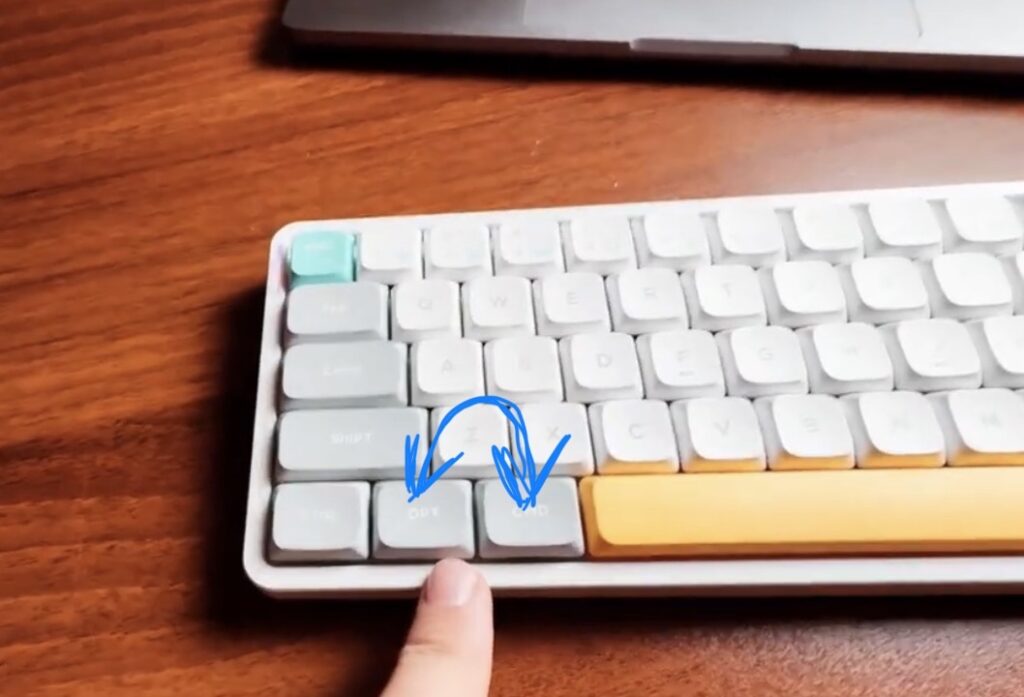
Solution 1: For any Nuphy Keyboard use the WIN / MAC switch on the back
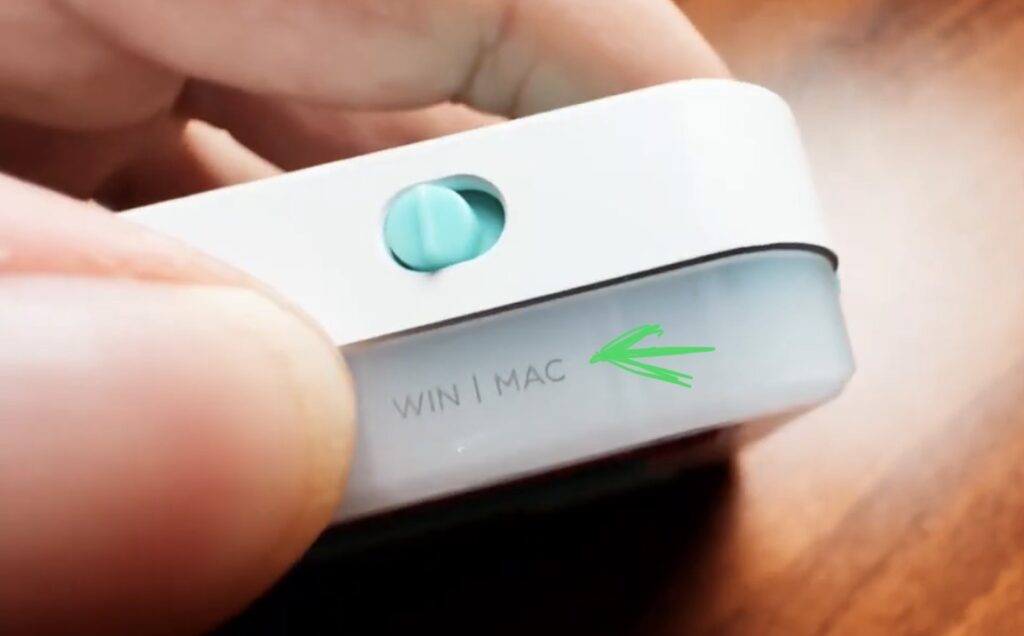
It sounds so stupid even writing about this. When i purchased my Nuphy Air60 Keyboard i saw that there was a switch on the back to toggle between Windows or Mac Mode. But after using the Keyboard for so long i forgot that this switch existed. And for the last two weeks i went nuts… why did my keys suddenly swap…
I must have changed the switch by accident and did not notice it. But because of that i discovered solution 2 which will help you if your keyboard does not have a switch
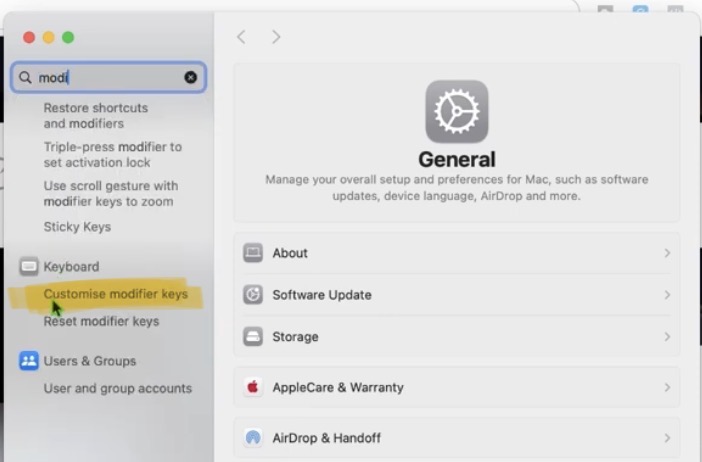
Solution 2: Change the Modifier Keys Setting on your Mac
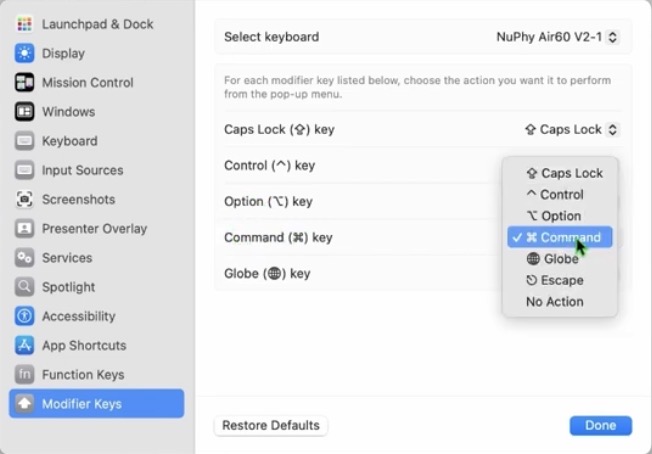
If your Keyboard does not have a switch you can still change the keys and swap it with the Mac settings called “Customise modifier keys” in the settings.
If you want to host your own Online Course use CC360
I really believe, that CC360 is the best Platform to host your own Online Course currently on the market. And each week they introduce new features. Amazing. Check it out here.
BONUS: All DaVinci Resolve iPad Masterclass Students get the Transition Pack & the 8K Film Grain Pack for FREE!
You can either get the Transition Pack separate here: Seamless Transition Pack for DaVinci Resolve iPad. Or the 8K Film Grain Pack here: 8K Film Grain Bundle. but all of our DaVinci Resolve iPad Packs are a FREE Bonus for the DaVinci Resolve iPad Masterclass Students.
Check It Out here DaVinci Resolve iPad MasterClass: From Beginner To Pro.
Read Next
• How COPY Color Grade to MULTIPLE Clips in DaVinci Resolve iPad
• DO THIS to make DaVinci Resolve FASTER! (Instead of rage smashing your iPad)
• How To Delete Cache Files in DaVinci Resolve iPad
• How To Color Correct iPhone Footage in DaVinci Resolve iPad
• Easy Sync Audio & Video in DaVinci Resolve iPad


![How to Install Phoenix Flow App to Mac? [Solved]](https://exlima.net/wp-content/uploads/2026/09/How-to-Install-Phoenix-Flow-App-to-Mac-Solved-1024x576-394x330.webp)