iPhone & iPad Getting HOT Playing Minecraft? – Turn THIS Setting Off!
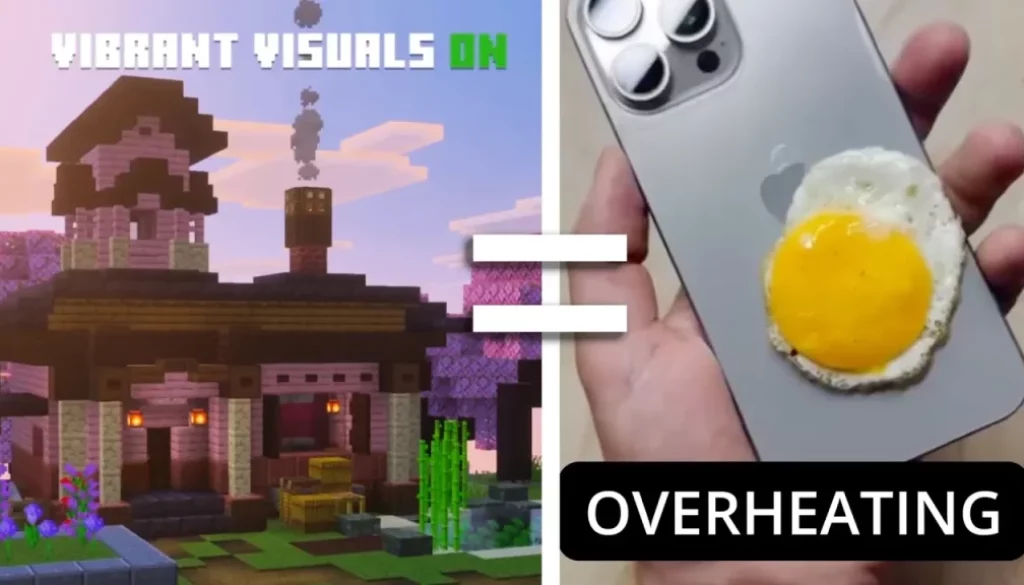
In March 2025 Mojang Studios introduced “Vibrant Visuals” a major graphics overhaul for Minecraft, introducing realistic directional lighting, volumetric fog, enhanced water reflections, and dynamic shadows that make the world feel more immersive… BUT since the update all my iOS Devices (iPhone, iPad Pro and iPad Mini) overheat like crazy!
In this article/video i will show you how you can fix your iPhone/iPad from overheating. And even if you use an Android or other device this should solve the issue.
Pro Tip: Make your Videos Cinematic (and save a tone of time) with our Seamless Transition Pack for DaVinci Resolve iPad.

Contents
- [Video] iPhone & iPad Getting HOT Playing Minecraft? – Turn THIS Setting Off!
- Vibrant Visuals is the new default and you can’t turn it off inside of a Game
- How to turn off Vibrant Visuals in Minecraft?
- If you want to host your own Online Course use CC360
- BONUS: All DaVinci Resolve iPad Masterclass Students get the Transition Pack & the 8K Film Grain Pack for FREE!
[Video] iPhone & iPad Getting HOT Playing Minecraft? – Turn THIS Setting Off!
Vibrant Visuals is the new default and you can’t turn it off inside of a Game
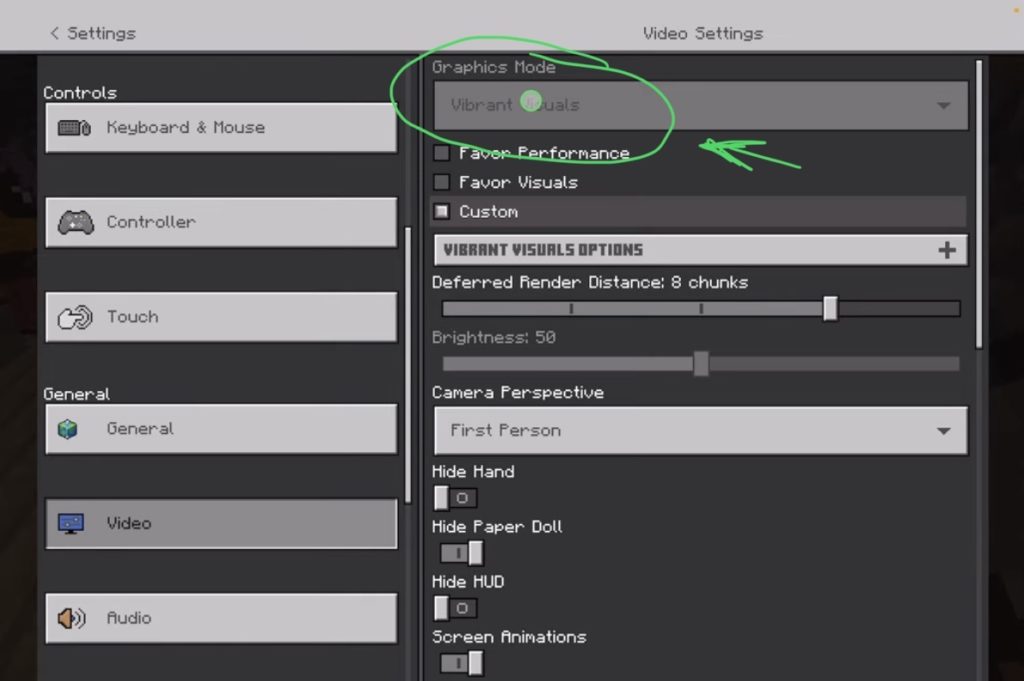
Disable Vibrant Visuals: This high-end graphics setting causes significant heat; switch to “Fancy” or “Simple” for better performance.
How to turn off Vibrant Visuals in Minecraft?
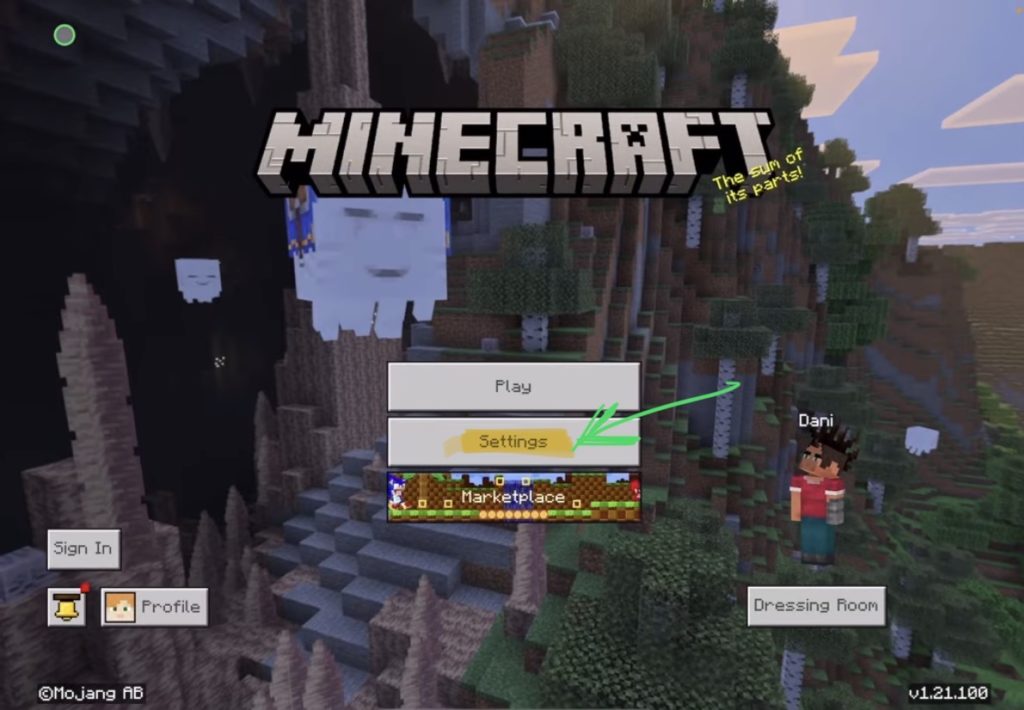
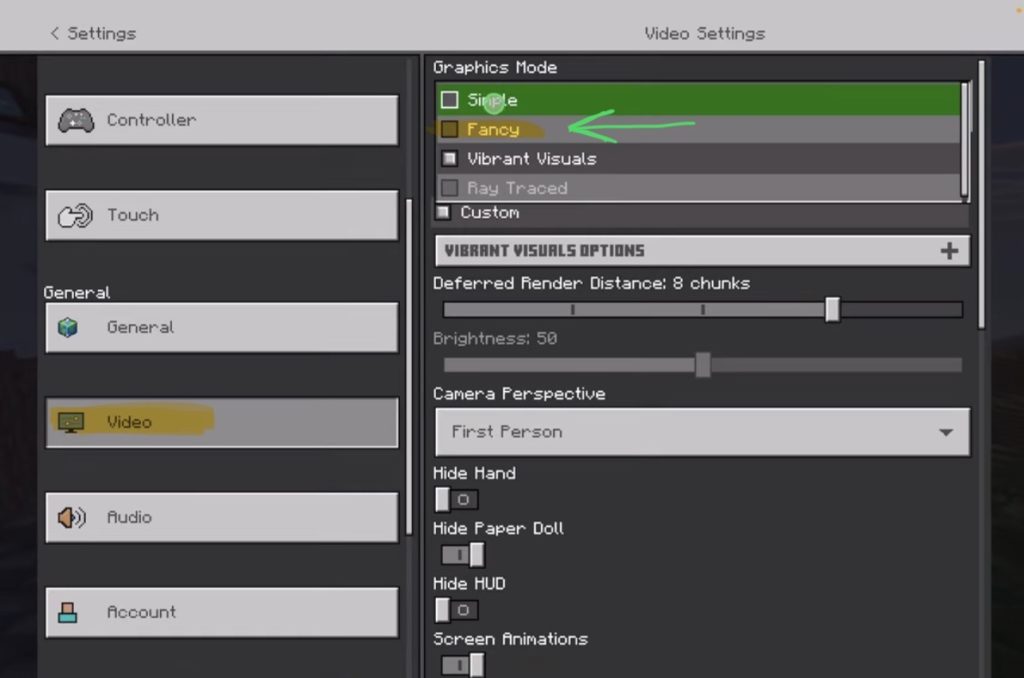
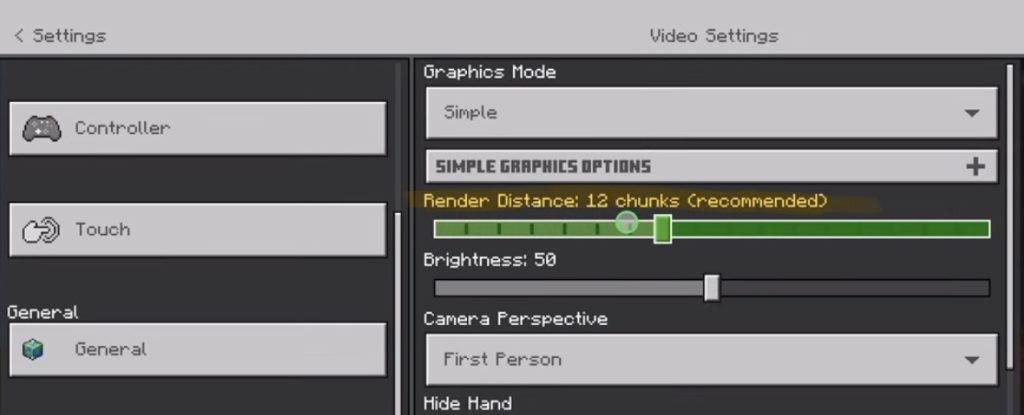
That’s it. This solved the overheating issue on all of my iOS devices and now Minecraft looks like it was before. And now the battery holds way longer then with vibrant visuals on.
Im honest, im not a fan of the direction Mojang Studios is going with Minecraft. I personally thing the charm of Minecraft was always the simple graphic. Changing the core aesthetic is actually changing the whole game. I mean Minecraft was prove that it was never about fancy and stunning graphics… so why ruin it? Stupid move and decision…
What do you think? Let me know in the Comments.
If you want to host your own Online Course use CC360
I really believe, that CC360 is the best Platform to host your own Online Course currently on the market. And each week they introduce new features. Amazing. Check it out here.
BONUS: All DaVinci Resolve iPad Masterclass Students get the Transition Pack & the 8K Film Grain Pack for FREE!
You can either get the Transition Pack separate here: Seamless Transition Pack for DaVinci Resolve iPad. Or the 8K Film Grain Pack here: 8K Film Grain Bundle. but all of our DaVinci Resolve iPad Packs are a FREE Bonus for the DaVinci Resolve iPad Masterclass Students.
Check It Out here DaVinci Resolve iPad MasterClass: From Beginner To Pro.
Read Next
• How COPY Color Grade to MULTIPLE Clips in DaVinci Resolve iPad
• DO THIS to make DaVinci Resolve FASTER! (Instead of rage smashing your iPad)
• How To Delete Cache Files in DaVinci Resolve iPad
• How To Color Correct iPhone Footage in DaVinci Resolve iPad
• Easy Sync Audio & Video in DaVinci Resolve iPad