How To ADD FONTS in Final Cut Pro iPad!
In this article i will show you how you can install custom fonts to your iPad so you can use them in Final Cut Pro for iPad. By default FCP has only a selection of Fonts you can choose from. But you can add custom Fonts. I show the best way i found.
Tip: If you want to see the Unboxing of the FCP iPad Keyboard Cover read this here.
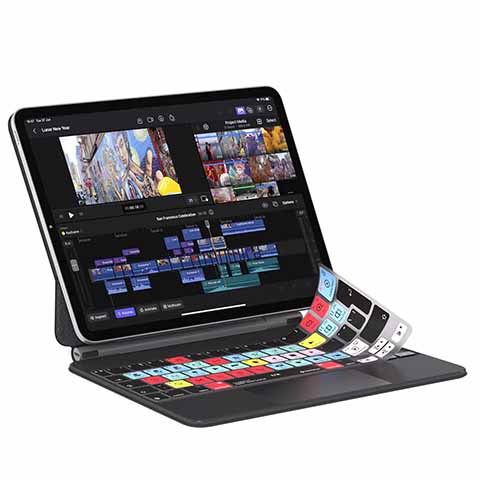 ✩✩✩ Final Cut Pro iPad Keyboard Cover from Editors Keys.
Contents
- [Video] How To ADD FONTS in Final Cut Pro iPad!
- How to change the Font in Final Cut Pro for iPad?
- Why do we need an App to install new Fonts on the iPad?
- Which App should you use to install a new Custom Font to the iPad?
- Where to find free Custom Fonts?
- How to install a Custom Font to your iPad?
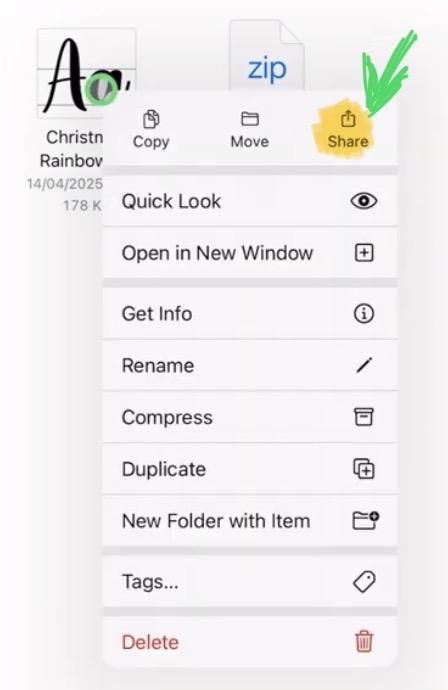
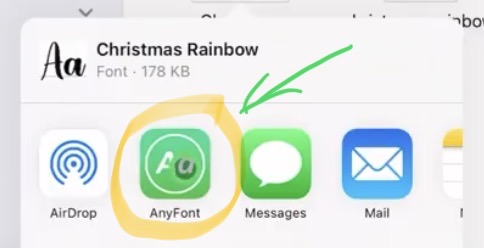
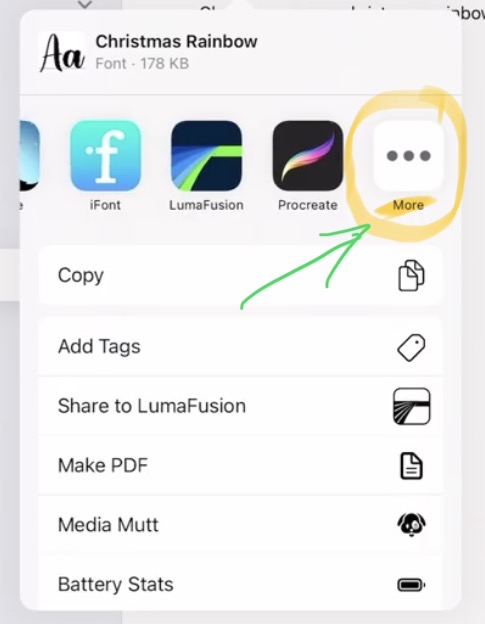
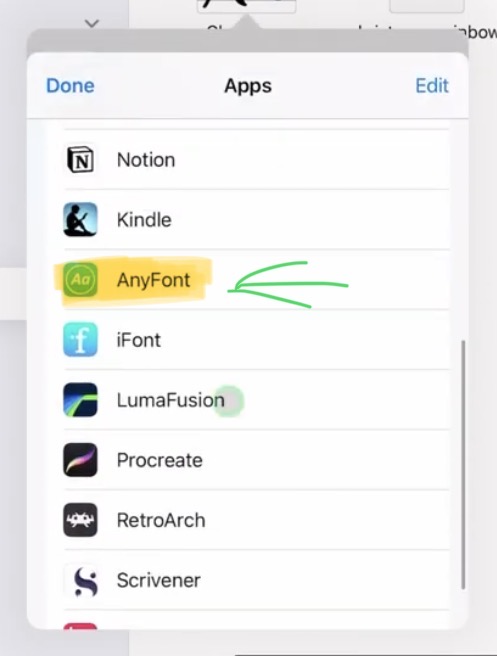
- Step 1: Download your desired custom Font and bring it to AnyFont.
- What if my App does not show in the Share Quick List?
- Step 2: How to install a custom Font with AnyFont App
- How to install the Custom Font to the Configuration Profil List on the iPad.
- How to select the New Custom Font in Final Cut Pro for iPad?
- Bonus: What about DVR for iPad does this work aswell?
- If you want to host your own Online Course use CC360
[Video] How To ADD FONTS in Final Cut Pro iPad!
How to change the Font in Final Cut Pro for iPad?
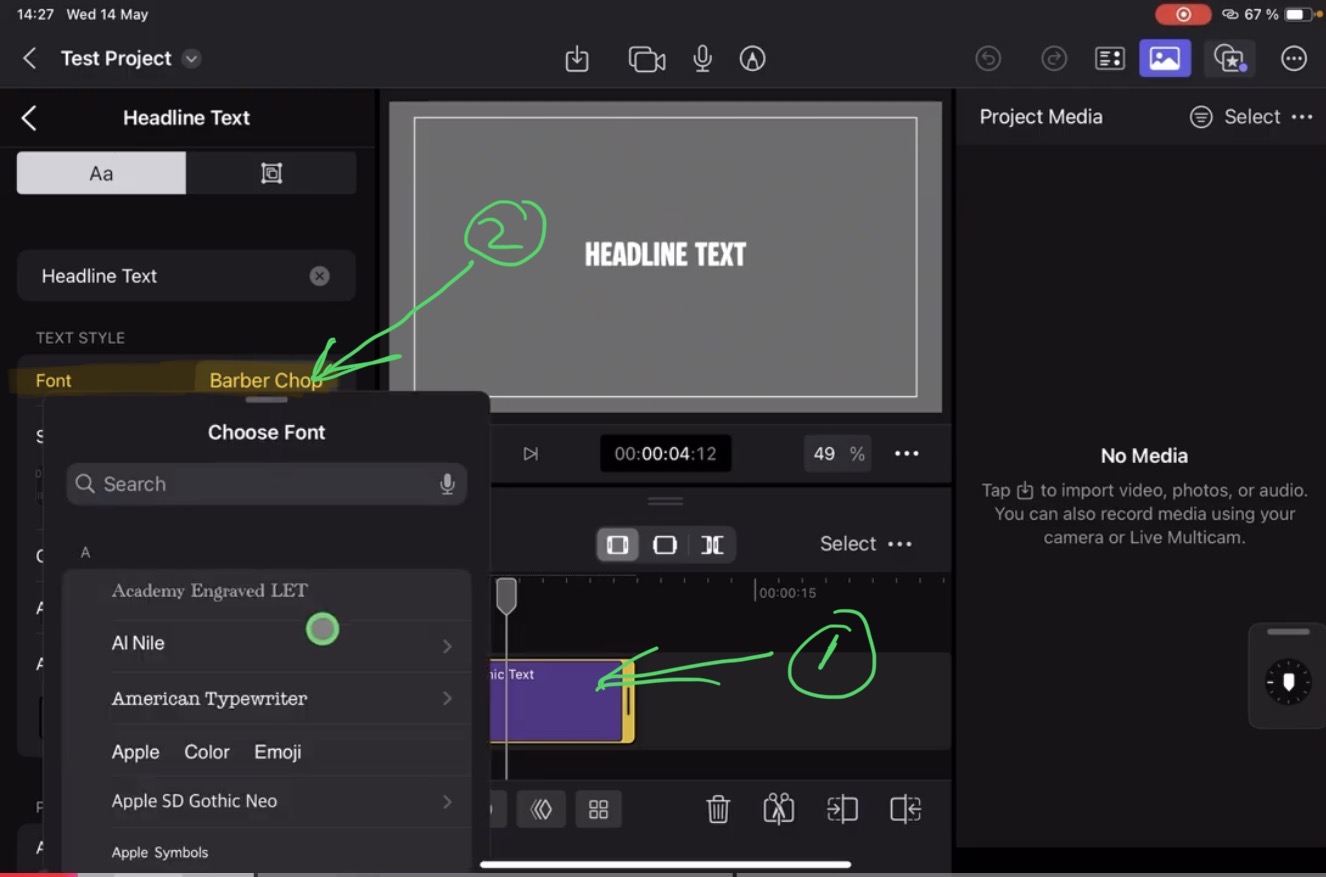
Good to know: Final Cut Pro for iPad uses the Fonts and Custom Fonts that are installed on your iPad. To install a new custom Font it’s the exact same way as installing a Font to your iPad. That means any App that uses the Fonts installed on the iPad will also have access to the new custom Fonts. Like the App Pages for example.
Why do we need an App to install new Fonts on the iPad?
Unfortunately the iPad does not allow us to natively install new custom Fonts. Even if we can see all installed Fonts in the iPad Settings. To install a new Font we have to use an App.

Which App should you use to install a new Custom Font to the iPad?
In the past i used the App iFont because it was free and it is a reliable and good App. But since this year the App switched to a Subscription Model with around 22 EUR per year. And im honest, i don’t want to pay 22 EUR per year for installing a Custom Font one time. So i when to search for an alternative. And even if there are lots of free Apps in the Appstore. Most of then are shit or have bad reviews or might be gone from the Appstore soon. So the only real alternative to iFont who is as good is the App AnyFont.

But instead of a Subscription Model it’s only a one-time 1,99 EUR purchase. And the App has positiv reviews and is already around since a couple of years. Im not affiliated with that App, means i don’t make any money from them. I just choose that app to have no headaches in the future. So in this guide i will use the App AnyFont, but feel free to use any App you want.
Where to find free Custom Fonts?

How to install a Custom Font to your iPad?
In the next two steps i will show you how you can install a custom Font to your iPad. The first step is downloading and bringing it into AnyFont. And in the Second Step we install the Font and change the iPad Settings.
Step 1: Download your desired custom Font and bring it to AnyFont.
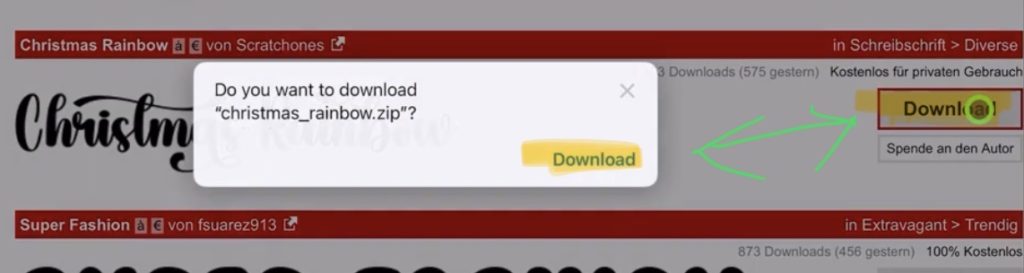
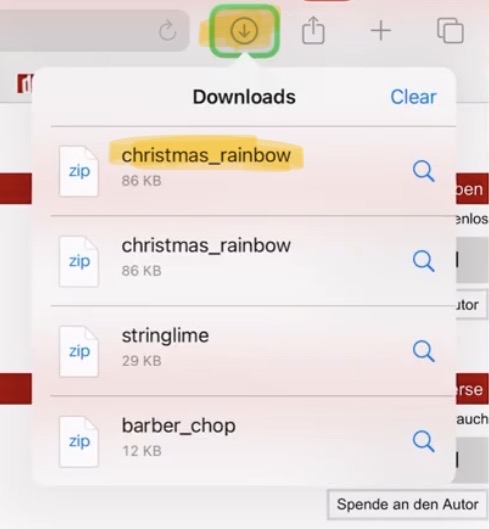
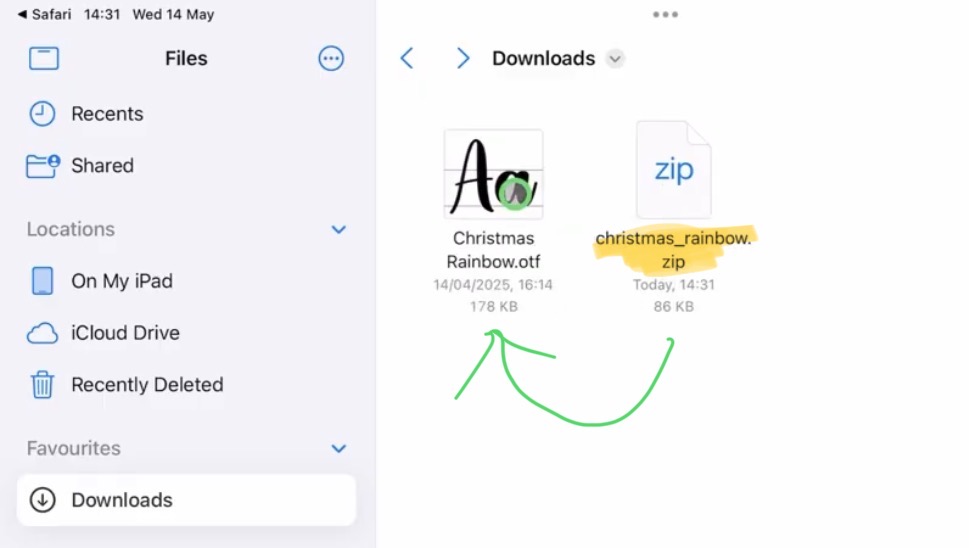
Important: You can only install .otf or .ttf Font Files on the iPad!
Step 2: How to install a custom Font with AnyFont App
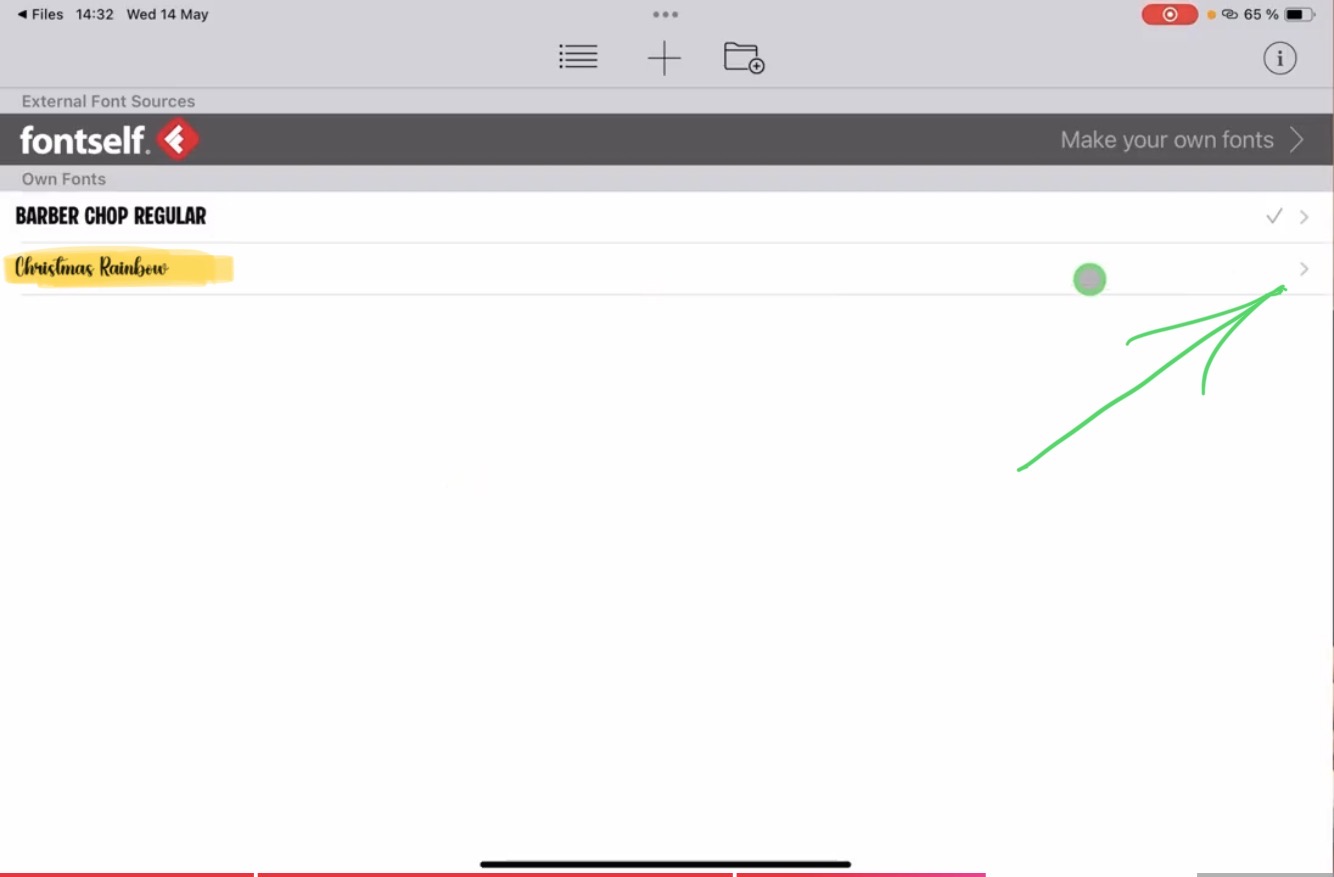
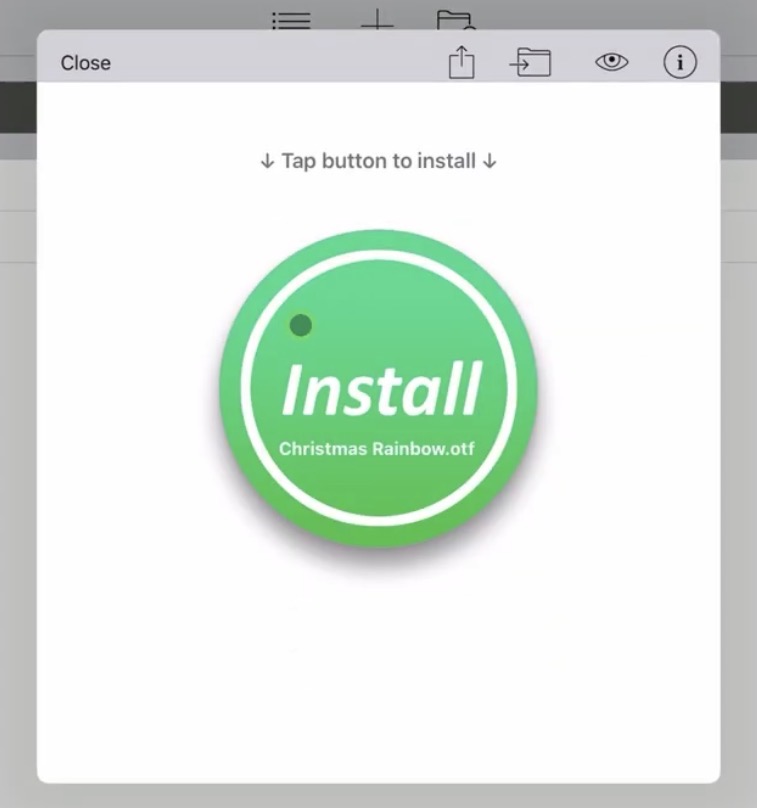
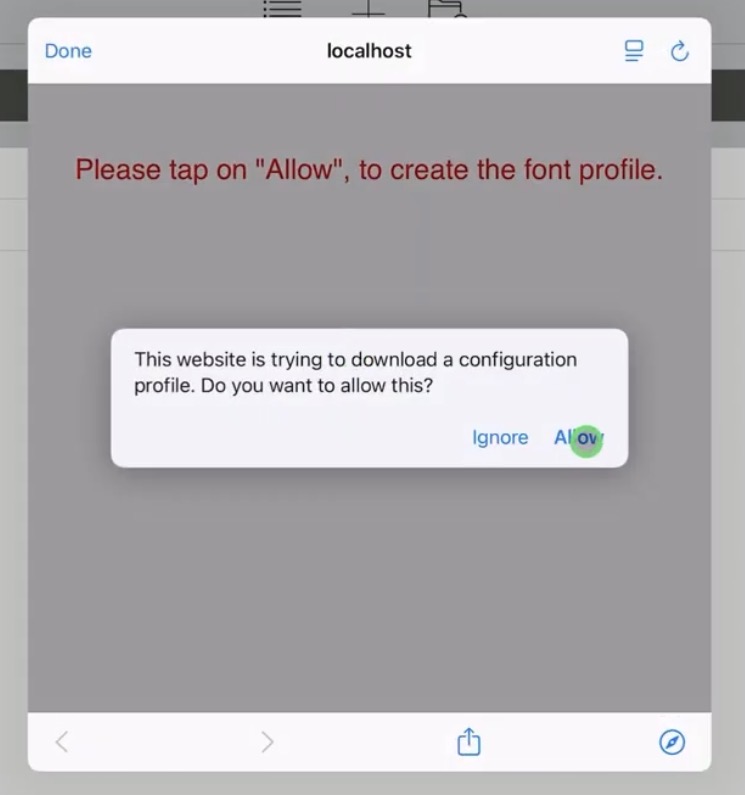
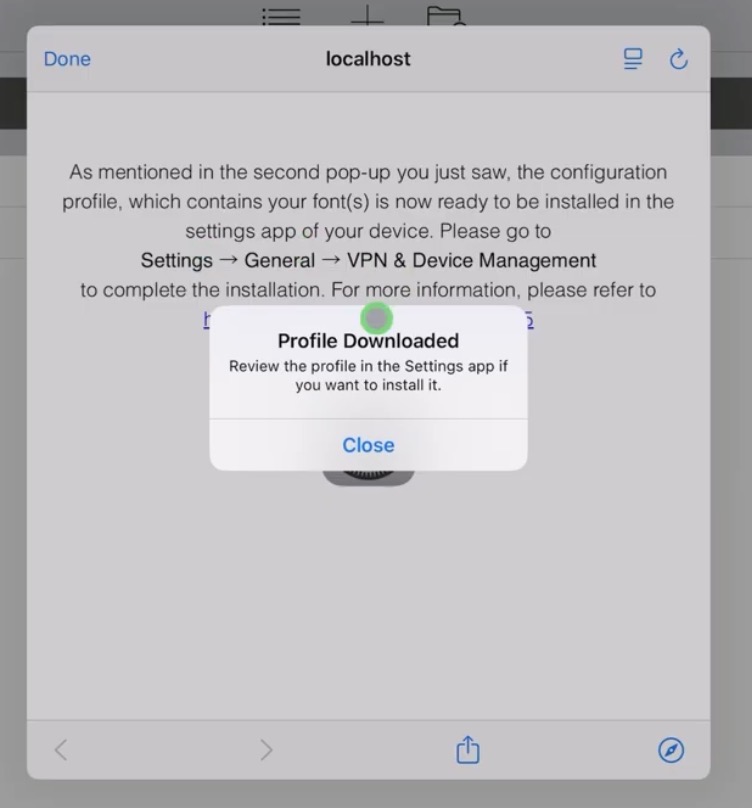
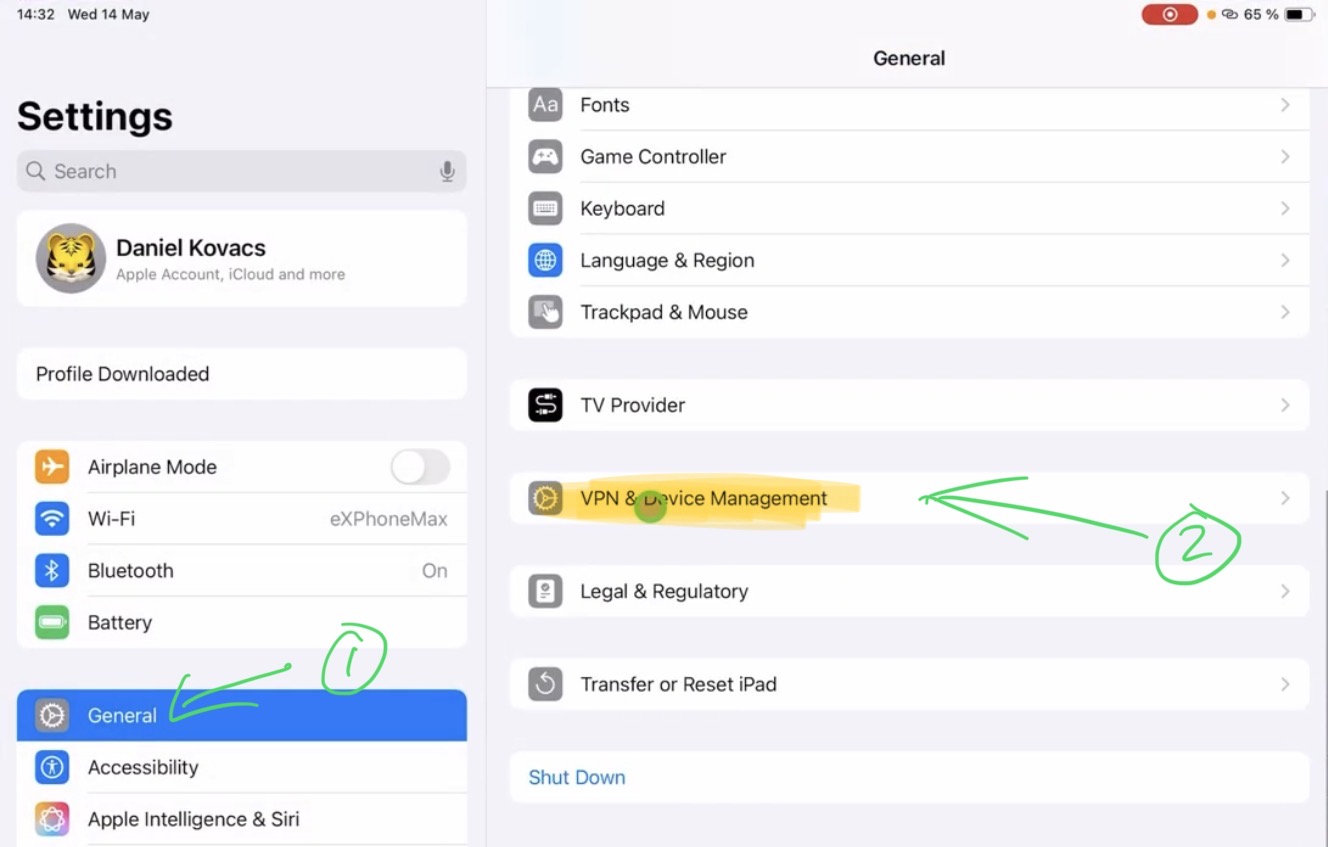
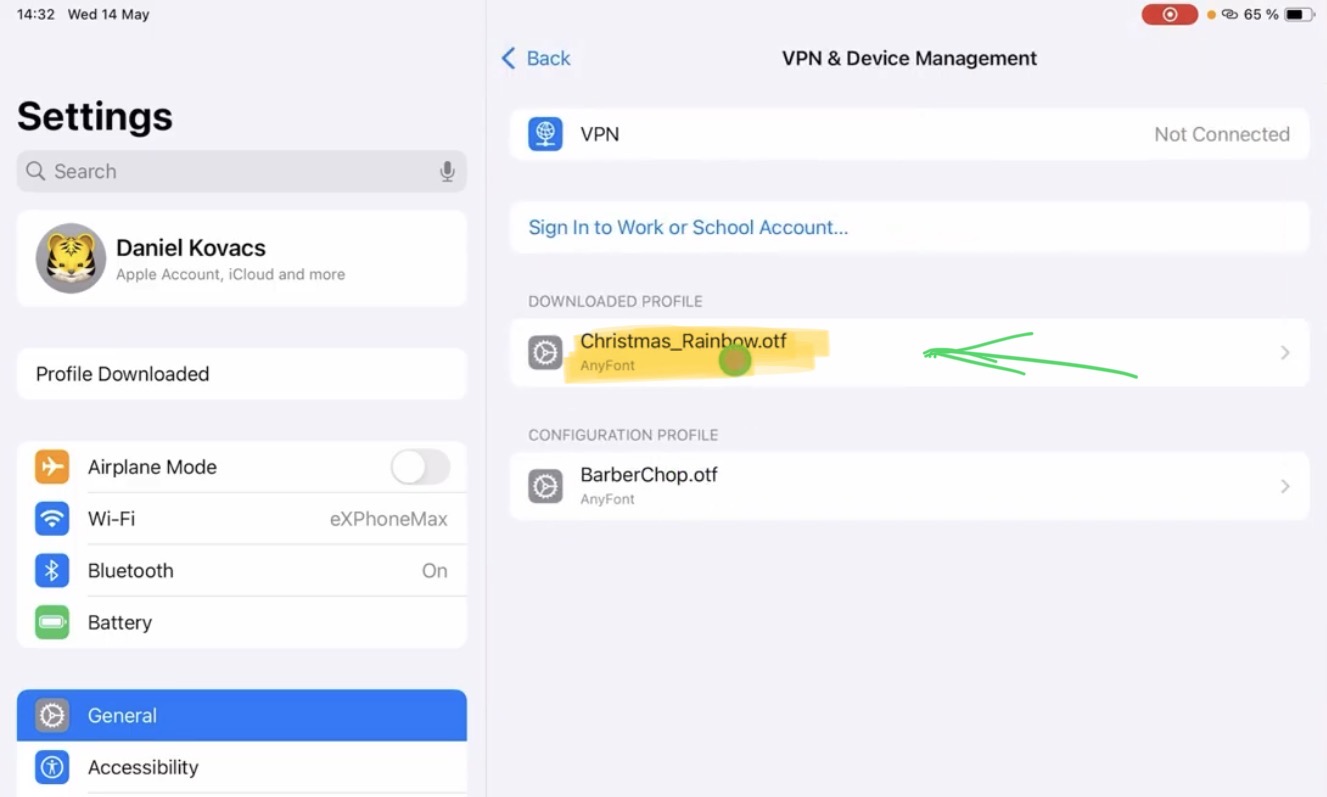
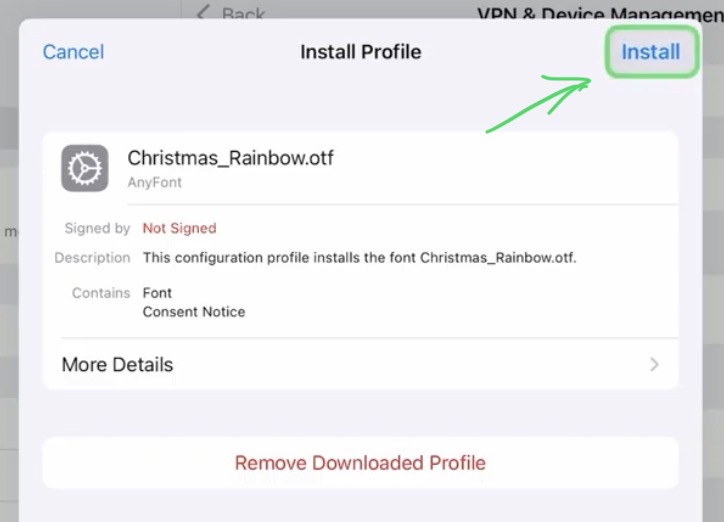
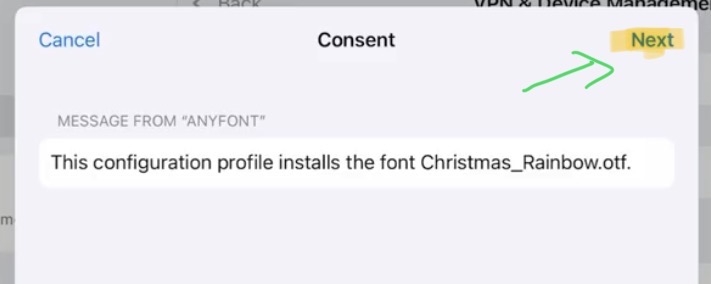
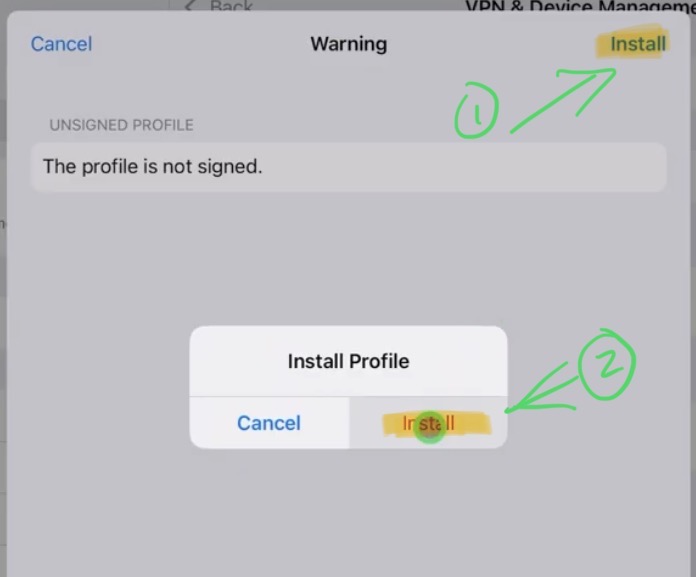
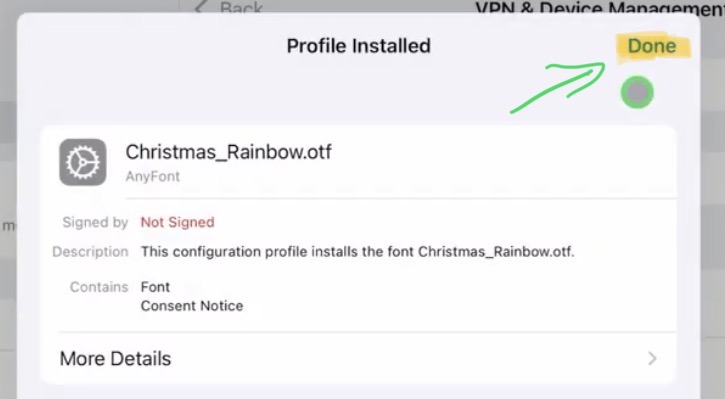
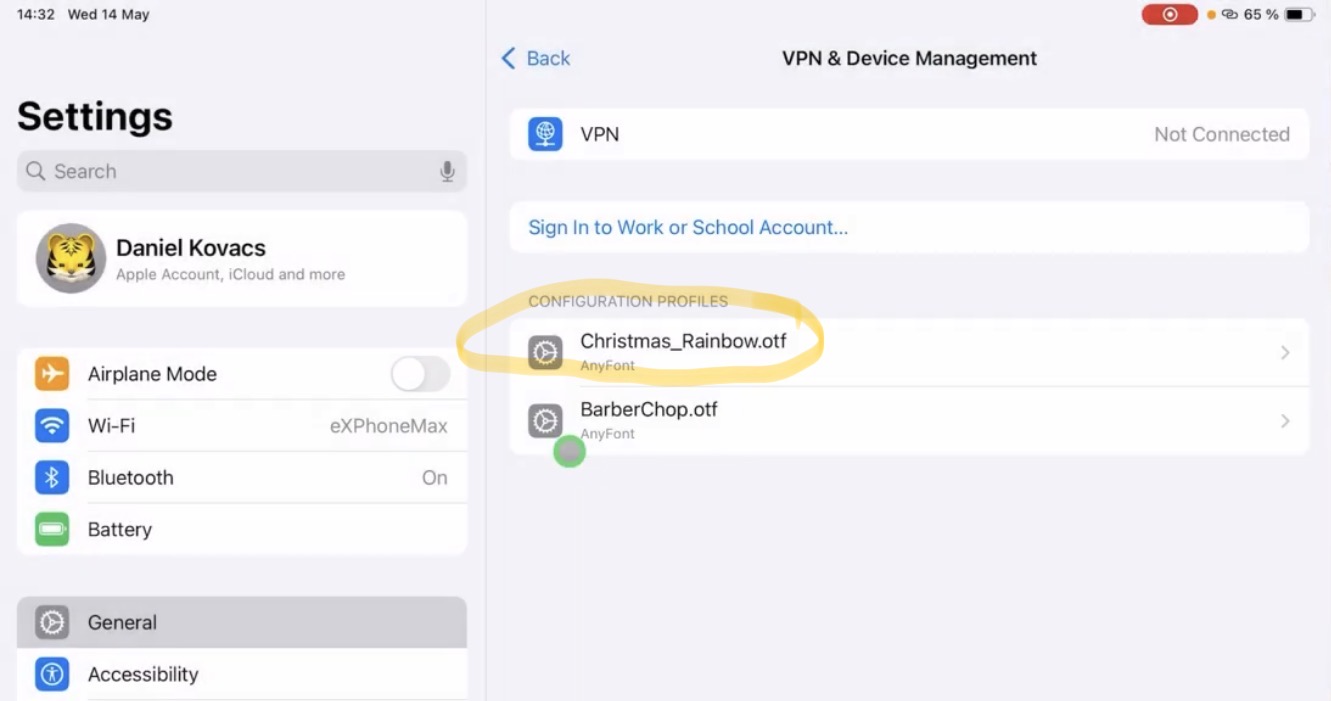
How to install the Custom Font to the Configuration Profil List on the iPad.

How to select the New Custom Font in Final Cut Pro for iPad?


Bonus: What about DVR for iPad does this work aswell?
Unfortunately No… If you want to know how to install custom fonts for DaVinci Resolve for iPad, check out this guide: How To ADD FONTS in DaVinci Resolve iPad!
If you want to host your own Online Course use CC360
I really believe, that CC360 is the best Platform to host your own Online Course currently on the market. And each week they introduce new features. Amazing. Check it out here.
Check Out: Final Cut Pro iPad MasterClass: From Beginner to Pro
Read Next
• How To Turn ON/OFF Audio Skimming in Final Cut Pro iPad
• How To DUPLICATE Timeline in Final Cut Pro iPad
• How to add KEYFRAMES in Final Cut Pro iPad