![iPad HDMi Sound to Bluetooth Headphones [Easy Fix]](https://exlima.net/wp-content/uploads/2025/12/iPad-HDMi-Sound-to-Bluetooth-Headphones-Easy-Fix-1024x576-1024x585.webp)
iPad HDMi Sound to Bluetooth Headphones [Easy Fix]
In this article/video i will show you how you can switch the Audio from your iPad while using an external Monitor via HDMi to any output device. For example by default the iPad will send the Audio via HDMi to the external Monitor. But what if you want to use the external Monitor but listen to your Bluetooth Headphones? I searched the entire iPad Settings for a solution and i finally found it.
The solution is so simple, when you know. But i did not know this for years. So this might be as helpful to you as it was for me. xD
Pro Tip: Make your Videos Cinematic (and save a tone of time) with our Seamless Transition Pack for DaVinci Resolve iPad.
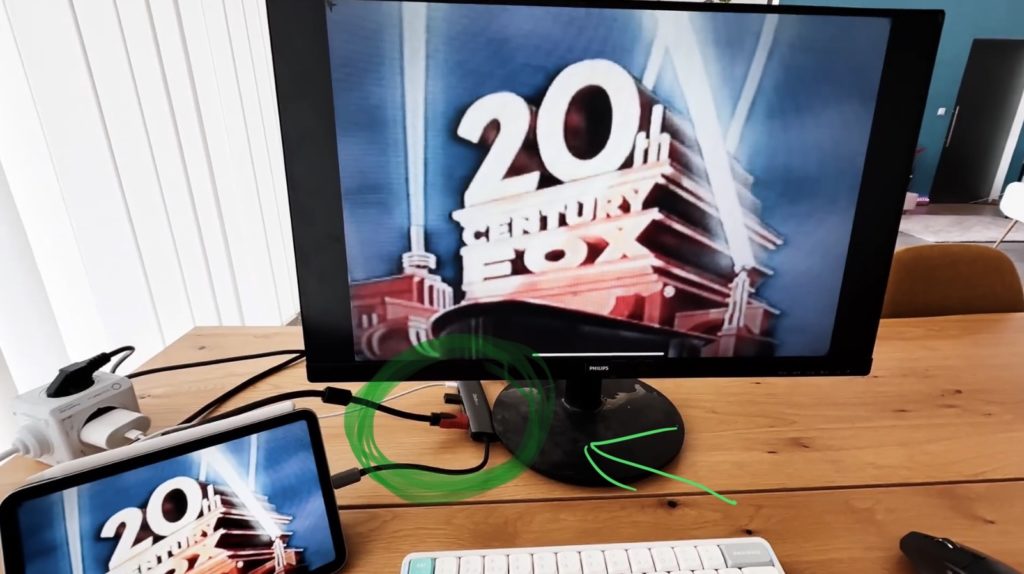
Tip: To use an external Monitor or your TV via HDMi i use an USB-C Hub with HDMi from Amazon.

Contents
[Video] iPad HDMi Sound to Bluetooth Headphones [Easy Fix]
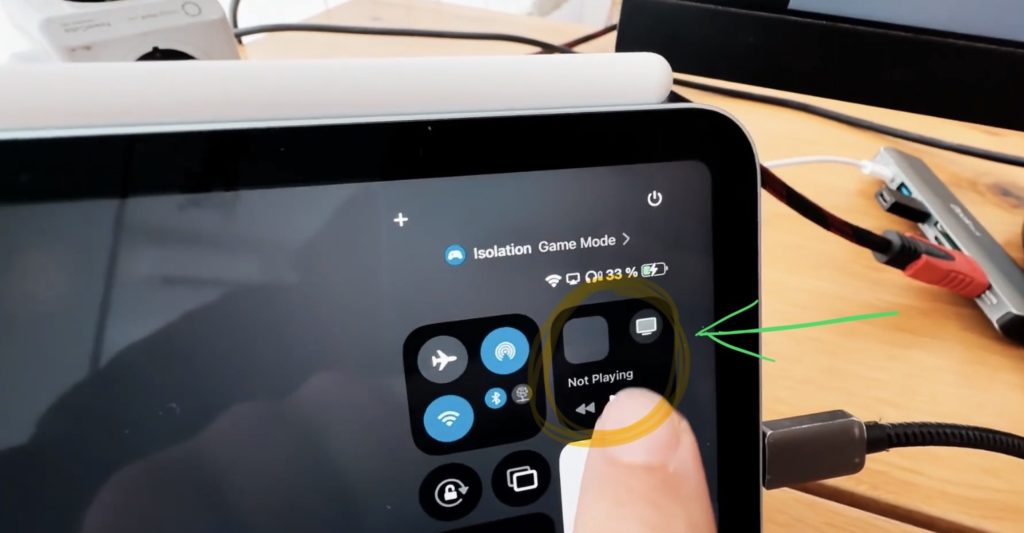
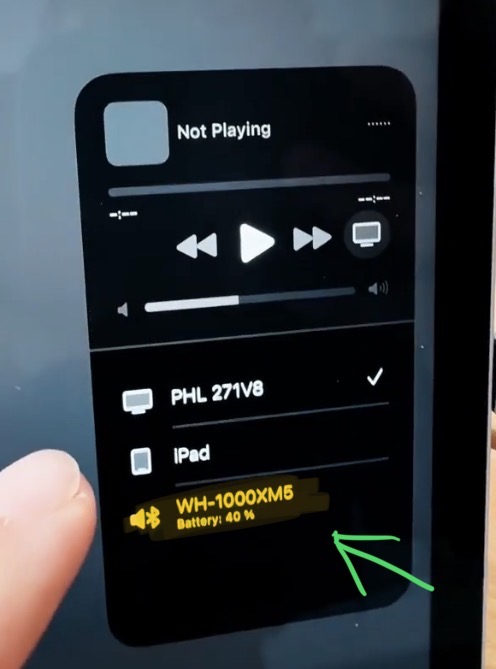
How to change the Output Audio Source on iPad?
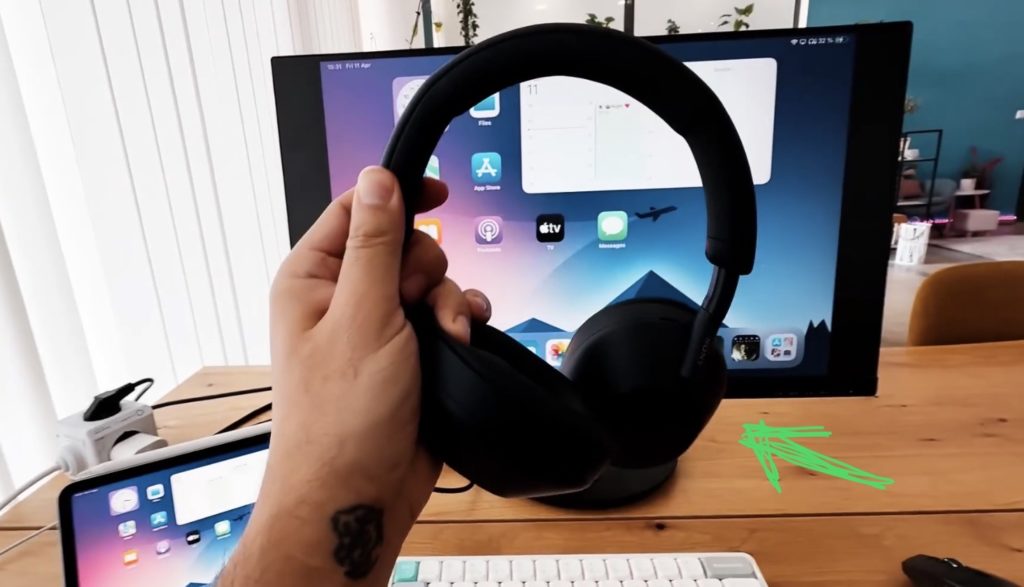
This is so funny because inside of the iPadOS Settings there is nothing about changing the Output Audio Device. But the solution is so simple an you can change the output audio device from the Control Centre. Make sure that your audio device is connected to the iPad. In my example i use my Sony WH-1000XM5 (but the next generation Sony WH-1000XM6 are even better xd).
Done… so easy xD
If you want to host your own Online Course use CC360
I really believe, that CC360 is the best Platform to host your own Online Course currently on the market. And each week they introduce new features. Amazing. Check it out here.
BONUS: All DaVinci Resolve iPad Masterclass Students get the Transition Pack & the 8K Film Grain Pack for FREE!
You can either get the Transition Pack separate here: Seamless Transition Pack for DaVinci Resolve iPad. Or the 8K Film Grain Pack here: 8K Film Grain Bundle. but all of our DaVinci Resolve iPad Packs are a FREE Bonus for the DaVinci Resolve iPad Masterclass Students.
Check It Out here DaVinci Resolve iPad MasterClass: From Beginner To Pro.
Read Next
• How COPY Color Grade to MULTIPLE Clips in DaVinci Resolve iPad
• DO THIS to make DaVinci Resolve FASTER! (Instead of rage smashing your iPad)
• How To Delete Cache Files in DaVinci Resolve iPad
• How To Color Correct iPhone Footage in DaVinci Resolve iPad
• Easy Sync Audio & Video in DaVinci Resolve iPad