DaVinci Resolve iPad UPDATE: Magic Mask 4x FASTER! (Insane)
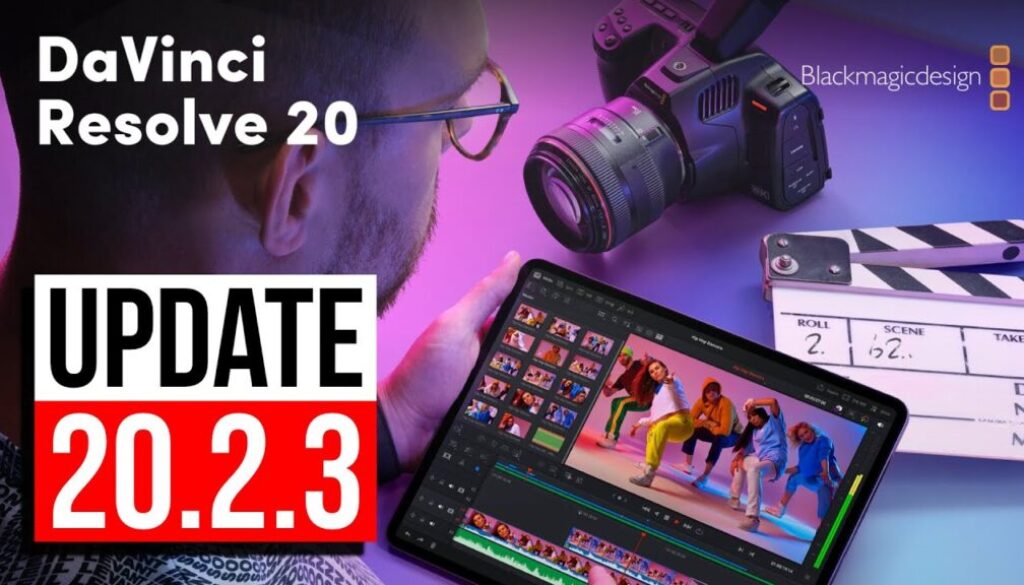
DaVinci Resolve for iPad just got a new update Version 20.2.3 is out now. It’s a smaller point update with a mix of performance improvements, bug fixes, and a few changes worth knowing about.
Pro Tip: Make your Videos Cinematic (and save a tone of time) with our Seamless Transition Pack for DaVinci Resolve iPad.

Contents
- [Video] DaVinci Resolve iPad UPDATE: Magic Mask 4x FASTER! (Insane)
- DaVinci Resolve iPad Version 20.2.3 — What’s New
- 4x Faster Magic Mask, Depth Map and SuperScale
- How to Check the Update in the App Store
- Blackmagic RAW SD Card 5.1: Does It Work on iPad?
- Spline Tracking Data Fix
- Voice Over: Still Missing on iPad!
- If you want to host your own Online Course use CC360
- BONUS: All DaVinci Resolve iPad Masterclass Students get the Transition Pack & the 8K Film Grain Pack for FREE!
[Video] DaVinci Resolve iPad UPDATE: Magic Mask 4x FASTER! (Insane)
DaVinci Resolve iPad Version 20.2.3 — What’s New
DaVinci Resolve iPad Version 20.2.3 (11/05/2025)
• Support for up to 4x faster Magic Mask, Depth Map and SuperScale performance on Windows Intel GPUs running DaVinci Resolve Studio.
• Support for Blackmagic RAW SD Card 5.1.
• Pasting spline window tracking data no longer resets spline shape.
• Object Mask now invalidates on edit and input sizing changes.
• Addressed ACES DCTL compatibility issues with certain EOTF settings.
• Addressed an issue with decoding some MP4 files.
• Three dot option menu action to reset all scope settings.
• General performance and stabilization improvements.
4x Faster Magic Mask, Depth Map and SuperScale
The headline feature of this update is significantly faster AI tool performance specifically Magic Mask, Depth Map and SuperScale. On paper this means you can isolate subjects, create depth-based masks and upscale footage faster and with less waiting. This improvement is listed for Windows Intel GPUs running DaVinci Resolve Studio, but if you’re on a newer iPad with the M4 or M5 chip it’s worth testing whether you notice any speed difference on your device as well.
How to Check the Update in the App Store
To confirm you have the latest version, open the App Store on your iPad and search for DaVinci Resolve. Tap on the app and scroll to What’s New — you’ll see the full version history there, including 20.2.3 and all previous updates with their release notes.
Blackmagic RAW SD Card 5.1: Does It Work on iPad?
This update adds support for Blackmagic RAW SD Card 5.1. However, it’s worth noting that in recent updates some features listed in the release notes only applied to the desktop version and weren’t actually available on iPad. If you have a Blackmagic camera and can test whether this format loads correctly in DaVinci Resolve on iPad, drop a comment in the video — that kind of real-world confirmation is really helpful.
Spline Tracking Data Fix
A useful bug fix in this update: pasting spline window tracking data no longer resets the spline shape. Previously this could be an annoying workflow interruption if you were working with tracking data and splines together.
Voice Over: Still Missing on iPad!
One thing notably not in this update: voice over recording inside the Cut Page. This feature was mentioned in earlier update notes but has never actually appeared on iPad. The microphone hardware on the iPad is fully capable of recording voice overs — it just still can’t be done directly inside DaVinci Resolve. Hopefully that changes in a future update.
Tip: If you don’t know how to get the other pages (FUSION, FAIRLIGHT, EDIT) on the iPad read this article first: How to UNLOCK ALL PAGES in DaVinci Resolve for iPad Pro
If you want to host your own Online Course use CC360
I really believe, that CC360 is the best Platform to host your own Online Course currently on the market. And each week they introduce new features. Amazing. Check it out here.
BONUS: All DaVinci Resolve iPad Masterclass Students get the Transition Pack & the 8K Film Grain Pack for FREE!
You can either get the Transition Pack separate here: Seamless Transition Pack for DaVinci Resolve iPad. Or the 8K Film Grain Pack here: 8K Film Grain Bundle. but all of our DaVinci Resolve iPad Packs are a FREE Bonus for the DaVinci Resolve iPad Masterclass Students.
Check It Out here DaVinci Resolve iPad MasterClass: From Beginner To Pro.
Read Next
• How COPY Color Grade to MULTIPLE Clips in DaVinci Resolve iPad
• DO THIS to make DaVinci Resolve FASTER! (Instead of rage smashing your iPad)
• How To Delete Cache Files in DaVinci Resolve iPad
• How To Color Correct iPhone Footage in DaVinci Resolve iPad
• Easy Sync Audio & Video in DaVinci Resolve iPad