AI Is Rewriting the Truth: And No One Notices
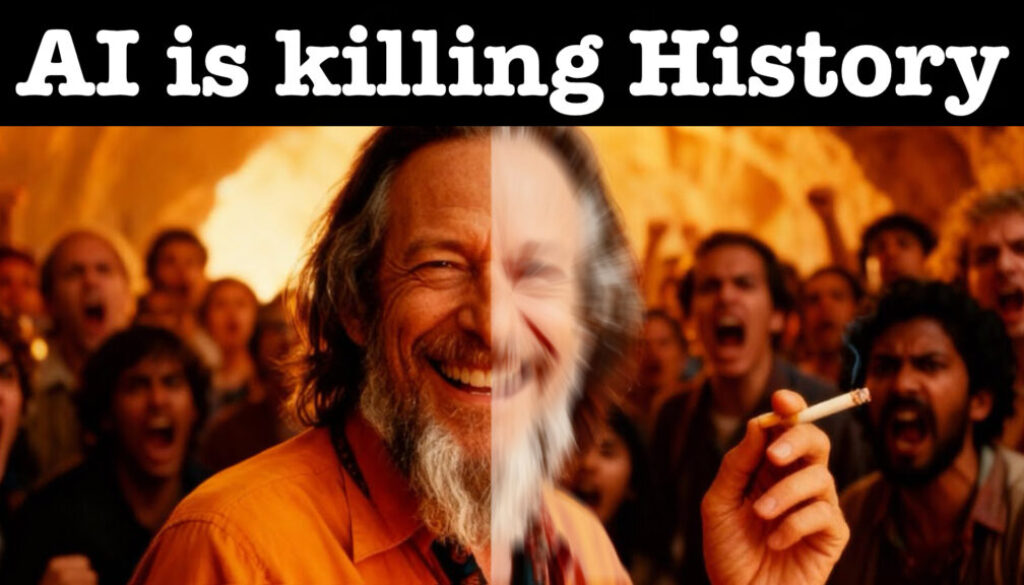
Is AI slowly rewriting history without us even noticing? In this video I share a thought process that started with AI slop videos and led me to a pretty disturbing realization about what happens when AI hallucinates content about real historical figures.
Pro Tip: Make your Videos Cinematic (and save a tone of time) with our Seamless Transition Pack for DaVinci Resolve iPad.

Contents
- [Video] Is AI Killing Our History?
- The AI Slop Problem
- What Happens When AI Fakes a Historical Figure?
- It’s Not Just Hallucination: It’s Manipulation
- I Almost Became Part of the Problem
- We Are Toolmakers: But Tools Can Be Misused
- If you want to host your own Online Course use CC360
- BONUS: All DaVinci Resolve iPad Masterclass Students get the Transition Pack & the 8K Film Grain Pack for FREE!
[Video] Is AI Killing Our History?
The AI Slop Problem
AI can now generate videos, scripts, voices, and entire content channels with very little effort. Channels like Kurzgesagt (24.8M subscribers) have made videos about how AI slop is polluting the internet. The core issue: AI does maybe 70% of a job correctly and hallucinates the rest. When that content gets published and then scraped by the next AI, the hallucination becomes “fact.” The cycle repeats.
What Happens When AI Fakes a Historical Figure?
I came across a YouTube channel dedicated to Alan Watts — a British-American philosopher and writer who died in 1973. The channel was only two months old, had massive success, and the AI-generated voice was almost indistinguishable from the real thing. The problem? In one video, the AI-generated “Alan Watts” was using words like texting and scrolling — words that didn’t exist in 1973.
This channel isn’t presenting itself as a motivational channel inspired by Alan Watts. It’s presenting itself as Alan Watts. So when a future AI scrapes that content for research, it won’t know the difference. We are actively rewriting history.
It’s Not Just Hallucination: It’s Manipulation
It goes even further. The original Alan Watts had specific philosophical views. AI-generated versions of his speeches are not just adding modern words — they’re sometimes inserting political views he never held. Someone who was trying to say A gets made to say B. That’s not hallucination anymore, that’s a deepfake of ideas.
I Almost Became Part of the Problem
I’ll be honest — when I first watched that channel, I was moved. The content was good. And then for a moment I thought: I have the filmmaking skills, I know AI, I could build something like this. The entrepreneurial part of me saw the opportunity. But once I realized what was actually happening, I stepped back. Because if I had done it, I would have been contributing to the exact problem I’m warning you about — without even realizing it.
We Are Toolmakers: But Tools Can Be Misused
I’m not anti-AI. Steve Jobs had this famous story about a magazine that ranked animals by efficiency. Humans ranked very low — until someone put a human on a bicycle. Then we outperformed every animal on the planet. That’s what tools do. AI is a tool. The problem isn’t the tool — it’s using it to impersonate real historical people and present fiction as fact.
Let me know in the comments what you think about all of this. Is AI changing history in a way that concerns you? I’d genuinely like to hear your perspective.
Tip: If you don’t know how to get the other pages (FUSION, FAIRLIGHT, EDIT) on the iPad read this article first: How to UNLOCK ALL PAGES in DaVinci Resolve for iPad Pro
If you want to host your own Online Course use CC360
I really believe, that CC360 is the best Platform to host your own Online Course currently on the market. And each week they introduce new features. Amazing. Check it out here.
BONUS: All DaVinci Resolve iPad Masterclass Students get the Transition Pack & the 8K Film Grain Pack for FREE!
You can either get the Transition Pack separate here: Seamless Transition Pack for DaVinci Resolve iPad. Or the 8K Film Grain Pack here: 8K Film Grain Bundle. but all of our DaVinci Resolve iPad Packs are a FREE Bonus for the DaVinci Resolve iPad Masterclass Students.
Check It Out here DaVinci Resolve iPad MasterClass: From Beginner To Pro.
Read Next
• How COPY Color Grade to MULTIPLE Clips in DaVinci Resolve iPad
• DO THIS to make DaVinci Resolve FASTER! (Instead of rage smashing your iPad)
• How To Delete Cache Files in DaVinci Resolve iPad
• How To Color Correct iPhone Footage in DaVinci Resolve iPad
• Easy Sync Audio & Video in DaVinci Resolve iPad