AI Detect Music Beats in DaVinci Resolve for iPad
In this video i will show you how to use AI Detect Music Beats in DaVinci Resolve 20 for iPad. This feature automatically analyzes your audio track and places beat markers on the timeline so you can snap your clips directly to the beat.
Pro Tip: Make your Videos Cinematic (and save a tone of time) with our Seamless Transition Pack for DaVinci Resolve iPad.

Contents
- [Video] AI Beat Detection in DaVinci Resolve iPad — Here’s What It Actually Does
- How to activate AI Detect Music Beats in DaVinci Resolve iPad
- How to snap clips to the music beat
- If you want to host your own Online Course use CC360
- BONUS: All DaVinci Resolve iPad Masterclass Students get the Transition Pack & the 8K Film Grain Pack for FREE!
[Video] AI Beat Detection in DaVinci Resolve iPad — Here’s What It Actually Does
How to activate AI Detect Music Beats in DaVinci Resolve iPad
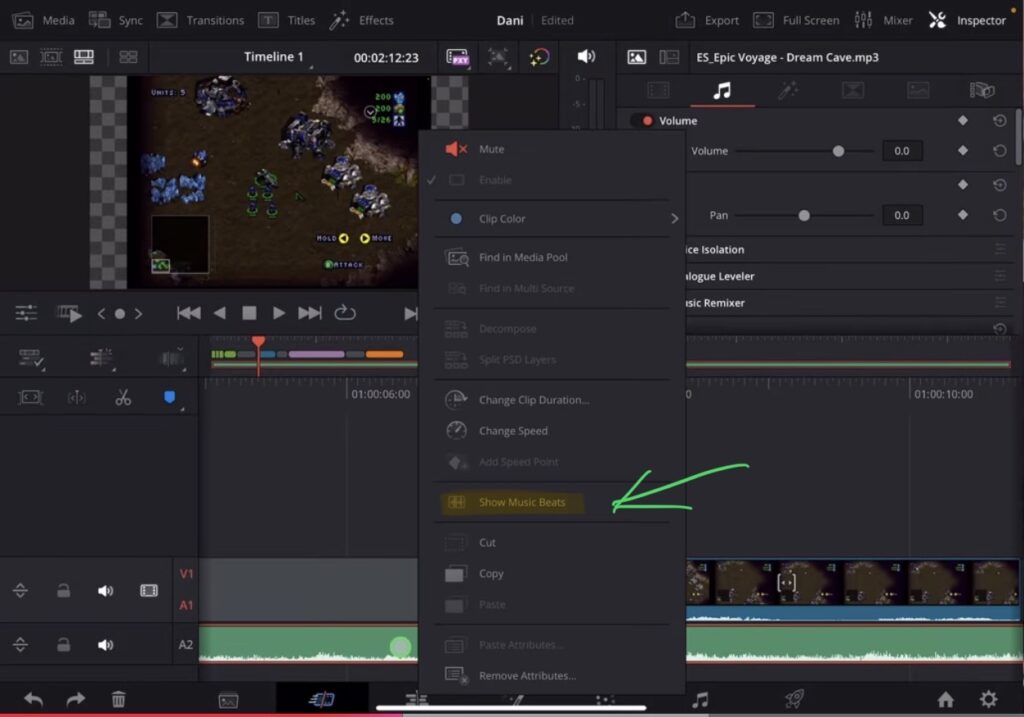
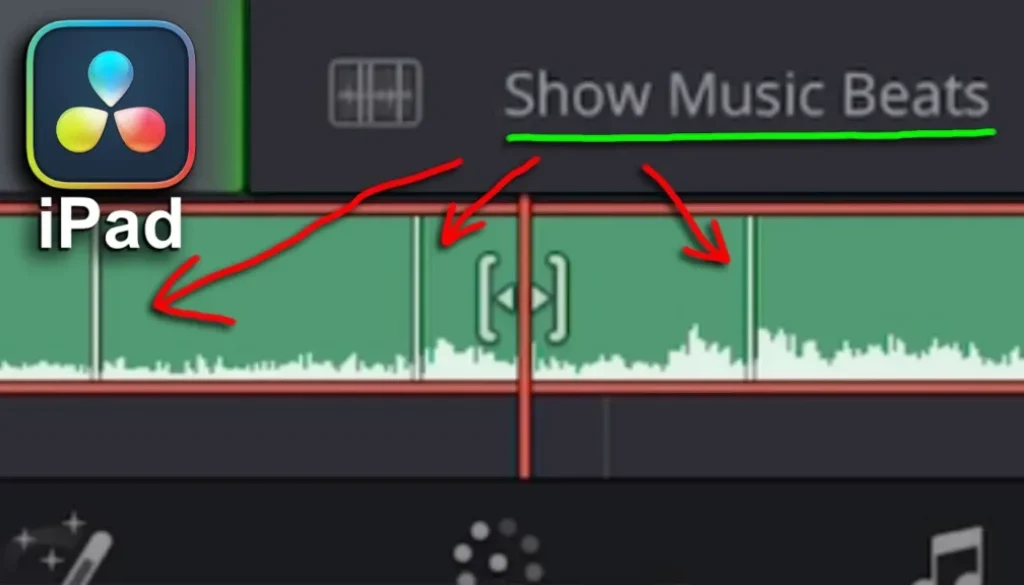
First, bring a song into your timeline on the Cut Page. Then right-click on the audio track and choose Show Music Beats. DaVinci Resolve will now analyze the entire track and display beat markers as lines across the timeline.
Note: AI Detect Music Beats works with music in 3/4 or 4/4 time. If your song has a clear, consistent beat structure, DaVinci Resolve can recognize it.
How to snap clips to the music beat
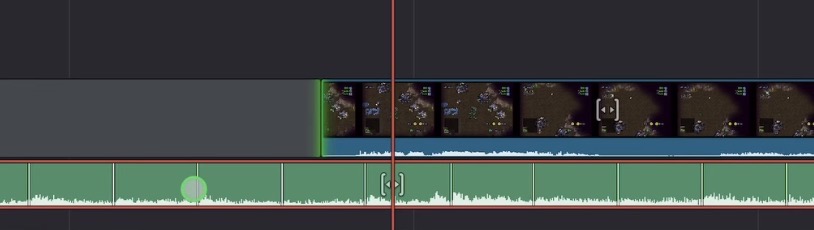
Once the beat markers are visible, you can simply drag and drop your clips and they will snap to the beat lines when the magnetic timeline is enabled. This makes it very easy to cut your video exactly on the beat without any manual guesswork.
To toggle the beat markers on or off, just right-click the audio track again and click Show Music Beats to hide or show them whenever you need.
The snapping behavior is easier to see in action than to describe — watch the video above to see how clips snap cleanly to the beat markers while dragging.
Tip: If you don’t know how to get the other pages (FUSION, FAIRLIGHT, EDIT) on the iPad read this article first: How to UNLOCK ALL PAGES in DaVinci Resolve for iPad Pro
If you want to host your own Online Course use CC360
I really believe, that CC360 is the best Platform to host your own Online Course currently on the market. And each week they introduce new features. Amazing. Check it out here.
BONUS: All DaVinci Resolve iPad Masterclass Students get the Transition Pack & the 8K Film Grain Pack for FREE!
You can either get the Transition Pack separate here: Seamless Transition Pack for DaVinci Resolve iPad. Or the 8K Film Grain Pack here: 8K Film Grain Bundle. but all of our DaVinci Resolve iPad Packs are a FREE Bonus for the DaVinci Resolve iPad Masterclass Students.
Check It Out here DaVinci Resolve iPad MasterClass: From Beginner To Pro.
Read Next
• How COPY Color Grade to MULTIPLE Clips in DaVinci Resolve iPad
• DO THIS to make DaVinci Resolve FASTER! (Instead of rage smashing your iPad)
• How To Delete Cache Files in DaVinci Resolve iPad
• How To Color Correct iPhone Footage in DaVinci Resolve iPad
• Easy Sync Audio & Video in DaVinci Resolve iPad