Blackmagic Just Gave Us Full Control Over Cloud Media – Here’s How
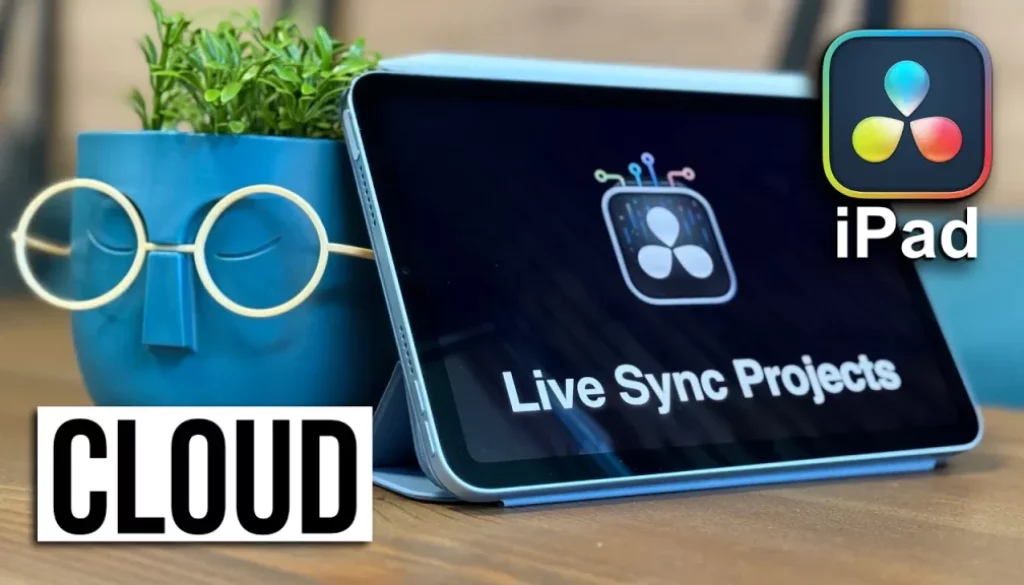
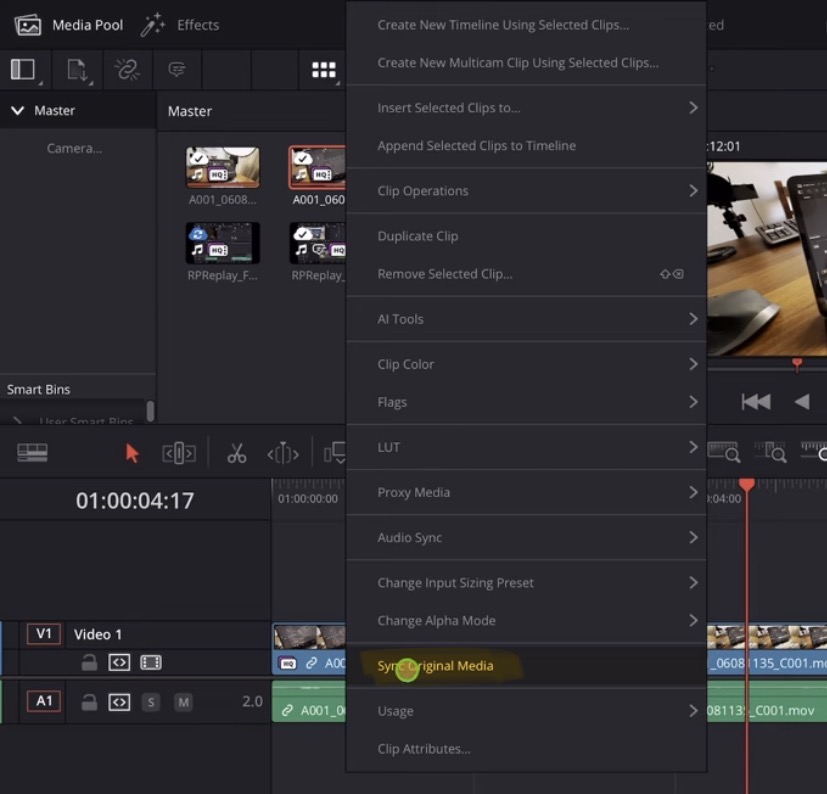
In this video/article i will show you how the new Feature “Sync Original Media” in DaVinci Resolve for iPad and the Blackmagic Cloud works. This is an amazing new feature that gives you and your team more control over how you want to use the Media from the BM Cloud in your project. Let me show you what it does and how it can help you.
Pro Tip: Make your Videos Cinematic (and save a tone of time) with our Seamless Transition Pack for DaVinci Resolve iPad.

Contents
- [Video] Blackmagic Just Gave Us Full Control Over Cloud Media – Here’s How
- Why do we even need this new Feature when working with the Blackmagic Cloud?
- How does the “Sync Original Media” work?
- What if “Sync Original Media” does not work or is greyed out?
- If you want to host your own Online Course use CC360
- BONUS: All DaVinci Resolve iPad Masterclass Students get the Transition Pack & the 8K Film Grain Pack for FREE!
[Video] Blackmagic Just Gave Us Full Control Over Cloud Media – Here’s How
Why do we even need this new Feature when working with the Blackmagic Cloud?
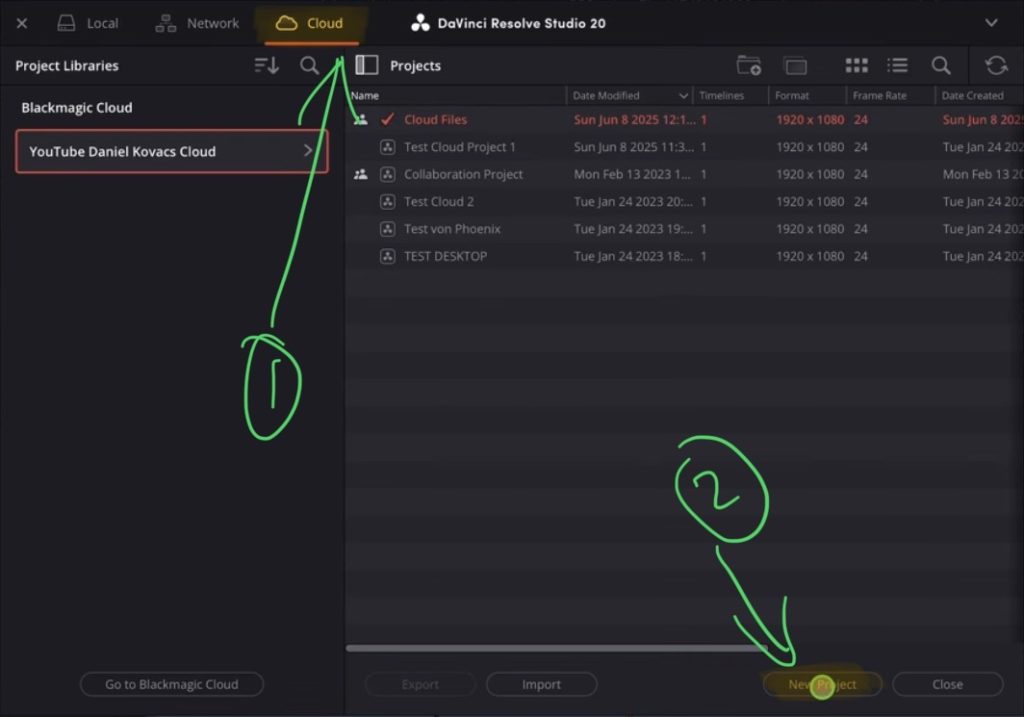
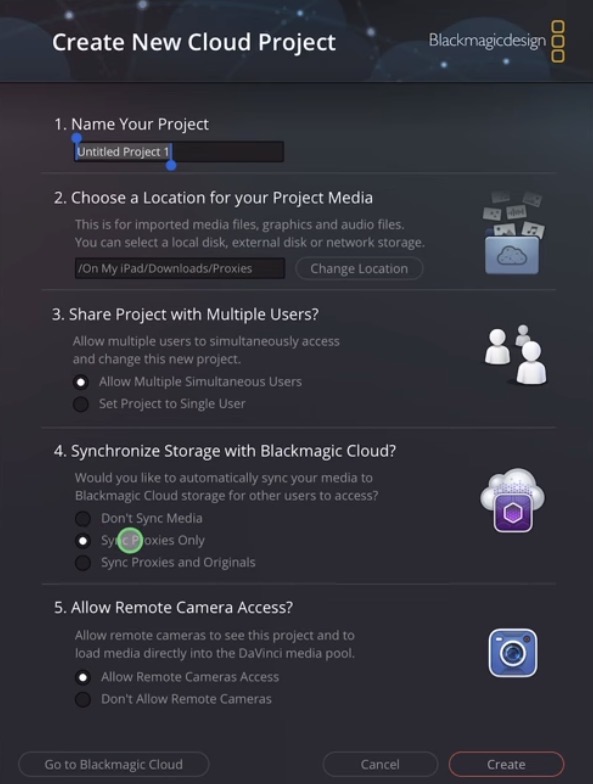
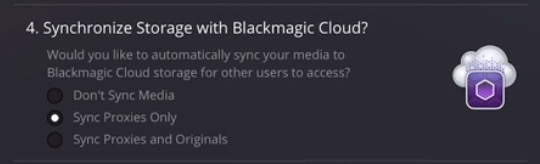
Info: If you work with multiple users on the cloud project and you want to save space on the cloud, then the option “Sync Proxies Only” is more then enough. Also for editing the proxy is enough to get the job done. The final video will be rendered from the person who has all the originals.
The Problem with this Setting is, you can either decide to upload all Originals or no Originals. But what if there are just a couple of files where you need the Originals and the rest the Proxy would be fine?
Let’s say a couple of videos your Colourist who is in Melbourne needs access to the Originals. This is where the new Feature that i will show you comes in handy. In my example i keep the Setting to Proxy Only.
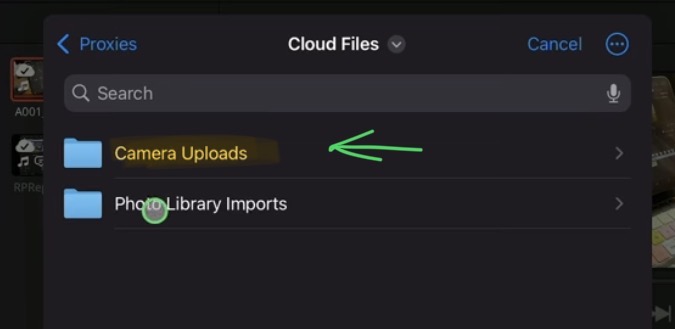
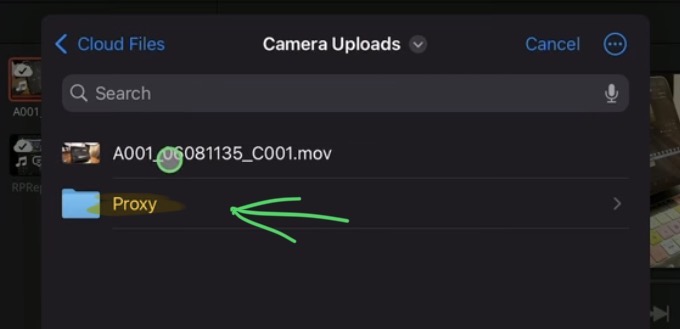
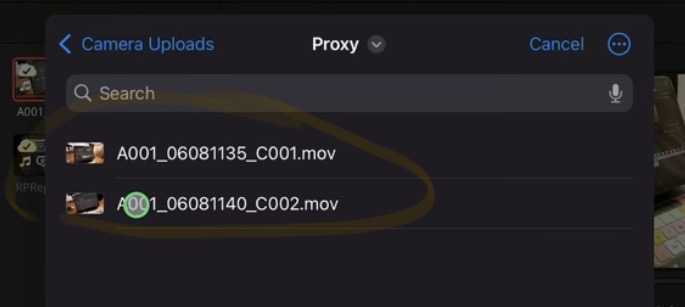
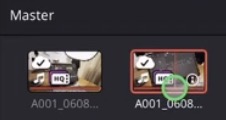
How does the “Sync Original Media” work?
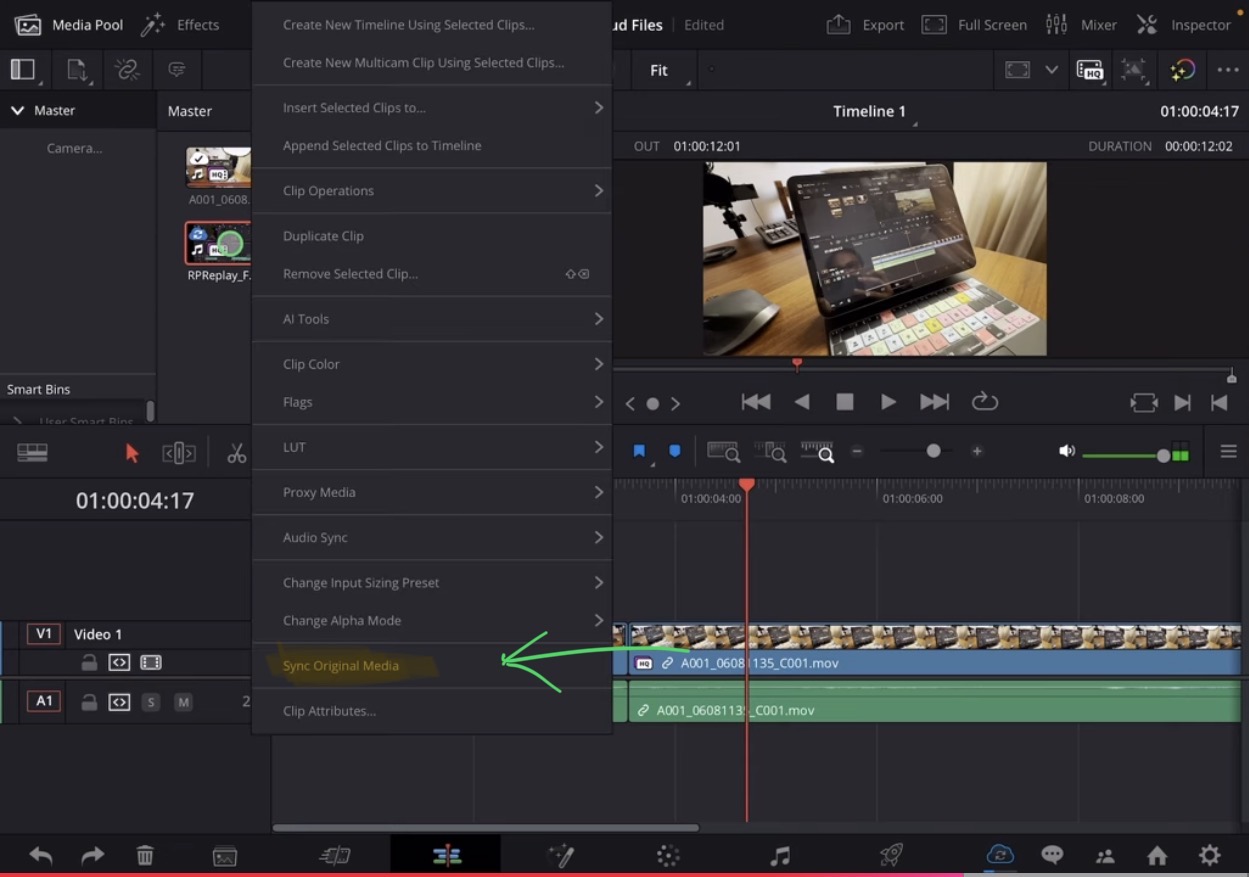
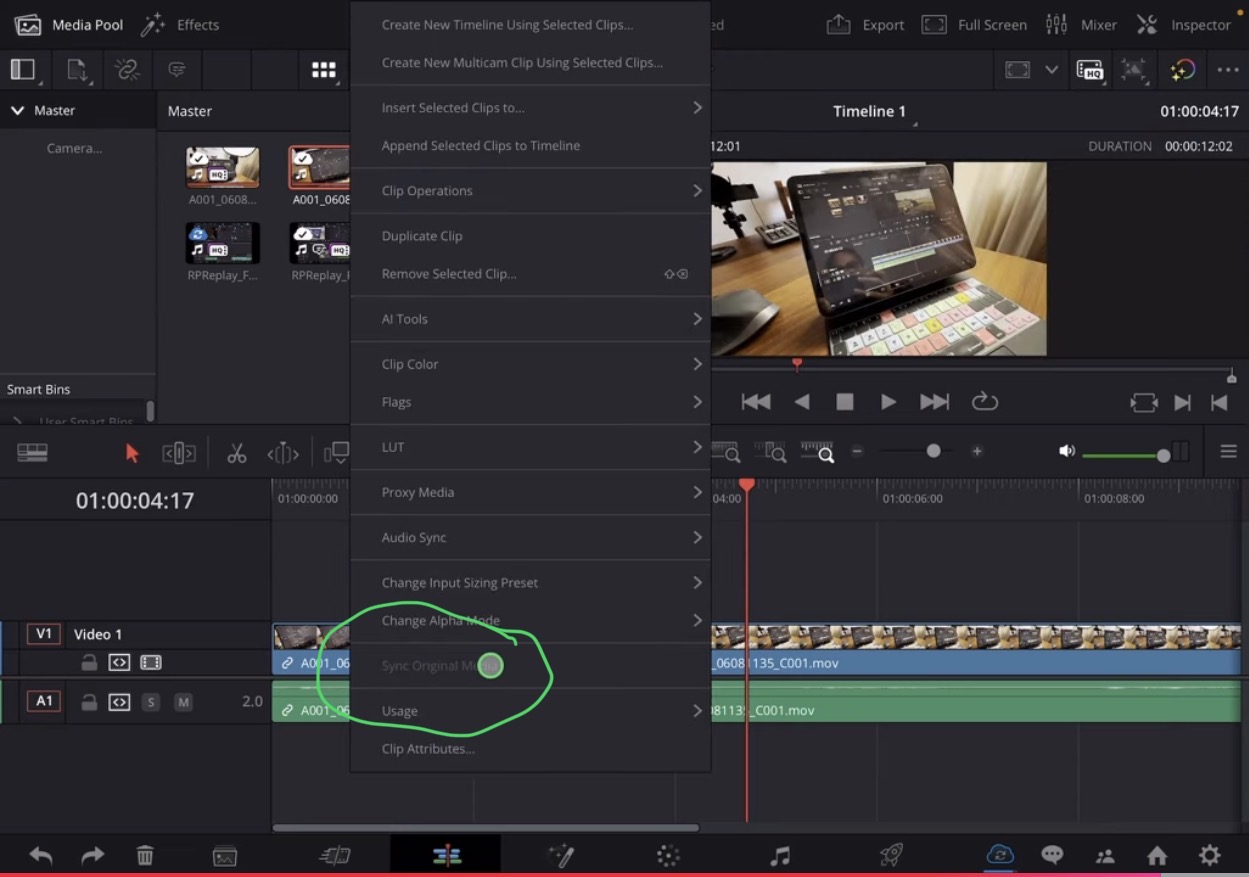
Important: This Feature is only showing in the Edit Page of DaVinci Resolve. You can’t use it from the Cut Page.
Tip: If you don’t know how to get the other pages (FUSION, FAIRLIGHT, EDIT) on the iPad read this article first: How to UNLOCK ALL PAGES in DaVinci Resolve for iPad Pro
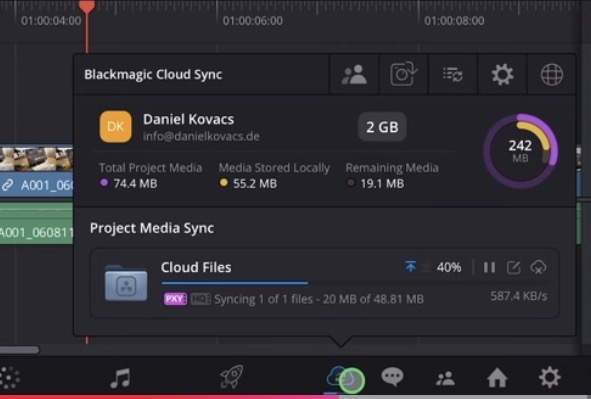
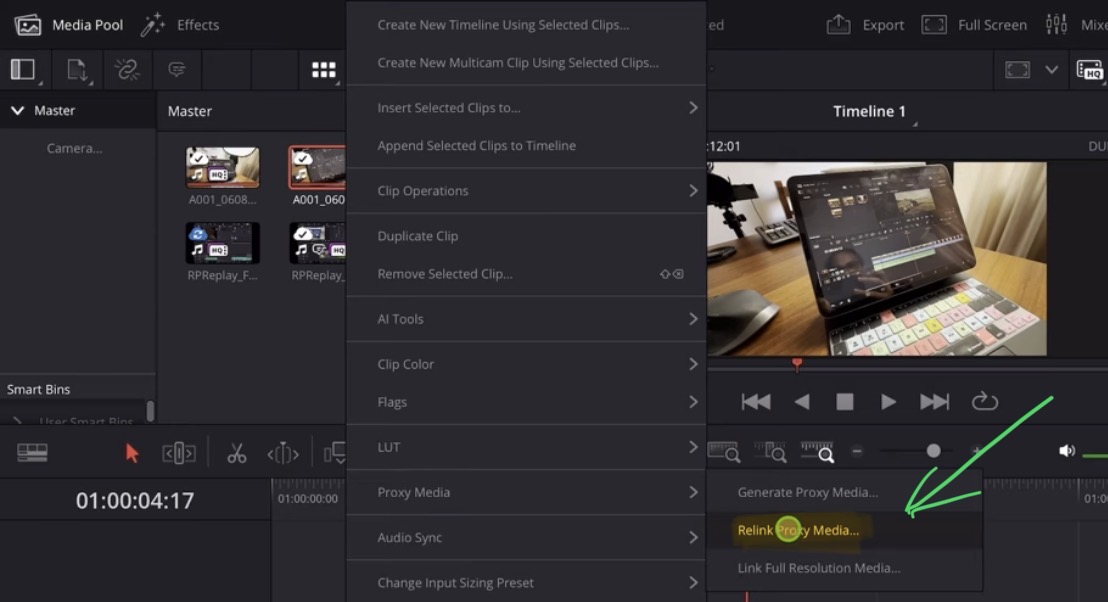
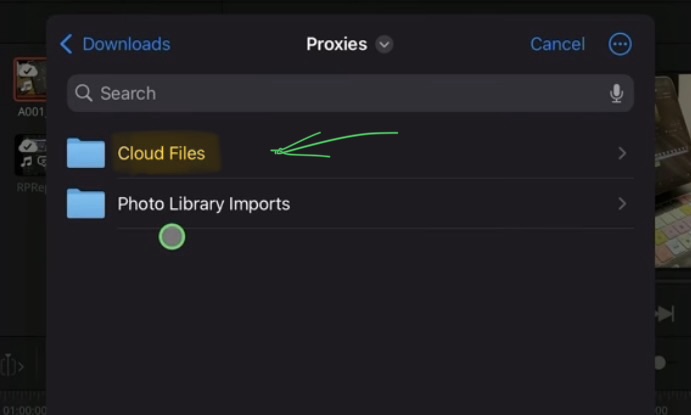
What if “Sync Original Media” does not work or is greyed out?
Tip: If you want to learn more about the BM Cloud read this article here: Blackmagic Cloud for DaVinci Resolve iPad [Guide]
If you want to host your own Online Course use CC360
I really believe, that CC360 is the best Platform to host your own Online Course currently on the market. And each week they introduce new features. Amazing. Check it out here.
BONUS: All DaVinci Resolve iPad Masterclass Students get the Transition Pack & the 8K Film Grain Pack for FREE!
You can either get the Transition Pack separate here: Seamless Transition Pack for DaVinci Resolve iPad. Or the 8K Film Grain Pack here: 8K Film Grain Bundle. but all of our DaVinci Resolve iPad Packs are a FREE Bonus for the DaVinci Resolve iPad Masterclass Students.
Check It Out here DaVinci Resolve iPad MasterClass: From Beginner To Pro.
Read Next
• How COPY Color Grade to MULTIPLE Clips in DaVinci Resolve iPad
• DO THIS to make DaVinci Resolve FASTER! (Instead of rage smashing your iPad)
• How To Delete Cache Files in DaVinci Resolve iPad
• How To Color Correct iPhone Footage in DaVinci Resolve iPad
• Easy Sync Audio & Video in DaVinci Resolve iPad