The New DaVinci Resolve iPad Shortcut That Changes Everything
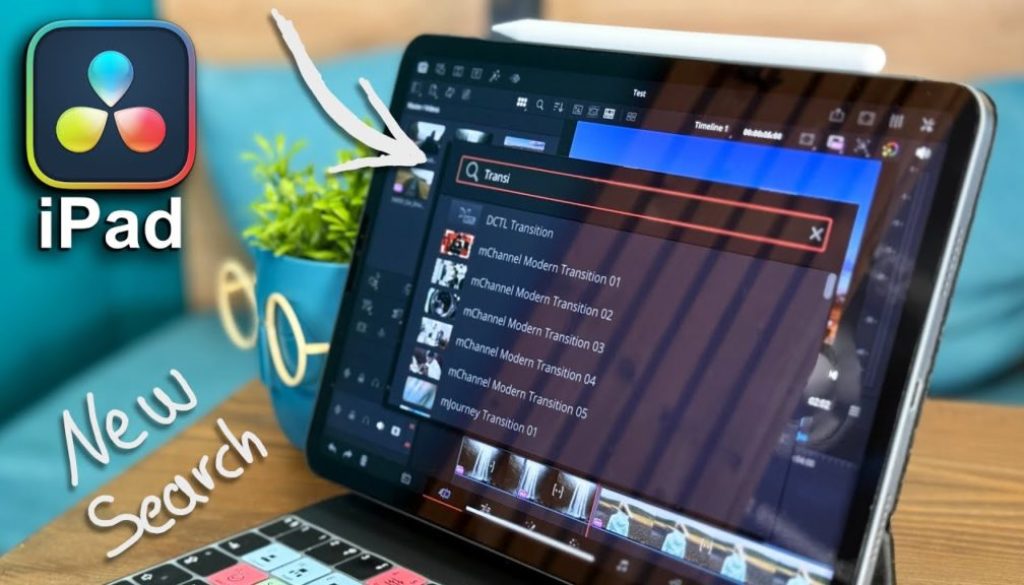
In this article i will show you the new Search Effect Feature that will make editing in DaVinci Resolve for iPad even faster. And if that new Keyboard Shortcut does not work on your iPad i will show you how to fix it. This is a feature that really makes sense and im happy that Blackmagic Design added this to DVR for iPad.
Pro Tip: Make your Videos Cinematic (and save a tone of time) with our Seamless Transition Pack for DaVinci Resolve iPad.

Contents
- [Video] The New DaVinci Resolve iPad Shortcut That Changes Everything
- What is the new “Search Effects” in DaVinci Resolve iPad?
- What if the Shortcut for Search Effect does not work?
- If you want to host your own Online Course use CC360
- BONUS: All DaVinci Resolve iPad Masterclass Students get the Transition Pack & the 8K Film Grain Pack for FREE!
[Video] The New DaVinci Resolve iPad Shortcut That Changes Everything
What is the new “Search Effects” in DaVinci Resolve iPad?
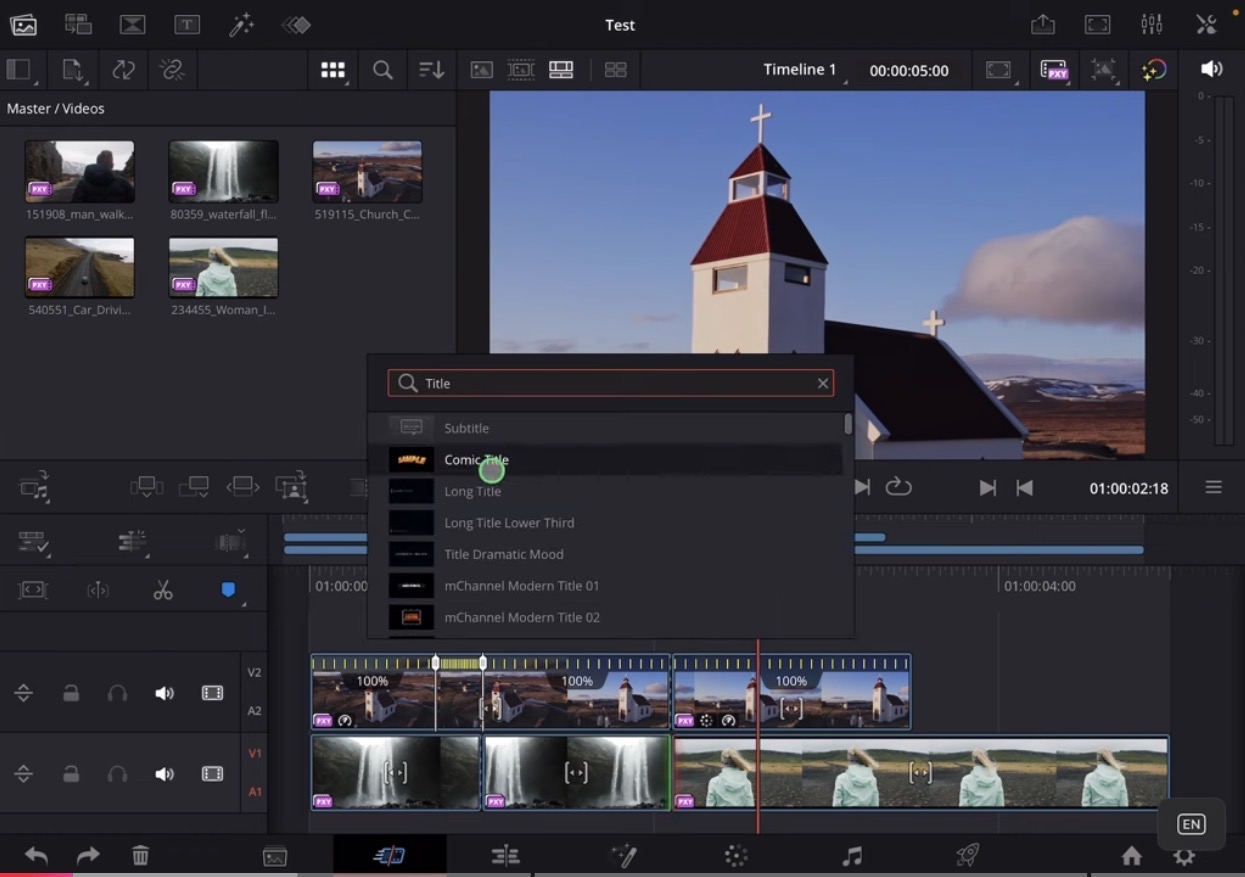
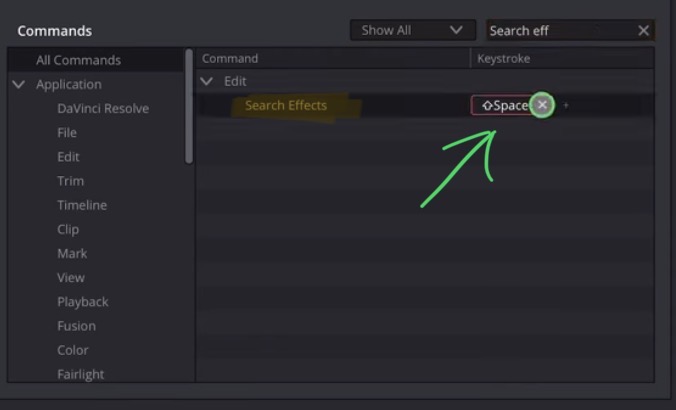
With the Search Effects window you can very fast search for Effects, Transitions and Titles and even custom effects to add to your timeline without going into the different effects tabs. You need a keyboard shortcut to use this feature and then you search by name for the effect you want to apply.
Btw. this is a feature that was already available in the fusion page to search for the fusion effects. Now we have the same in the other pages as well. Good job Blackmagic i love this new Feature.
Tip: If you don’t know how to get the other pages (FUSION, FAIRLIGHT, EDIT) on the iPad read this article first: How to UNLOCK ALL PAGES in DaVinci Resolve for iPad Pro
What if the Shortcut for Search Effect does not work?
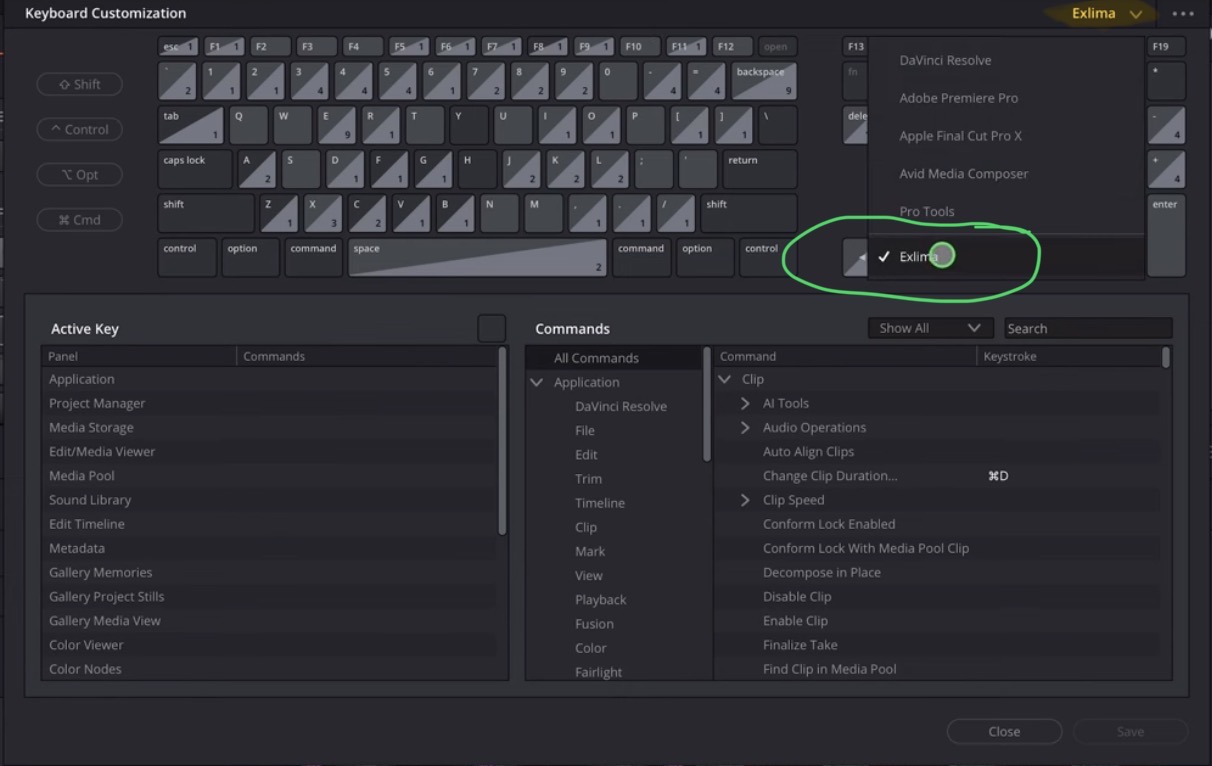
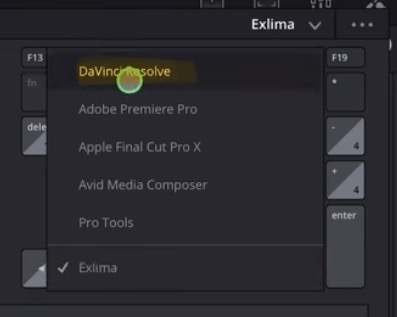
Tip: In the top right you can change the profile for the Keyboard Shortcuts and also created your own custom keyboard shortcuts.
If you want to host your own Online Course use CC360
I really believe, that CC360 is the best Platform to host your own Online Course currently on the market. And each week they introduce new features. Amazing. Check it out here.
BONUS: All DaVinci Resolve iPad Masterclass Students get the Transition Pack & the 8K Film Grain Pack for FREE!
You can either get the Transition Pack separate here: Seamless Transition Pack for DaVinci Resolve iPad. Or the 8K Film Grain Pack here: 8K Film Grain Bundle. but all of our DaVinci Resolve iPad Packs are a FREE Bonus for the DaVinci Resolve iPad Masterclass Students.
Check It Out here DaVinci Resolve iPad MasterClass: From Beginner To Pro.
Read Next
• How COPY Color Grade to MULTIPLE Clips in DaVinci Resolve iPad
• DO THIS to make DaVinci Resolve FASTER! (Instead of rage smashing your iPad)
• How To Delete Cache Files in DaVinci Resolve iPad
• How To Color Correct iPhone Footage in DaVinci Resolve iPad
• Easy Sync Audio & Video in DaVinci Resolve iPad