DaVinci Resolve iPad Just Got a Real Audio Mixer (Finally!)
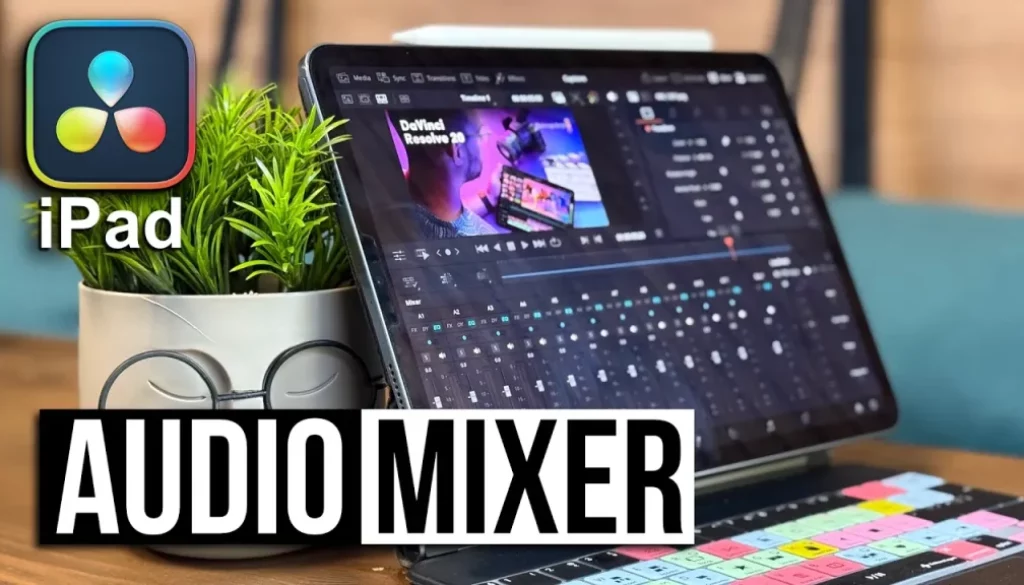
In this video/article i will show you the Full Size Audio Mixer in the Cut Page of DaVinci Resolve for iPad. We finally got the Audio Mixer and with it two more amazing Audio Feature Tools. The EQ (equalizer) and the Dynamics Effect where both missing in the iPad Version. But now with introduction of the Audio Mixer we can use these two audio effects as well. Let me show you how.
Pro Tip: Make your Videos Cinematic (and save a tone of time) with our Seamless Transition Pack for DaVinci Resolve iPad.

Contents
- [Video] DaVinci Resolve iPad Just Got a Real Audio Mixer (Finally!)
- How to open the Full Size Audio Mixer in the Cut Page of DVR iPad
- How does the Audio Mixer work?
- How to open the Dynamics Audio Effect in DaVinci Resolve iPad?
- How to open the EQ (Equaliser Audio Effect) in DaVinci Resolve iPad?
- How to add Audio Effects to entire Audio Tracks in DVR iPad?
- If you want to host your own Online Course use CC360
- BONUS: All DaVinci Resolve iPad Masterclass Students get the Transition Pack & the 8K Film Grain Pack for FREE!
[Video] DaVinci Resolve iPad Just Got a Real Audio Mixer (Finally!)
How to open the Full Size Audio Mixer in the Cut Page of DVR iPad
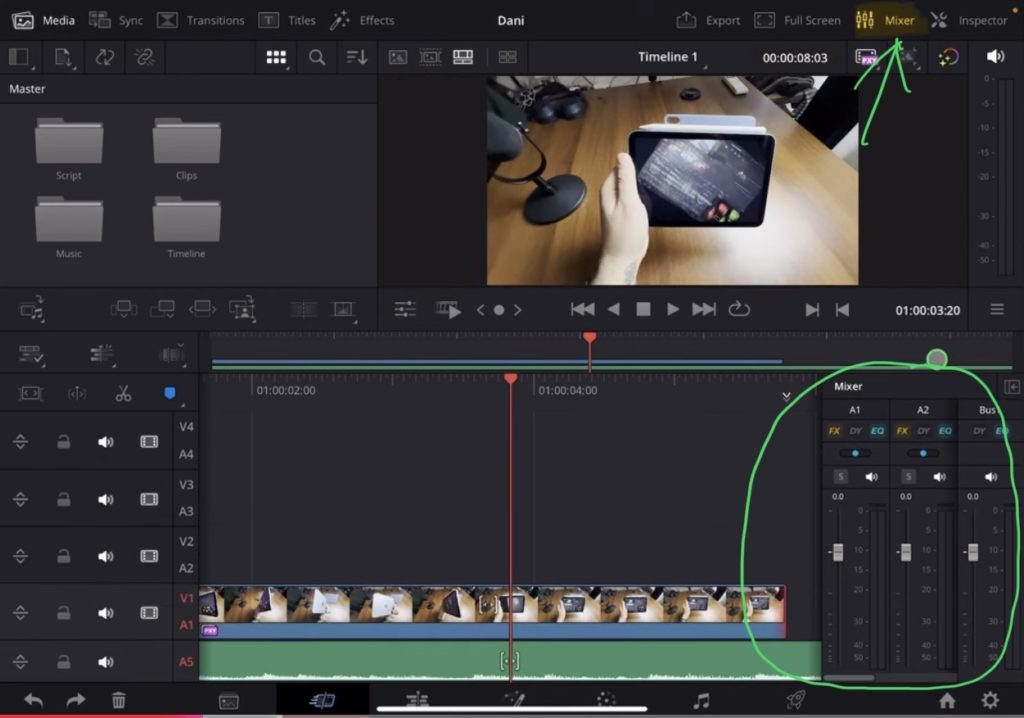
Important: As of this recording the Audio Mixer is only available on the Cut Page of DVR for iPad. The Edit Page and the Fairlight Page still have an empty Mixer Window but i think this is still good news. Because we might are only a few updates away to also get the Audio Mixer in these two pages. And without a working Audio Mixer it makes sense that Blackmagic Design does not want to official lunch the other two pages. But when the Audio Mixer works we are also closer to a official release of the other two pages. Of course just my opinion… i could be wrong xd
Tip: If you don’t know how to get the other pages (FUSION, FAIRLIGHT, EDIT) on the iPad read this article first: How to UNLOCK ALL PAGES in DaVinci Resolve for iPad Pro
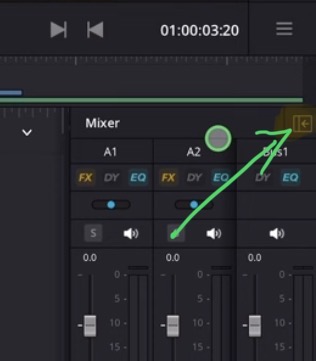
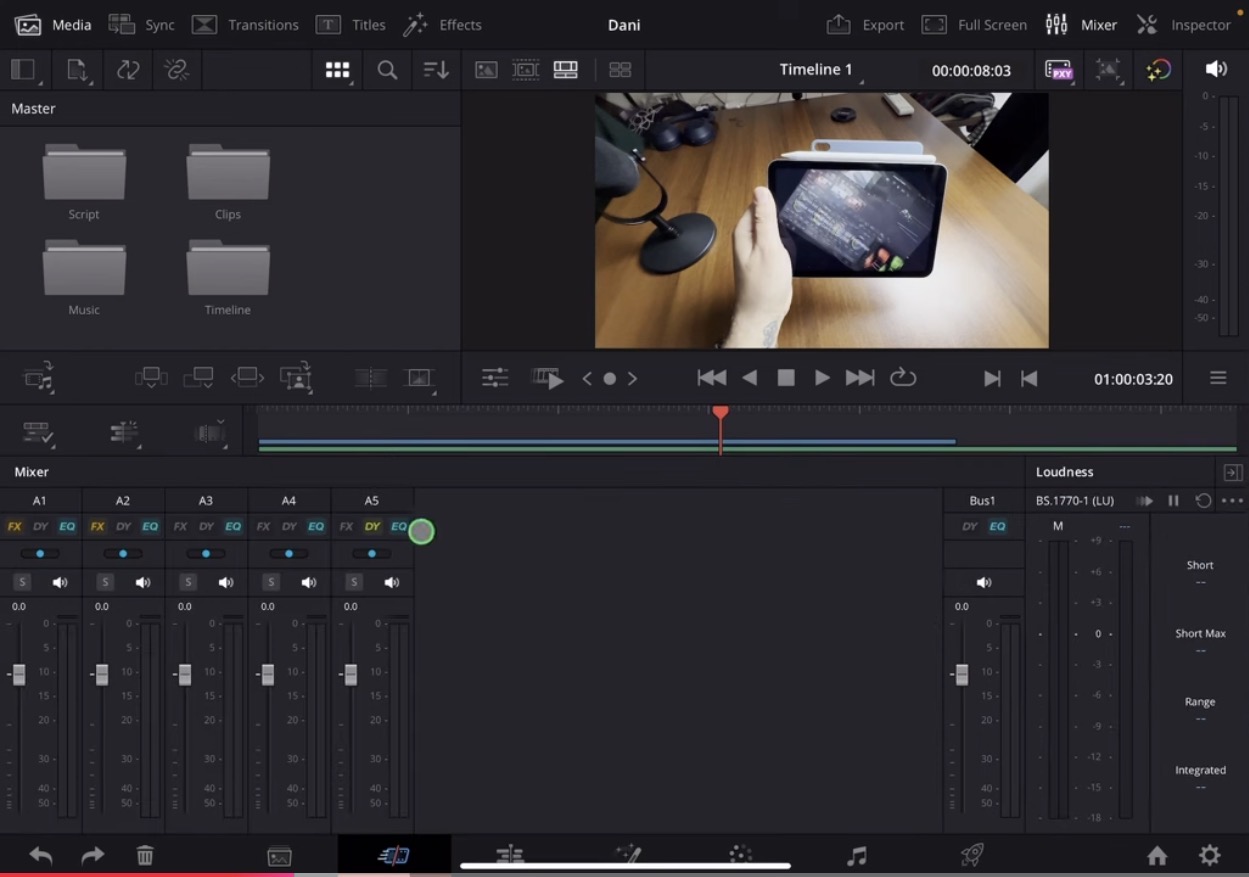
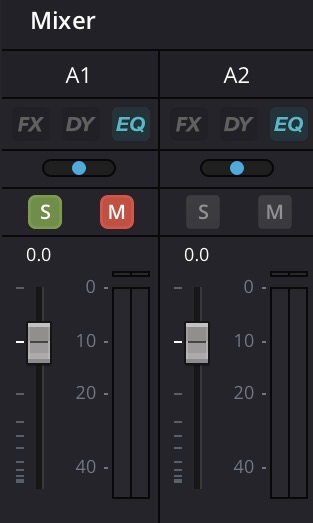
How does the Audio Mixer work?
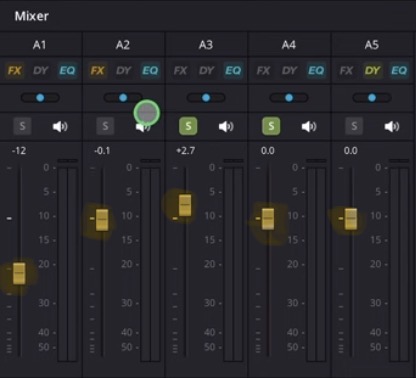
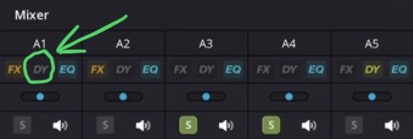
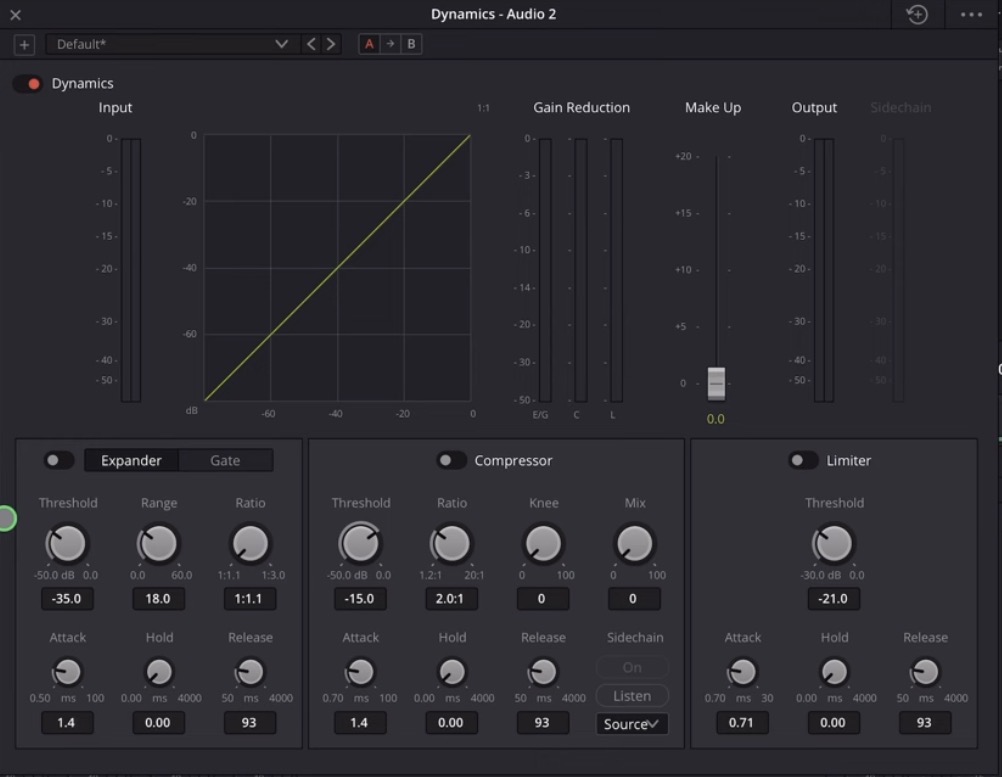
How to open the Dynamics Audio Effect in DaVinci Resolve iPad?
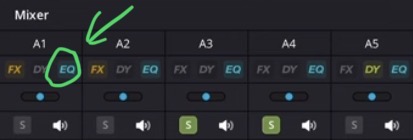
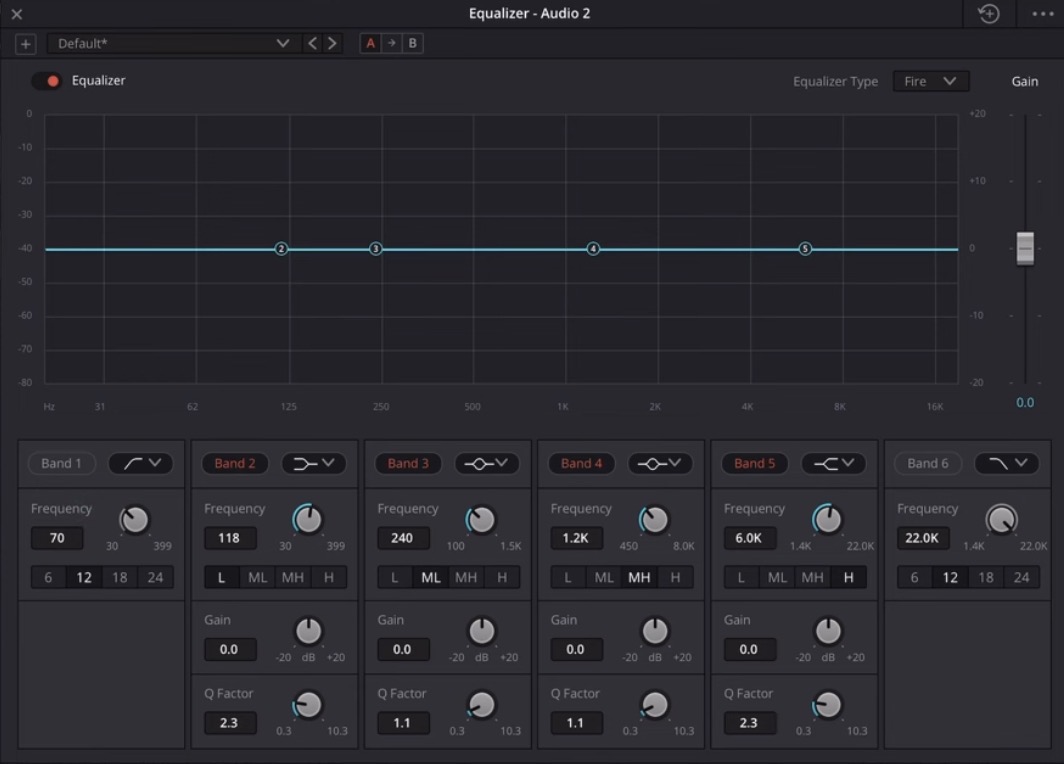
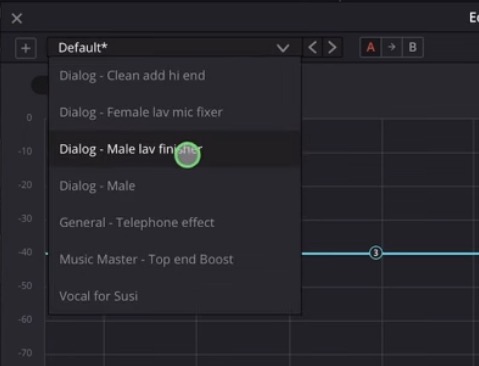
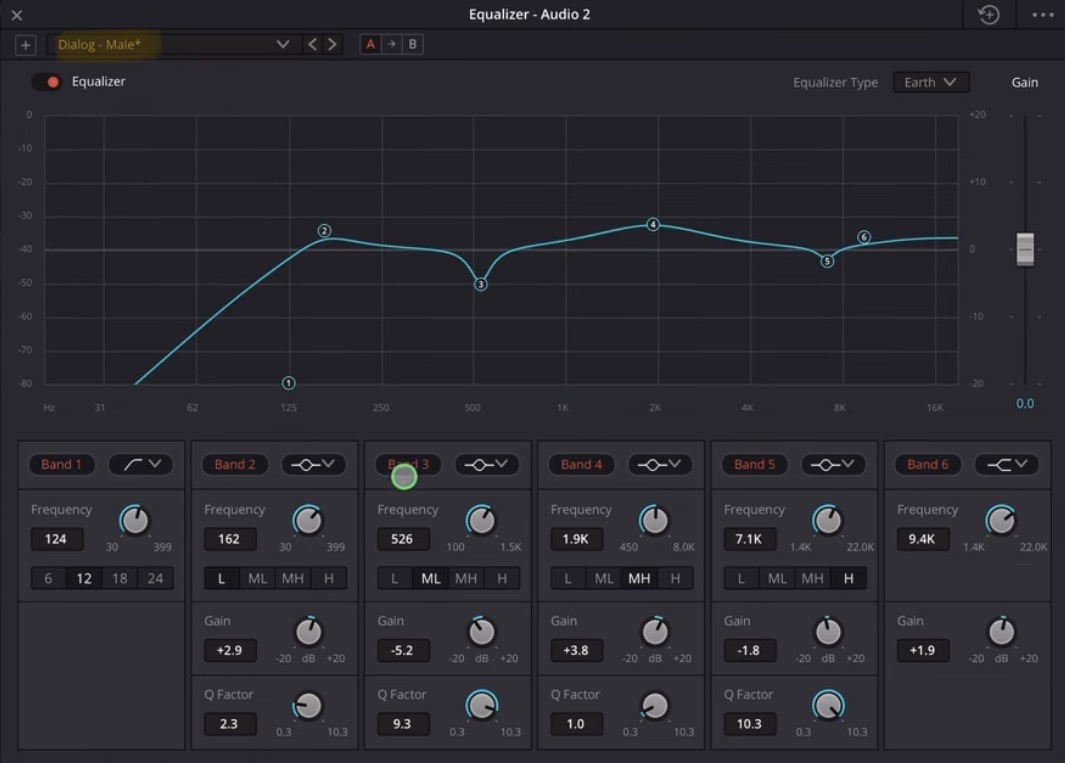
How to open the EQ (Equaliser Audio Effect) in DaVinci Resolve iPad?
How to add Audio Effects to entire Audio Tracks in DVR iPad?
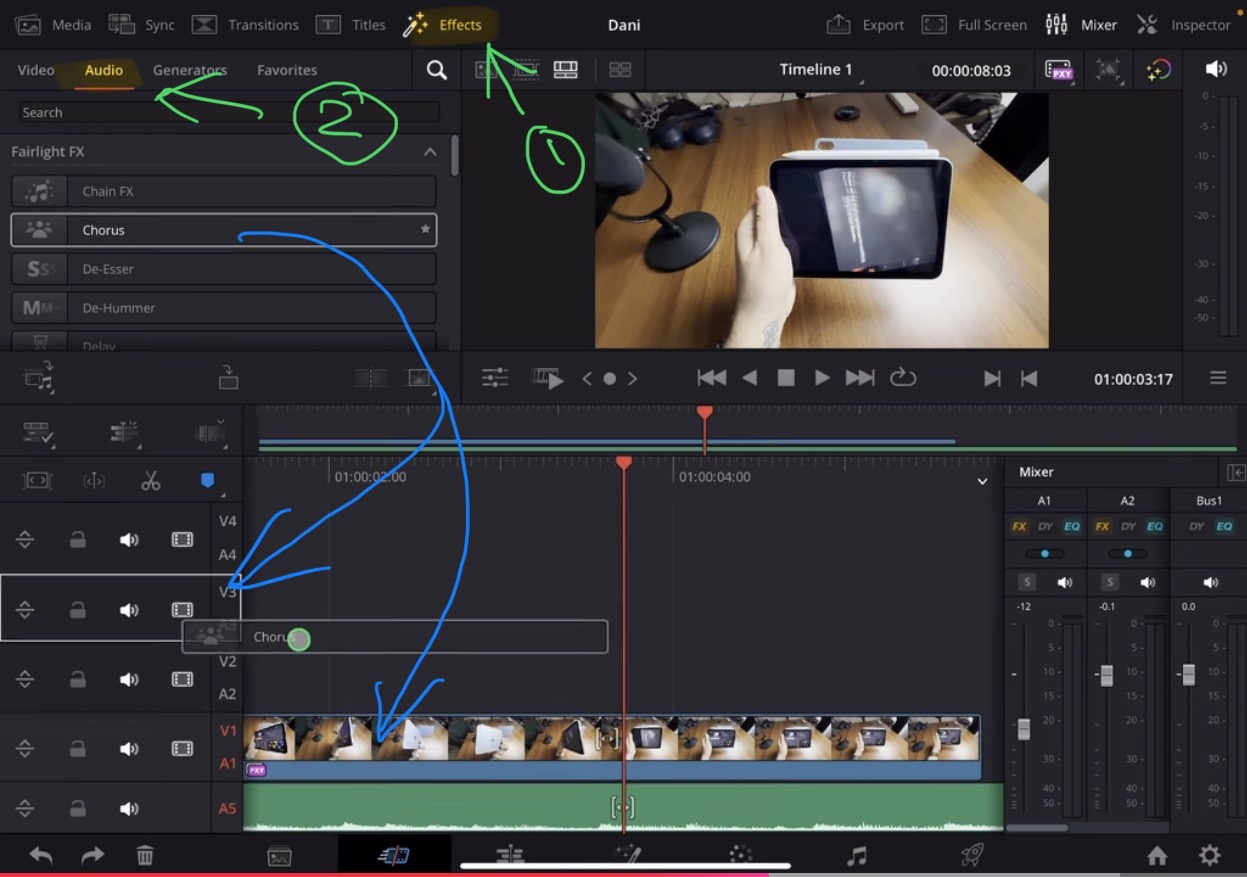
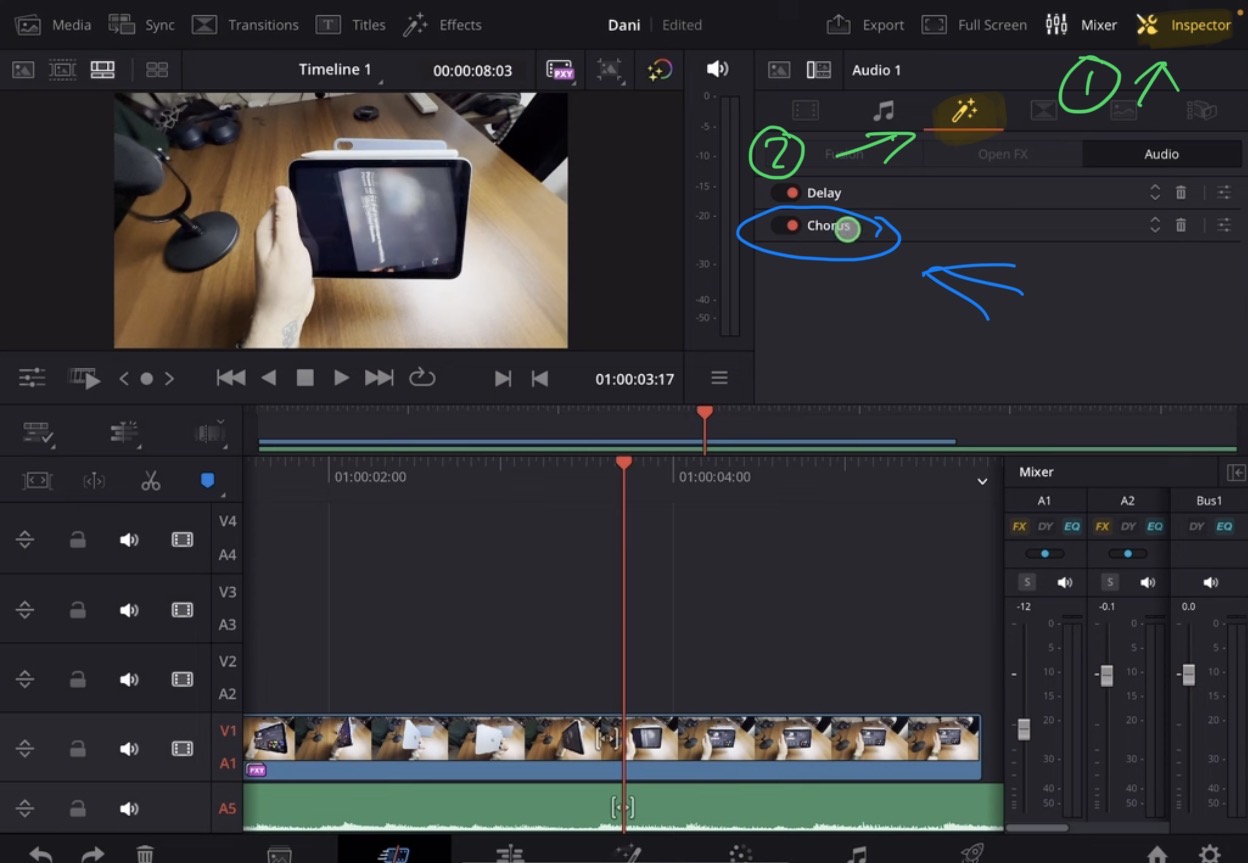
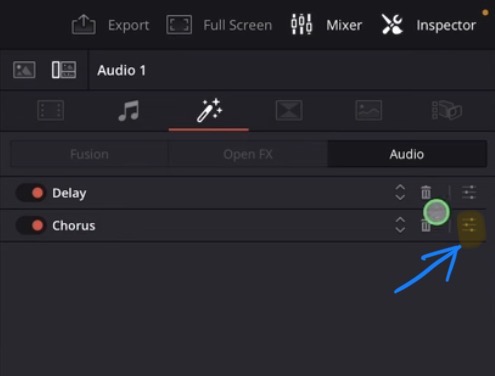
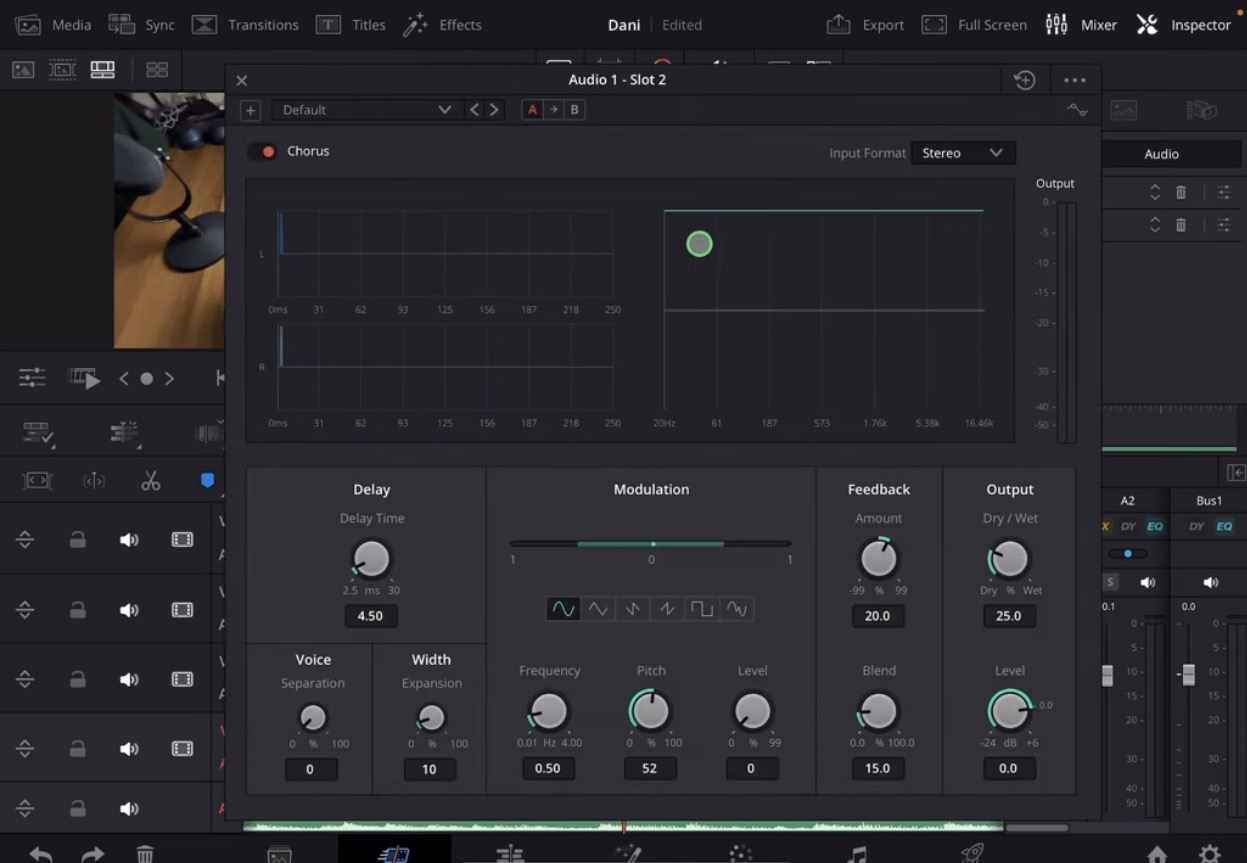
Info: The first icon “FX” in the Audio Mixer simply opens the Audio Effects Tab in the Inspector for that specific Audio Track.
Raping this article up, even if the Audio Mixer is still missing in the Edit and Fairlight Pages with all the different Audio Effects and the introduction of the full size Audio Mixer and EQ and DY in the Cut Page, the iPad Version is now capable of performing some serious Audio editing and mixing. For most users this is more than what they actually need to edit their Social Media Content with the iPad. What do you think? What is still missing let me know in the comments.
If you want to host your own Online Course use CC360
I really believe, that CC360 is the best Platform to host your own Online Course currently on the market. And each week they introduce new features. Amazing. Check it out here.
BONUS: All DaVinci Resolve iPad Masterclass Students get the Transition Pack & the 8K Film Grain Pack for FREE!
You can either get the Transition Pack separate here: Seamless Transition Pack for DaVinci Resolve iPad. Or the 8K Film Grain Pack here: 8K Film Grain Bundle. but all of our DaVinci Resolve iPad Packs are a FREE Bonus for the DaVinci Resolve iPad Masterclass Students.
Check It Out here DaVinci Resolve iPad MasterClass: From Beginner To Pro.
Read Next
• How COPY Color Grade to MULTIPLE Clips in DaVinci Resolve iPad
• DO THIS to make DaVinci Resolve FASTER! (Instead of rage smashing your iPad)
• How To Delete Cache Files in DaVinci Resolve iPad
• How To Color Correct iPhone Footage in DaVinci Resolve iPad
• Easy Sync Audio & Video in DaVinci Resolve iPad